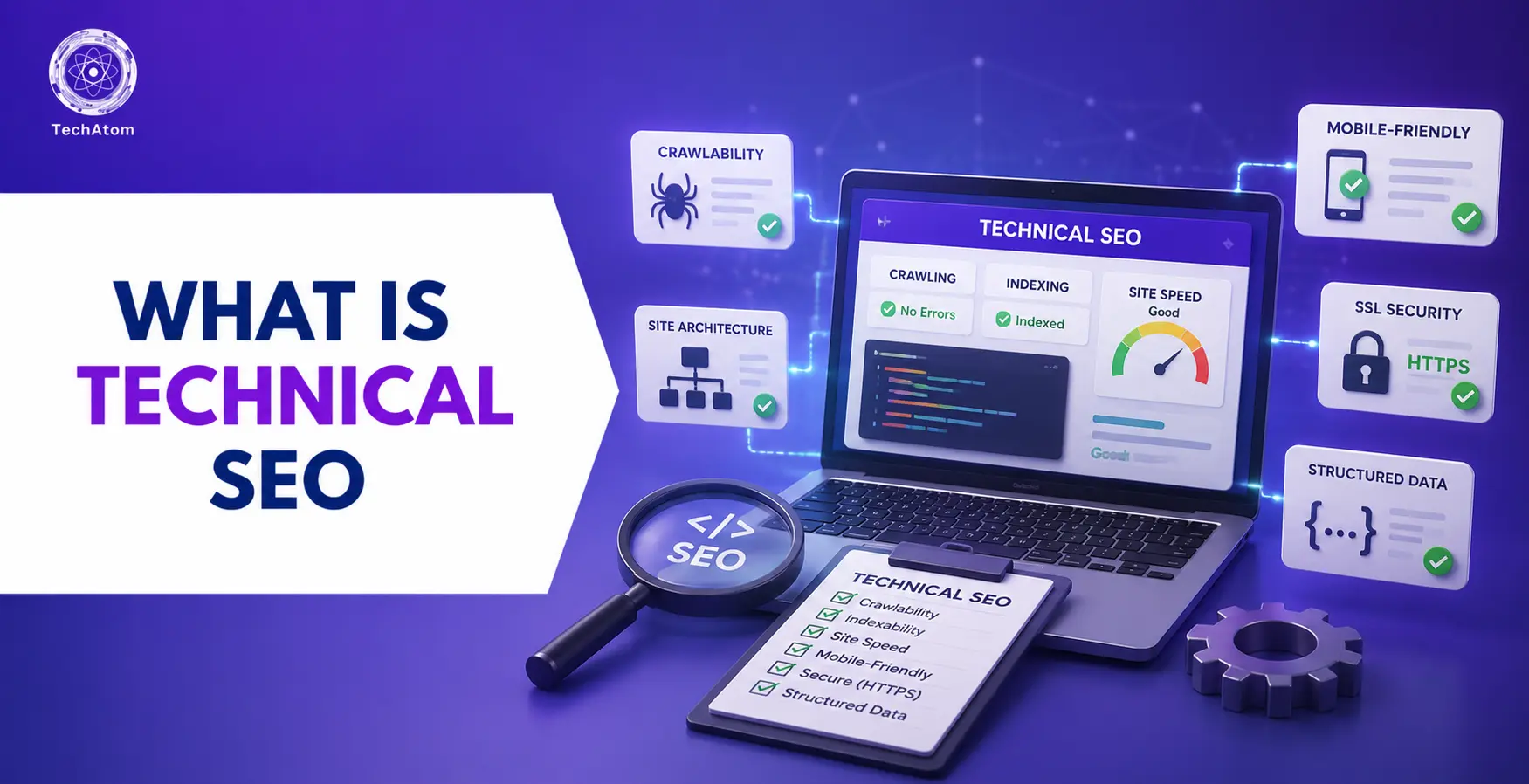

Creating high-quality content is only one part of SEO. If search engines cannot access, understand, or index your website properly, even the best content may struggle to rank. This is where technical SEO becomes important. Technical SEO focuses on improving the technical foundation of your website so search engines can crawl, render, and index your pages efficiently. It also helps create a fast, secure, and mobile-friendly experience for users, all of which contribute to better search visibility.
Whether you run a blog, business website, or online store, understanding technical SEO is essential for improving your website's performance in search results. In this guide, you'll learn what technical SEO is, why it matters, how it works, and the key elements that form the foundation of a well-optimized website.
What Is Technical SEO?
Technical SEO is the process of optimizing a website's backend infrastructure and code so search engines can easily crawl, render, and index its pages. It helps search engines understand your website while providing users with a fast, secure, and smooth browsing experience.
Unlike on-page SEO, which focuses on content, and off-page SEO, which focuses on backlinks, technical SEO improves the technical foundation of your website to support better search visibility.
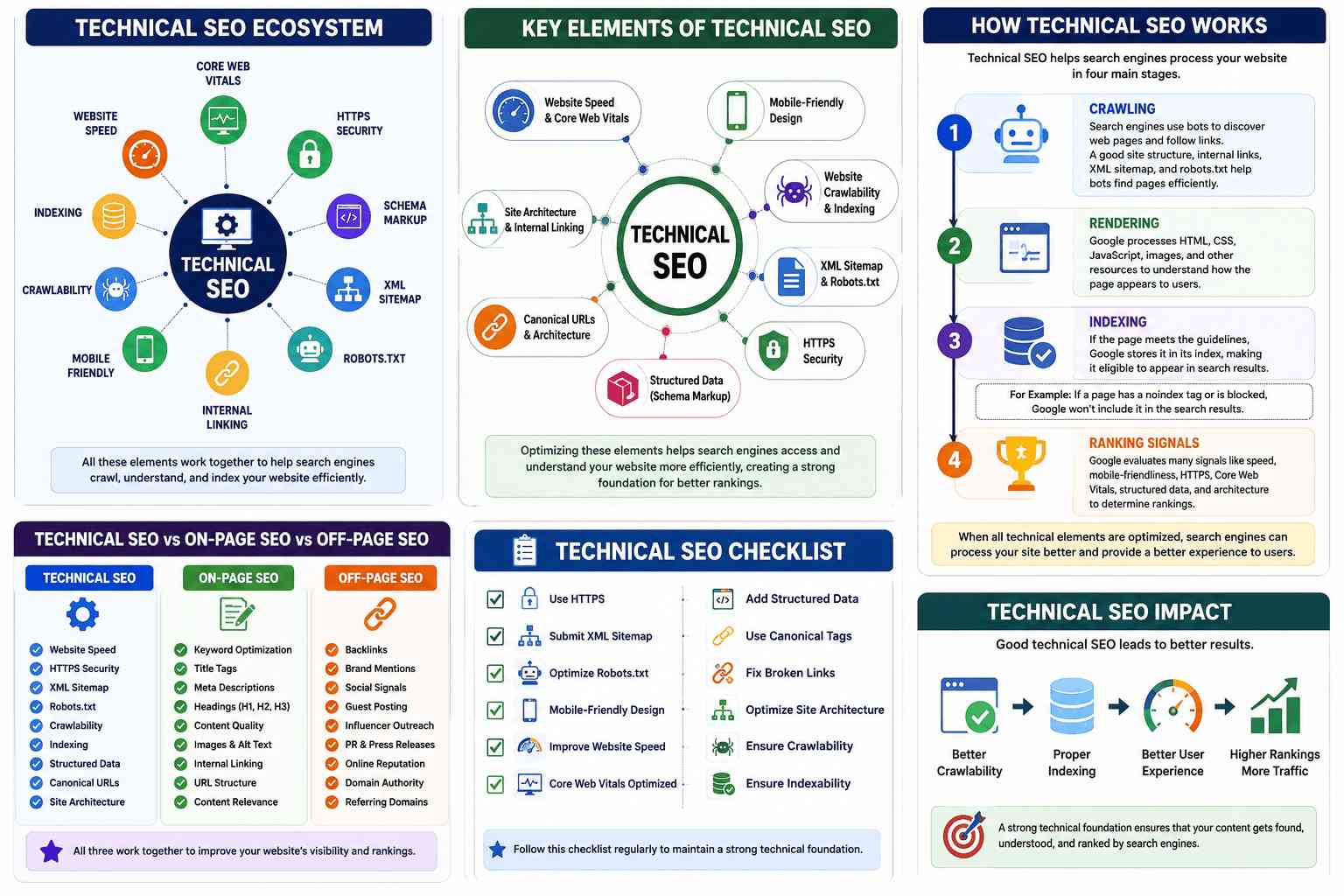
Key elements of technical SEO include:
- Website speed and Core Web Vitals
- Mobile-friendly design
- Website crawlability and indexing
- XML sitemap and robots.txt
- HTTPS security
- Structured data (Schema Markup)
- Canonical URLs and website architecture
Optimizing these elements helps search engines access and understand your website more efficiently, creating a strong foundation for better rankings.
Why Is Technical SEO Important?
Technical SEO is important because it helps search engines crawl, render, index, and understand your website more efficiently. Without a strong technical foundation, even high-quality content may struggle to rank in search results.
It improves website crawlability, indexing, page speed, mobile-friendliness, and security, all of which contribute to better user experience and search performance. For example, around 53% of users leave a website that takes longer than three seconds to load, while Google recommends a Largest Contentful Paint (LCP) of 2.5 seconds or less. Using HTTPS, maintaining an XML sitemap, and adding structured data also help search engines process your website more effectively.
For Example: Imagine you publish an excellent blog post, but your website loads slowly and the page isn't indexed because of an incorrect robots.txt setting. Even though the content is valuable, it may not appear in Google search results until those technical issues are fixed.
How Does Technical SEO Work?
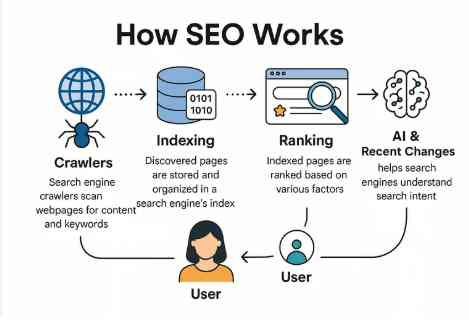
Technical SEO works by helping search engines process your website in four main stages: crawling, rendering, indexing, and evaluating ranking signals. Each stage plays an important role in determining whether your pages appear in search results.
1. Crawling
Crawling is the process of discovering webpages. Search engines use automated programs called crawlers or bots to visit websites and follow links from one page to another. To improve crawlability, your website should have a logical structure, clear internal links, an updated XML sitemap, and a properly configured robots.txt file. These elements guide search engine bots and help them find important pages efficiently. Poor crawlability can prevent valuable pages from being found, which limits their chances of appearing in search results.
2. Rendering
After a page is crawled, search engines render it to understand how it appears to users. During rendering, Google processes HTML, CSS, JavaScript, images, and other resources to display the complete webpage. If important content relies on scripts that cannot be rendered properly, search engines may not fully understand the page. Technical SEO ensures that all essential content and resources are accessible so search engines can accurately interpret each page.
3. Indexing
Once a page has been crawled and rendered successfully, search engines decide whether it should be added to their index. Indexing means storing the page in Google's database so it becomes eligible to appear in search results. Pages may fail to be indexed because of technical issues such as duplicate content, incorrect noindex tags, broken redirects, or blocked resources. Proper website indexing ensures that important pages are available for users searching on Google.
For Example: If you publish a new blog post but accidentally add a noindex tag, Google won't include that page in its search results, even though it has valuable content.
4. Ranking Signals
After a page is indexed, Google evaluates numerous ranking signals to determine where it should appear in search results. Technical SEO contributes to several of these signals, including website speed, mobile friendliness, HTTPS security, Core Web Vitals, crawlability, structured data, and website architecture. When these technical factors are properly optimized, search engines can process your website more efficiently and provide users with a better browsing experience.
Key Elements of Technical SEO
Technical SEO consists of several important elements that work together to improve your website's visibility and performance. Each element supports search engines in understanding and indexing your content while also improving the user experience.
- Website Speed and Core Web Vitals: Fast-loading pages improve user satisfaction and reduce bounce rates. Google recommends a Largest Contentful Paint (LCP) score of 2.5 seconds or less as part of its Core Web Vitals metrics.
- Mobile-Friendliness: Since Google uses mobile-first indexing and mobile devices generate approximately 63.5% of organic search traffic, your website should be fully responsive and provide the same experience across all devices.
- Website Crawlability: Search engine bots should be able to access every important page on your website. A clear site structure, internal linking, XML sitemaps, and correctly configured robots.txt files help improve crawlability.
- Website Indexing: Search engines should be able to add your important pages to their index while excluding duplicate or unnecessary pages. Proper canonical tags and index settings help achieve this.
- XML Sitemap: An XML sitemap provides search engines with a list of important pages, making it easier for them to discover and crawl your content.
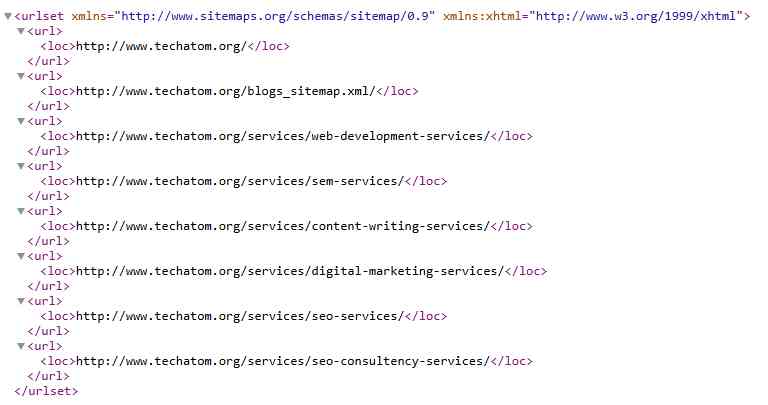
- Robots.txt: This file tells search engine crawlers which pages or sections of your website they can and cannot access. Correct configuration prevents unnecessary crawling while allowing important pages to be indexed.
- HTTPS Security: HTTPS protects data exchanged between your website and users. It also builds trust and is widely used by Google's top-ranking websites.
- Structured Data (Schema Markup): Structured data helps search engines understand the meaning and context of your content. It can also increase the chances of earning rich snippets in search results.
Together, these technical SEO elements create a strong foundation that helps search engines access, understand, and rank your website more effectively.
How to Do Technical SEO (Step-by-Step)
Improving technical SEO does not require changing everything on your website at once. Start by identifying technical issues, fixing the most important ones, and monitoring your website regularly. Follow these steps to build a strong technical SEO foundation.
Step 1: Check Website Crawlability
The first step is to make sure search engines can access your important pages. Review your website structure and ensure every important page is linked internally. Create a clear navigation menu so both users and search engine bots can move through your website easily. You should also generate an XML sitemap and submit it to Google Search Console. A sitemap helps search engines discover your pages more efficiently, especially if your website is large or frequently updated.
At the same time, check your robots.txt file to ensure it is not blocking pages that should appear in search results.
Step 2: Fix Indexing Issues
Once search engines can crawl your website, verify that your important pages are being indexed. Use Google Search Console to check the Indexing report and identify pages that are excluded or have indexing errors. Common indexing issues include noindex tags, duplicate content, incorrect canonical URLs, and server errors that prevent pages from appearing in search results. Fixing these issues ensures your most valuable pages can be indexed and become eligible to rank in Google Search.
Common issues include:
- Pages with a noindex tag
- Duplicate pages
- Incorrect canonical tags
- Broken redirects
- Soft 404 errors
Fixing these issues helps search engines include the correct pages in their index.
For Example: Suppose you publish a new article, but it doesn't appear in Google Search results. When you check Google Search Console, you see the status "Crawled - currently not indexed." This means Google has found the page but hasn't added it to its index yet. Improving the article's quality, adding relevant internal links, and ensuring it provides unique value can increase its chances of being indexed during future crawls.
Step 3: Improve Website Speed
Website speed is an important ranking factor and a key part of user experience. Research shows that about 53% of visitors leave a website if it takes longer than three seconds to load. Google also recommends keeping the Largest Contentful Paint (LCP) at 2.5 seconds or less.
To improve loading speed:
- Compress images without reducing quality.
- Enable browser caching.
- Minify CSS, JavaScript, and HTML files.
- Remove unnecessary plugins and scripts.
- Choose reliable web hosting.
- Use a Content Delivery Network (CDN) if your audience is spread across different locations.
Improving page speed benefits both users and search engines.
Step 4: Optimize for Mobile Devices
Since Google uses mobile-first indexing, your website should perform just as well on smartphones as it does on desktops. A responsive, mobile-friendly design ensures that users can easily navigate your site, read content, and interact with features on any screen size. Optimizing for mobile also improves user experience, reduces bounce rates, and helps search engines evaluate your website more effectively.
A mobile-friendly website should have:
- Responsive design
- Readable text without zooming
- Properly sized buttons
- Fast loading pages
- Easy navigation
With mobile devices generating approximately 63.5% of organic search traffic, mobile optimization is no longer optional.
Step 5: Secure Your Website with HTTPS
Website security protects user information and increases trust. Install an SSL certificate if your website still uses HTTP. Then redirect all HTTP pages to HTTPS to avoid duplicate versions of the same page. Today, around 95% of Google's top-ranking pages use HTTPS, making it an essential part of technical SEO. HTTPS encrypts the data exchanged between users and your website, helping protect sensitive information from unauthorized access. It also builds visitor confidence and signals to search engines that your website is secure, contributing to a better overall user experience.
Step 6: Add Structured Data
Structured data, also called Schema Markup, helps search engines understand your content more accurately. It provides additional context about your webpages, such as articles, products, FAQs, reviews, and events, making it easier for search engines to interpret the information. While structured data is not a direct ranking factor, it can increase your chances of earning rich results in search, which may improve visibility and click-through rates.
For example, you can add schema for:
- Breadcrumb
- Articles
- Products
- FAQs
- Reviews
- Recipes
- Events
- Organizations
- Author
Although structured data is not a direct ranking factor, it can improve your chances of earning rich snippets, which often increase visibility and click-through rates.
For Example: If you add FAQ schema to a blog post, Google may display your questions and answers directly in the search results, making your page more noticeable.
Step 7: Monitor and Fix Technical Errors Regularly
Technical SEO is an ongoing process, not a one-time task. As your website grows and search engine algorithms evolve, new technical issues can appear over time. Regularly monitoring your site, fixing errors, and performing technical SEO audits help maintain strong search performance and ensure both users and search engines can access your content efficiently.
Regularly monitor your website for issues such as:
- Broken links
- Redirect chains
- Crawl errors
- Slow pages
- Duplicate content
- Missing metadata
- Server errors
Performing regular technical audits helps identify problems before they affect your search performance.
Common Technical SEO Mistakes to Avoid
Even well-optimized websites can have technical issues that affect their search rankings. Avoiding these common mistakes can improve your website's crawlability, indexing, and overall SEO performance.
- Ignoring Page Speed: Slow-loading pages can increase bounce rates and hurt rankings. Monitor your Core Web Vitals and optimize page speed regularly.
- Blocking Important Pages: Incorrect robots.txt settings or accidental noindex tags can stop search engines from indexing important pages. Always review these settings after making changes.
- Missing XML Sitemap: An outdated or missing XML sitemap makes it harder for search engines to find your pages. Keep it updated and submit it through Google Search Console.
- Poor Mobile Experience: A website that isn't mobile-friendly can lose both visitors and rankings. Make sure your site is responsive and works well on all devices.
- Duplicate Content: Having multiple URLs with the same content can confuse search engines. Use canonical tags to indicate the preferred version of a page.
- Broken Links and Redirect Errors: Broken links, redirect chains, and 404 errors make it difficult for users and search engines to navigate your website. Check and fix these issues regularly.
- Incorrect Hreflang Tags: If your website has multiple language versions, incorrect hreflang implementation can affect international SEO. Configure hreflang tags correctly so search engines display the right version to users
However, implementation mistakes are common. Studies have found that more than 68% of websites using hreflang tags contain configuration errors, which can affect international SEO performance.
Best Tools for Technical SEO
Using the right tools makes it easier to identify, monitor, and fix technical SEO issues.
1. Google Search Console
Google Search Console is one of the most important free SEO tools. It helps website owners monitor how Google crawls, indexes, and ranks their pages. You can use it to identify crawl and indexing issues, submit XML sitemaps, inspect URLs, track Core Web Vitals, and monitor your website's search performance. Regularly reviewing Google Search Console reports helps you detect technical problems early and maintain a healthy, search-friendly website.
It helps you:
- Monitor website indexing
- Identify crawl errors
- Submit XML sitemaps
- Check Core Web Vitals
- Inspect URLs
- Monitor search performance
It should be part of every technical SEO workflow.
2. Screaming Frog SEO Spider
Screaming Frog is a website crawler that scans your website the way search engines do. It analyzes your site's pages and identifies technical SEO issues such as broken links, redirect chains, duplicate content, missing title tags, meta descriptions, canonical errors, and crawl problems. By providing detailed reports, it helps you quickly identify and fix technical issues that could affect your website's search performance and user experience.
It helps identify:
- Broken links
- Redirect issues
- Duplicate content
- Missing title tags
- Missing meta descriptions
- Canonical errors
It is particularly useful for performing detailed technical SEO audits.
3. Semrush Site Audit
Semrush includes a comprehensive Site Audit tool that automatically scans your website for technical issues. It checks your site's overall health by identifying problems such as crawl errors, broken links, duplicate content, HTTPS issues, slow-loading pages, internal linking problems, and structured data errors. The tool also prioritizes issues based on their impact, helping you focus on the most important fixes to improve your website's performance and search visibility.
It provides reports on:
- Crawlability
- Website health
- HTTPS issues
- Internal linking
- Page performance
- Duplicate content
- Structured data errors
The tool also prioritizes issues based on their impact, making it easier to decide what to fix first.
Technical SEO Best Practices
Following technical SEO best practices helps maintain a healthy website and reduces the chances of technical issues affecting your rankings.
Some of the most important practices include:
- Keep your XML sitemap updated.
- Configure your robots.txt file correctly.
- Use HTTPS across your entire website.
- Improve page speed and monitor Core Web Vitals.
- Ensure your website is fully mobile-friendly.
- Create a clear website structure with logical internal linking.
- Add structured data where appropriate.
- Fix broken links and redirect errors promptly.
- Use canonical tags to prevent duplicate content issues.
- Monitor indexing and crawl reports in Google Search Console.
- Perform regular technical SEO audits to identify and resolve new issues before they affect your website's performance.
Technical SEO is not something you complete once and forget. Regular maintenance helps ensure your website remains accessible, secure, and optimized for both users and search engines.
Technical SEO vs On-Page SEO vs Off-Page SEO
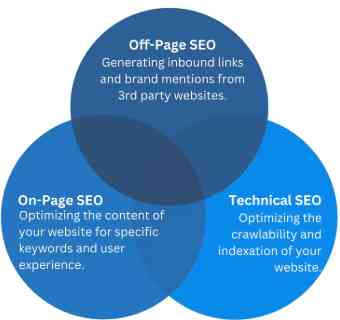
Although all three types of SEO work together to improve search rankings, they focus on different areas of optimization. Understanding their differences helps you build a balanced SEO strategy.
|
Feature |
Technical SEO |
On-Page SEO |
Off-Page SEO |
|
Primary Focus |
Optimizing a website's technical foundation |
Optimizing content and HTML elements |
Building website authority and trust |
|
Main Goal |
Help search engines crawl, render, and index pages efficiently |
Help search engines understand page content |
Increase credibility through external signals |
|
Key Activities |
Improving site speed, mobile-friendliness, HTTPS, XML sitemaps, robots.txt, structured data, and crawlability |
Optimizing keywords, title tags, meta descriptions, headings, images, internal links, and content quality |
Earning backlinks, brand mentions, digital PR, and social media promotion |
|
Direct Impact |
Improves website accessibility and performance |
Improves content relevance |
Improves website authority |
|
Best Time to Implement |
Before and during content optimization |
While creating or updating content |
After publishing quality content |
For the best SEO results, technical SEO, on-page SEO, and off-page SEO should work together rather than being treated as separate strategies.
For Example: Publishing a fast, secure, and crawlable website is technical SEO. Optimizing your page title, headings, and keywords is on-page SEO. Earning backlinks from trusted websites is off-page SEO.
Technical SEO Checklist
Use this checklist to make sure your website follows the most important technical SEO practices.
- Website uses HTTPS.
- Pages load quickly and meet Core Web Vitals recommendations.
- Largest Contentful Paint (LCP) is 2.5 seconds or less.
- Website is mobile-friendly and responsive.
- XML sitemap is created and submitted to Google Search Console.
- Robots.txt file is configured correctly.
- Important pages are crawlable and indexable.
- No broken internal links or unnecessary redirects.
- Canonical tags are implemented correctly.
- Structured data (Schema Markup) is added where appropriate.
- Duplicate content issues are resolved.
- Internal linking follows a logical website structure.
- 404 errors and server errors are fixed.
- Regular technical SEO audits are performed.
- Google Search Console is monitored for crawl and indexing issues.
Reviewing this checklist regularly helps maintain a technically healthy website and reduces the risk of SEO issues affecting your rankings.
Is Technical SEO Difficult for Beginners?
Technical SEO may seem challenging at first because it involves concepts such as crawlability, indexing, structured data, and website performance. However, beginners do not need to learn everything at once.
Start by understanding the basics, including XML sitemaps, robots.txt, HTTPS, page speed, and mobile-friendliness. Then use tools like Google Search Console to identify and fix common technical issues.
As you gain experience, you can move on to more advanced topics such as structured data, canonical tags, and international SEO. Learning technical SEO step by step makes it much easier to understand and apply.
Conclusion
Technical SEO is the foundation of a website's search performance. It helps search engines crawl, render, and index your pages efficiently while providing a fast, secure, and mobile-friendly experience for users. By improving key technical elements such as website speed, Core Web Vitals, HTTPS, XML sitemaps, and structured data, you can build a strong foundation for better search visibility. When combined with high-quality content and a solid off-page SEO strategy, technical SEO supports sustainable growth and long-term rankings.
Continue Learning SEO with TechAtom
Technical SEO is only one part of building a successful SEO strategy. To improve your website's search performance, it's equally important to understand on-page SEO, off-page SEO, keyword research, website optimization, and the latest Google algorithm updates. TechAtom publishes practical SEO guides, tutorials, and digital marketing resources to help beginners, marketers, and website owners improve rankings, increase organic traffic, and stay up to date with the latest SEO best practices.
Frequently Asked Questions
1. How long does technical SEO take to show results?
The time varies depending on your website and the issues being fixed. Minor improvements, such as resolving crawl errors or submitting an XML sitemap, may show results within a few weeks. Larger technical changes can take several months as search engines recrawl and reindex your website.
2. Can technical SEO improve Google rankings?
Yes. Technical SEO helps search engines access, understand, and index your pages more efficiently. While it does not guarantee higher rankings on its own, it creates the technical foundation needed for your content to perform well in search results.
3. Do small websites need technical SEO?
Yes. Every website, regardless of its size, benefits from technical SEO. A technically optimized website is easier for search engines to crawl and provides a better experience for visitors.
4. What is a Technical SEO Audit?
A technical SEO audit is a detailed review of your website to identify issues that may affect crawling, indexing, performance, or search visibility. It typically includes checking website speed, mobile-friendliness, HTTPS, XML sitemaps, robots.txt, structured data, broken links, redirects, and indexing errors.
5. What are the most important technical SEO factors?
Some of the most important technical SEO factors include website speed, Core Web Vitals, mobile-friendliness, crawlability, website indexing, HTTPS security, XML sitemaps, robots.txt configuration, structured data, internal linking, and a clear website structure.
People are also reading