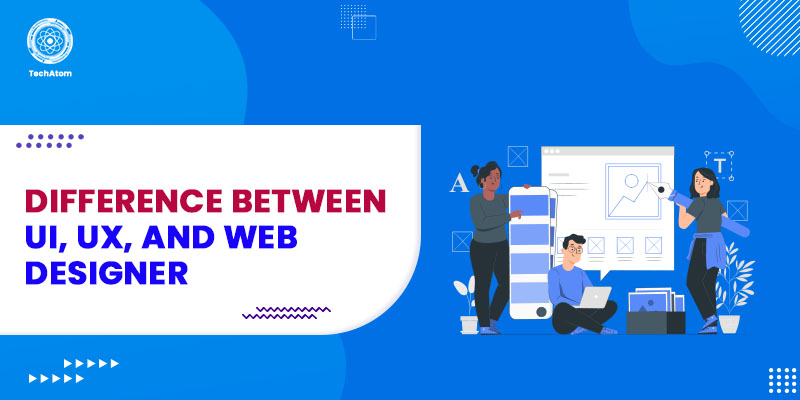

In the world of website design, there are a lot of programs, systems, and acronyms that can be pretty confusing for an ordinary person. Creating a website doesn’t only include adding content and making landing pages. Yet, it is a complex coding system for a website’s continuous running and functioning.
Undoubtedly, designing a website in the back end is quite an adventurous way to be visually attractive. Yet, still, numerous people can't differentiate between UX and UI design and web design. However, each term and tool has specifications, features, and roles in website design. In other words, each term is a tool, just like the different parts of a house.
Simply put, UI design is the architecture, and UX design is the plumbing, electrical design, and wiring. At the same time, web design is the foundation of all the work. Overall, we can say that the terms ‘UI,’ ‘UX,’ and ‘web designer’ overlap each other. There is a very thin line of difference between these terms, and they significantly impact web projects.
Thus, to master any of them, it is essential that you first understand the main difference between UX, UI, and web design. This article aims to explain exactly what the terms UI, UX, and web designer are and how they differ from each other.
So, let us get started!
What is a UI Designer?
The user interface, or simply UI, is the visual or graphical presentation of a design. It is part of an application through which end-users can interact with it. It is a subset of UX, and both UI and UX have the same goal of providing a positive user experience.
A UI designer is one who is in charge of creating the UI of web applications. They create user interfaces so end users can seamlessly interact with the product under development. They take the skeleton structure of web applications or websites from UX designers and create them using various visual elements, such as graphics, color, typography, and many other interactive features.
The role of UI designers is to decide the shape of a particular element, the spacing between elements on a web page, the thickness of font for headings, sub-headings, and text, etc.
A UX designer could also work on a UI. However, other UX designers could only hit the mark with the research and wireframes. You can find courses related to UI design in the open classrooms and the UX designer path. You have the option to do it alone, or you can also opt to do it in collaboration with other UI designers.
By learning User Interface design, a designer can get training in graphic design, color theory, photo direction, motion graphics, and strong typography. It will assist in working as the creative director of the visual vision of products at the senior level.
Roles and Responsibilities of a UI Designer
Some common roles and responsibilities of a UI designer include:
- Taking the requirements and structure of a product from UX designers and designing an intuitive platform.
- Creating user-friendly user interfaces for websites and applications of different complexities.
- Developing simple prototypes with the aim of user testing the interface elements and concepts.
- Integrating graphic design elements like typography, color schemes, and icons to create visually cohesive user interfaces.
- Creating visual and brand consistency throughout an organization’s digital space.
- Providing recommendations for marketing strategies, functionality and behavior of products, and their design and layouts.
Education and Skills
The qualification and skills you require to become a UI designer are as follows:
- An associate’s or bachelor’s degree in web design, graphic design, or any other relevant field.
- In-depth knowledge of the Adobe Suite entails Adobe XD, Photoshop, Illustrator, and InDesign.
- Working experience with Microsoft Office and Sketch.
- Familiarity with current trends in design, specifically in layout, photography, and typography.
- The ability to implement the best practices to create responsive designs.
- Experience designing eCommerce websites.
What is a UX Designer?
UX is an acronym for User Experience, which is generally undetectable or "in the background" aspect. It is simply any interaction a user performs with the product. It entails every element of the product that contributes to the experience of how users feel while interacting and how easily they can accomplish their tasks.
It's everything that goes into making an application, site, software, or service. The UX design process incorporates user research, data architecture, interaction design, usability testing, and content techniques. And professionals who take care of UX design are UX designers.
UX designers strive to fully understand the user or client's behavior, needs, routines, inspirations, and sentiments. They thoroughly understand their problem and the people for whom they intend to purchase prototypes and iterate solutions.
In short, UX designers optimize the interaction between end users and the product under development. Their job is to make products or services enjoyable and accessible.
Roles and Responsibilities of a UX Designer
Here are some typical everyday duties of a UX designer:
- Designing prototypes for web and mobile applications.
- Working with front-end developers to come up with solutions to an application’s usability problems.
- Transforming business and user requirements into interactive and amazing user experiences.
- Applying core user experience principles, such as usability, accessibility, and simplicity, to ensure designs are user-friendly.
- Creating detailed sitemaps, schematics, and wireframes for exceptionally interactive interfaces across multiple platforms.
- Taking part in concept testing, usability testing, and user research.
- Continually upgrading the design based on user feedback.
Education and Skills
Here are the required skills and qualifications to become a UX designer:
- A bachelor’s or associate’s degree in computer science, web programming, information architecture, and visual design.
- Hands-on experience working with HTML and CSS and a basic understanding of JavaScript.
- Strong acquaintance with mobile and web design patterns.
- A strong command of UI design tools such as Figma, Adobe XD, and Sketch is essential to bring creative concepts to life.
- Knowledge of prototyping and wireframing websites and applications.
- Excellent communication, analytical, cognitive, and problem-solving skills.
What is a Web Designer?
A web designer is a professional in charge of the front end of applications, i.e., the part through which end users interact. However, this includes aesthetic elements, such as photos, color, typography, graphics, etc., and experimental elements. Web designers need to collaborate with front-end development teams, so, knowledge of HTML, CSS, and JavaScript is a valuable advantage.
Moreover, many people still get confused between web designers and web developers. A web developer is a professional who leverages computer languages (usually HTML, CSS, and JavaScript) to fulfill the vision of web designers by creating a fully-functional web app or website.
Web design is a combined term for UI design and UX design. Earlier, small organizations would hire a general designer for both UI and UX design.
Whichever concept you choose, you must remember that design isn't just about making things look pretty. Design is more about critical thinking, communication, and individuals.
Roles and Responsibilities of a Web Designer
The following are the general duties of every web designer:
- Transforming digital concepts into reality through website design, app design, or user experience design.
- Directing and supporting design initiatives and collaborating with them to facilitate the design process.
- Convert marketing goals into visual solutions.
- Working with clients and managing them.
- Breaking down technical concepts into graphics, layouts, and illustrations so people can understand easily.
Education and Skills
To become a web designer, you need to possess:
- An Associate’s degree (a bachelor’s degree is preferable) in web visual arts, web design, computer science, business, and graphic design.
- Mastery of the Adobe Creative suite entails Acrobat Pro, Dreamweaver, Fireworks, InDesign, and Photoshop Illustrator. Additionally, you must have hands-on experience with Microsoft Office and HTML/CSS.
- Strong web design skills, including layout structuring, typography, and responsive coding, are mandatory for building engaging websites.
- Excellent communication skills.
The Difference Between a UI, UX, and Web Designer
Now that you know exactly who UI, UX, and web designers are, let us understand their differences.
|
Title |
UX Designer |
UI Designer |
Web Designer |
|
Definition |
Focuses on user experience, solves user problems, ensures products are usable and enjoyable |
Designs product interfaces, visual appeal, interactive elements |
Creates website layouts, combines UI/UX visuals, manages overall aesthetics |
|
Core Role |
Researches users, builds wireframes, prototypes, tests usability |
Implements visuals based on UX input, ensures designs are consistent and engaging |
Builds responsive, attractive websites; uses coding and design tools |
|
Main Focus |
User needs, task flows, problem solving |
Visual identity, brand consistency, look and feel |
Website structure, layout, appearance |
|
Skills & Tools |
User research, prototyping, info architecture, Figma, Sketch |
Graphic design, Adobe XD, Illustrator, color theory, animation |
HTML/CSS, JS, Adobe Suite, responsive web coding |
|
Coding Requirement |
Not required, but useful to know basics |
Not required, but HTML/CSS basics help |
Usually required (HTML, CSS, JS) |
|
Salary (US Average) |
High range |
Mid to high range |
Low to mid range |
|
Major Output |
User flows, wireframes, prototypes, improved usability |
Page layouts, interactive elements, visual guidelines |
Website mockups, functioning sites, brand styles |
Future Trends for UI, UX, and Web Designers
Here are some future trends for UI, UX, and Web Designers based on the latest references and industry insights:
- Design & Personalization Powered by AI
AI tools use user data to create personalized and adaptive designs. They automate repetitive tasks, but also help with decision-making for creativity.
- Interactive 3D & Spatial Design
Incorporating interactive 3D objects and spatial UI increases user engagement and creates immersive experiences as definitions of augmented reality and mixed reality become clearer.
- Voice User Interfaces and Gesture Controls
Voice commands and touchless interaction experiences convert input to clicking and tapping, allowing for hand-free, natural gesture navigation on apps, software, and physical products.
- Zero UI and Contextual Interfaces
Interfaces anticipate user needs and interactions transparently through predictive algorithms to create seamless experiences by reducing explicit user input.
- Dark Mode and Color-Accentuated Design
Designs in dark themes with hard and soft accent colors allow for eye strain reduction and claim a premium, modern aesthetic perceived across most platforms.
- Data-Driven Dashboards and Visual-Driven Data 'Cards'
Clean design, inclusive of insightful dashboards and multiple real-time updates, deliver decision-based performance by presenting data in digestible, progressive-disclosure card layout.
- Minimalist and Emotionally-Centric UI
Clean, very simple, and declarative decision-based designs focus on creating an emotional connection between user/trust with things like tone, color, and meaningful content.
- Micro-Interactions and Small Animations
Little responsive design animations help engage users by providing feedback, introducing guides, or simply generating pure experience.
- Neumorphism and Glassmorphism
Soft shadows, highlights, and glass-like soft controls across layers of aesthetics allow users to almost feel the interaction, sophisticated solution/experience.
- Dynamic and Motion Typography
The use of animated and variable fonts increases levels of expressiveness, and even storytelling, in our digital interfaces.
- Cross-Platform and Responsive Design
Designs account for a seamless and consistent experience across devices, including, mobile, desktop, and wearables. Responsive web design ensures that websites adapt seamlessly to different devices and screen sizes, enhancing usability across platforms.
- Accessibility and Inclusive Design
Designs keep usability for everyone on the floor, including differently-abled users, at the forefront, while encouraging or requiring good design compliance for a larger audience.
- Ethical Design and Privacy Consideration
UX designers are changing the way they design for ethical user experiences based on user emotions and digital comfort, privacy and user rights.
- AR/VR Integration
Augmented and virtual reality elements become operational in the design and user experience, especially in the retail, education, training sectors.
- AI-Augmented Workflows
UX/UI workflows change and evolve to integrate AI options, suggestions and analysis to ease the burden on or expedite designers while providing options for accuracy.
- Remote and Collaborative Design Tools
Designers want to collaborate in a virtual space, so cloud and other collaborative tools are solutions sought by designers.
- Password-less Authentication
Biometric/log-ins and social log-ins become a viable replacement to passwords to enhance user experience, security, and alleviate risk of breaches.
- Personalized User Onboarding
User onboarding/easy onboarding is designed to be simple, help the user acclimate and feel free to navigate and prioritize retention.
- Sophisticated Prototyping and Testing Tools
Tool upgrading provided faster design iterations, user testing and prototyping on multi-devices to validate design decisions with end users.
- Sustainability and Green UX
Designers place importance on designing interfaces to be energy efficient and user experiences to promote and develop sustainable practices through design choices.
Keeping up with the latest website design trends, such as minimalism, dark mode, and micro-interactions, helps professionals stay competitive.
Conclusion
In a nutshell, a UX designer decides how the UI will function, a UI designer decides how the UI will look, and a website designer puts everything together to form a fantastic website. UX is more concerned with how users feel while using a product, whereas UI focuses on the product’s visual appearance. On the other hand, web design combines both UI and UX. So, choosing a career in UI, UX, or web design requires creativity, technical skills, and an understanding of evolving digital trends.
We hope this article has assisted you in gaining enough clarity about the difference between UI, UX, and web designer. Choose your career wisely, depending on your interest.
People are also reading:
- Cheat Codes for Designing User Interfaces
- Growth Hacking Strategies
- Great Ideas for Small Business
- What is a Single Page Application?
- Quillbot vs Grammarly
- What is an MVP?
- Content Marketing Tools
- Top New CSS Features
- Content Marketing Platforms
- Common Mobile App Design Mistakes
Frequently Asked Questions
1. How do UI and UX differ from each other?
While UX primarily focuses on the overall user experience while using a product, UI is concerned only with the product's visual appearance. UX identifies and fixes user problems, while UI develops appealing, attractive, and interactive interfaces.
2. Does UI UX require coding?
Though UI UX does not require coding, it is advisable to have basic knowledge of JavaScript and a strong understanding of HTML/CSS.
3. Who gets paid more - a UI/UX designer or a web designer?
A web designer gets paid more than a UI/UX designer because it is an umbrella term for both UI and UX. Web designers have more knowledge, skills, and experience than UI/UX designers. In addition, web development is today one of the most in-demand skills in the development industry.
4. What language is best for UI design?
You must be well-versed in HTML and CSS for UI design, and a basic understanding of JavaScript is essential. HTML is a markup language for structuring web pages, while CSS is a style sheet language for styling elements on HTML web pages.
5. Who earns more - a UX designer or a UI designer?
According to Glassdoor, a UI designer earns an average salary of $99K per year, whereas a UX designer earns $1.1L annually. This number shows that a UX designer earns more than a UI designer.
6. ID designer vs UX/user experience designer
- ID Designer: Emphasizes on organizing and structuring content to make it digestible and easy to access.
- UX Designer: Emphasizes the entirety of the user journey, including research, usability, and making the product enjoyable and efficient.
7. UX vs. Product Design: what's the difference?
- UX Design: Emphasizes user research, wireframes, and how to improve user interactions with a product.
- Product Design: Includes UX, but also includes business goals, strategy, and product market fit.