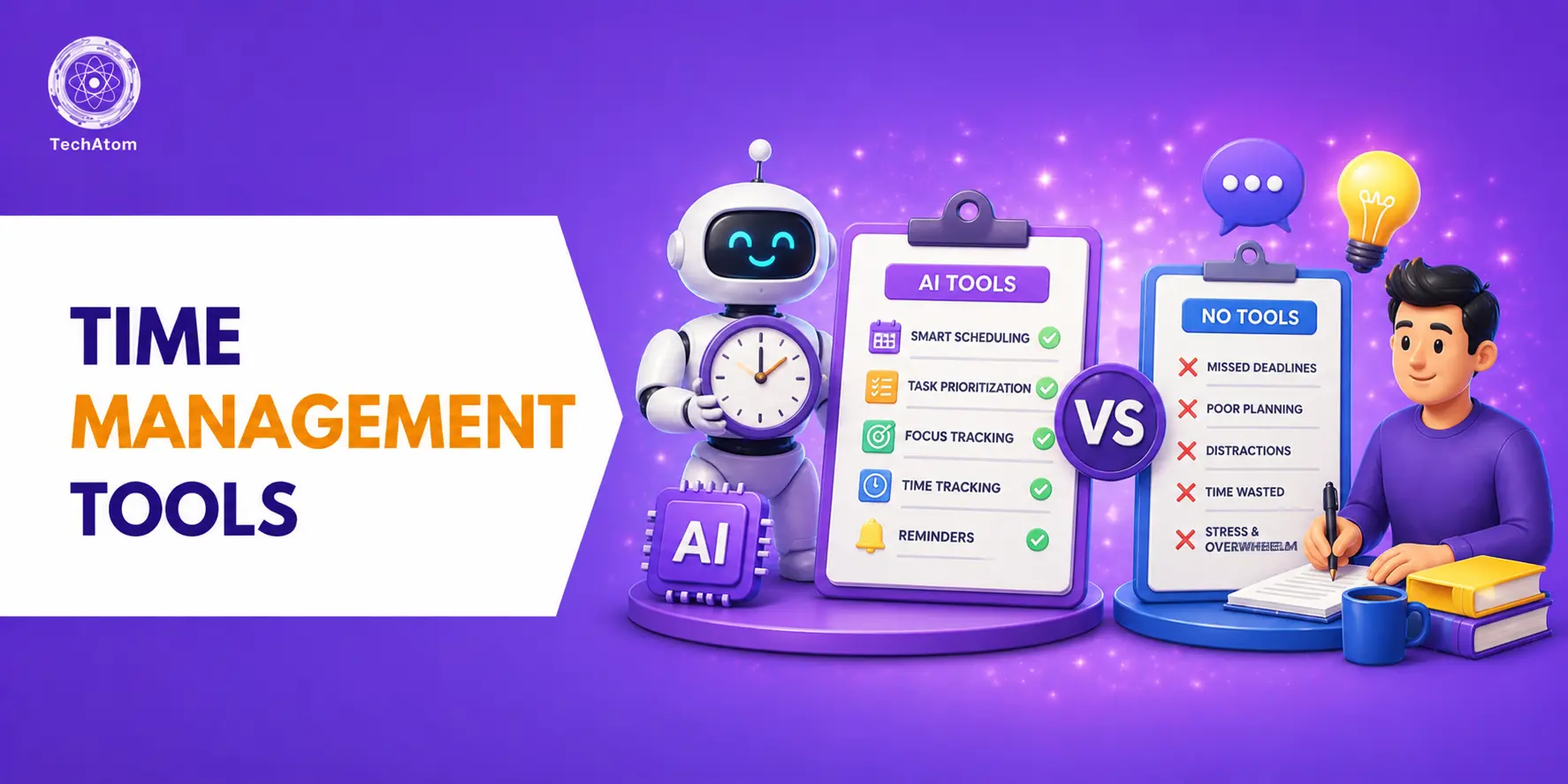

Managing time effectively has become more important than ever in 2026. With remote work, AI-powered workflows, hybrid teams, and increasing digital distractions, professionals and businesses now rely heavily on smart productivity software to stay organized. Whether you are a freelancer, business owner, student, remote employee, or project manager, using the right time management tools can improve productivity, reduce stress, and help complete tasks more efficiently.
The best time management tools in 2026 are no longer limited to simple calendars or to-do lists. Modern productivity platforms now include AI scheduling, automation, task prioritization, workflow tracking, team collaboration, focus timers, analytics, and smart reminders. Because of this, businesses and individuals can manage projects, meetings, deadlines, and daily activities more effectively than before.
During recent productivity trends, many users shifted toward all-in-one workflow platforms instead of using multiple disconnected apps. As a result, tools like Notion, ClickUp, and Asana have become highly popular because they combine task management, note-taking, collaboration, and automation within a single workspace.
If you want to improve productivity, avoid missed deadlines, and organize your daily workflow efficiently, these best time management tools in 2026 deserve serious consideration.
Top 10 Best Time Management Tools in 2026
- Notion
- ClickUp
- Trello
- Asana
- Todoist
- Monday.com
- Clockify
- RescueTime
- Motion
- Google Calendar
Best Time Management Tools in 2026 at a Glance
|
Tool |
Starting Price |
Free Plan |
Best For |
|
Notion |
$12/user/month |
Yes |
All-in-one productivity |
|
ClickUp |
$10/user/month |
Yes |
Team workflows |
|
Trello |
$6/user/month |
Yes |
Simple task tracking |
|
Asana |
$13.49/user/month |
Yes |
Project management |
|
Todoist |
$7/month |
Yes |
Personal productivity |
|
Monday.com |
$12/seat/month |
Limited |
Enterprise teams |
|
Clockify |
$4.99/user/month |
Yes |
Time tracking |
|
RescueTime |
$12/month |
Limited |
Focus improvement |
|
Motion |
$19/month |
No |
AI scheduling |
|
Google Calendar |
Free |
Yes |
Scheduling |
Why Time Management Tools Are Important in 2026
Modern work environments involve constant multitasking, virtual meetings, project deadlines, and digital communication. Without proper organization, productivity quickly decreases. The best time management tools in 2026 help users organize priorities, automate repetitive tasks, track working hours, and maintain better work-life balance.
At the same time, AI-powered scheduling and automation features are transforming how professionals manage their daily workflow. Many tools now automatically organize meetings, prioritize urgent tasks, and optimize schedules based on productivity patterns.
Besides improving efficiency, these tools also reduce mental overload because users no longer need to manually remember every task, reminder, or deadline.
1. Notion
Notion is one of the most powerful productivity and time management platforms available in 2026. It combines note-taking, project management, task tracking, databases, documentation, AI writing tools, and workflow planning into a single workspace.
Unlike traditional task managers, Notion allows users to create highly customized productivity systems for personal and professional use. Freelancers, startups, students, and remote teams widely use it for organizing projects, content calendars, meeting notes, and knowledge bases.
The introduction of AI-powered workflow automation has made Notion even more efficient for time management. Users can now generate summaries, automate documentation, and organize tasks more quickly.
Highlights
- Best For: All-in-one productivity management
- Key Features: Notes, databases, AI tools, task tracking
- Platform: Web, Windows, Mac, Android, iOS
- Free Plan: Available
- Pricing: Starts around $12/user/month
- Best Feature: Highly customizable workspace
Pros
- Flexible workflow customization
- Excellent collaboration features
- Powerful AI integration
- Suitable for personal and business use
Cons
- Learning curve for beginners
- Can feel overwhelming initially
2. ClickUp
ClickUp is among the best team productivity and project management tools in 2026. It helps businesses manage tasks, projects, documents, communication, goals, and scheduling from a centralized dashboard.
One major advantage of ClickUp is its ability to replace multiple productivity tools with one platform. Teams can manage workflows, automate repetitive activities, assign responsibilities, and monitor deadlines more efficiently.
Because of its advanced customization features, ClickUp is widely used by marketing agencies, startups, software companies, and remote teams.
Highlights
- Best For: Team collaboration and workflows
- Key Features: Task management, automation, dashboards
- Platform: Web, Mobile, Desktop
- Free Plan: Available
- Pricing: Starts around $10/user/month
- Best Feature: Advanced workflow automation
Pros
- Highly scalable for teams
- Powerful productivity dashboards
- Excellent automation tools
- Strong collaboration features
Cons
- Interface may feel crowded
- Some advanced tools require paid plans
3. Trello
Trello remains one of the easiest and most beginner-friendly time management tools in 2026. Built around a Kanban-style board system, Trello allows users to visually organize tasks and workflows.
Its drag-and-drop functionality makes project tracking simple for individuals and small teams. Users can create boards, lists, deadlines, labels, reminders, and collaborative workflows within minutes.
In fact, Trello is especially useful for content creators, freelancers, students, and startups looking for lightweight project organization.
Highlights
- Best For: Simple task management
- Key Features: Kanban boards, collaboration, reminders
- Platform: Web & Mobile
- Free Plan: Yes
- Pricing: Starts around $6/user/month
- Best Feature: Easy visual workflow tracking
Pros
- Extremely easy to use
- Clean visual interface
- Fast setup process
- Great for beginners
Cons
- Limited advanced analytics
- Not ideal for complex projects
4. Asana
Asana is one of the most professional workflow and productivity management platforms used by businesses worldwide. It is designed to simplify project planning, task assignments, timelines, and collaboration.
Large organizations prefer Asana because it helps teams coordinate projects with better visibility and accountability. Workflow automation and progress tracking also improve team productivity significantly.
Meanwhile, the clean interface and structured dashboard make project management easier for non-technical users.
Highlights
- Best For: Business project management
- Key Features: Workflow planning, timelines, automation
- Platform: Web & Mobile
- Free Plan: Available
- Pricing: Starts around $13.49/user/month
- Best Feature: Team project coordination
Pros
- Excellent workflow visibility
- Strong task organization
- Reliable collaboration system
- Professional reporting tools
Cons
- Premium plans can be expensive
- Advanced features require training
5. Todoist
Todoist is one of the most popular personal productivity and task management apps in 2026. It focuses on simplicity while still offering powerful organization features.
Users can create task lists, recurring reminders, productivity goals, labels, and priority levels for better daily planning. The minimalist design makes it ideal for people who prefer distraction-free productivity tools.
Because of its simplicity and speed, Todoist remains highly popular among freelancers, students, writers, and solo professionals.
Highlights
- Best For: Personal task management
- Key Features: Task lists, reminders, recurring tasks
- Platform: Web & Mobile
- Free Plan: Yes
- Pricing: Starts around $7/month
- Best Feature: Minimalist productivity system
Pros
- Clean and fast interface
- Easy task prioritization
- Lightweight and efficient
- Excellent mobile experience
Cons
- Limited team collaboration
- Fewer advanced project tools
6. Monday.com
Monday.com is a powerful business workflow platform designed for project tracking, team collaboration, and productivity management.
The platform offers visual dashboards, automation systems, workload management, and detailed analytics for businesses of all sizes. Many companies use Monday.com for sales pipelines, marketing projects, HR operations, and client management.
As a result, it has become one of the best enterprise productivity tools in 2026.
Highlights
- Best For: Enterprise workflow management
- Key Features: Dashboards, analytics, automation
- Platform: Web & Desktop
- Free Plan: Limited
- Pricing: Starts around $12/seat/month
- Best Feature: Visual productivity tracking
Pros
- Excellent visualization tools
- Strong automation capabilities
- Scalable for businesses
- Good reporting system
Cons
- Higher pricing for teams
- Slightly complex setup process
7. Clockify
Clockify is among the best time tracking tools in 2026 for freelancers, agencies, and remote teams. It helps users track working hours, billable time, project duration, and productivity reports.
Many businesses use Clockify to monitor employee productivity and optimize project timelines more accurately. The detailed analytics and reporting system help improve efficiency and reduce wasted working hours.
Highlights
- Best For: Time tracking
- Key Features: Timesheets, reports, productivity tracking
- Platform: Web & Mobile
- Free Plan: Yes
- Pricing: Starts around $4.99/user/month
- Best Feature: Unlimited free time tracking
Pros
- Great for freelancers
- Accurate reporting tools
- Easy-to-use timer system
- Free plan is highly generous
Cons
- Limited project management features
- Basic interface design
8. RescueTime
RescueTime is a productivity monitoring tool that automatically tracks how users spend time on devices and applications.
Unlike standard productivity apps, RescueTime focuses on improving concentration and reducing distractions. It analyzes digital behavior and provides detailed productivity insights.
Because of this, professionals can identify time-wasting habits and improve focus more effectively.
Highlights
- Best For: Focus improvement
- Key Features: Activity tracking, productivity reports
- Platform: Desktop & Mobile
- Free Plan: Limited
- Pricing: Starts around $12/month
- Best Feature: Automatic productivity analysis
Pros
- Excellent distraction tracking
- Detailed productivity analytics
- Improves focus habits
- Automatic background tracking
Cons
- Privacy concerns for some users
- Limited collaboration tools
9. Motion
Motion is one of the fastest-growing AI productivity tools in 2026. It uses artificial intelligence to automatically schedule tasks, meetings, and deadlines.
Instead of manually planning every activity, Motion creates optimized schedules based on priorities and available time. This AI-driven approach saves significant planning effort for busy professionals.
In fact, Motion is becoming highly popular among entrepreneurs, executives, and remote workers.
Highlights
- Best For: AI scheduling
- Key Features: AI calendars, smart task planning
- Platform: Web & Mobile
- Free Plan: No
- Pricing: Starts around $19/month
- Best Feature: Automated schedule optimization
Pros
- Advanced AI automation
- Saves planning time
- Smart scheduling system
- Great for busy professionals
Cons
- No free version
- Premium pricing
10. Google Calendar
Google Calendar remains one of the most essential scheduling and time management tools in 2026. Despite newer AI platforms entering the market, Google Calendar continues to dominate because of its simplicity, speed, and integration with Google Workspace.
Users can schedule meetings, create reminders, manage events, and synchronize tasks across devices seamlessly.
At the same time, integrations with Gmail, Meet, Zoom, and productivity platforms make it highly efficient for both personal and professional scheduling.
Highlights
- Best For: Scheduling and reminders
- Key Features: Calendar sync, reminders, meeting scheduling
- Platform: Web & Mobile
- Free Plan: Yes
- Pricing: Free for personal use
- Best Feature: Excellent ecosystem integration
Pros
- Completely free
- Easy synchronization
- Strong integrations
- Reliable scheduling system
Cons
- Limited project management features
- Fewer advanced productivity tools
Best Time Management Tools for Different Needs
|
Requirement |
Recommended Tool |
|
Personal productivity |
Todoist |
|
Team collaboration |
ClickUp |
|
AI scheduling |
Motion |
|
Enterprise workflows |
Monday.com |
|
Simple task management |
Trello |
|
Time tracking |
Clockify |
|
All-in-one workspace |
Notion |
Which Time Management Tool Is Best for You?
- Best for students → Todoist
- Best for remote teams → ClickUp
- Best AI productivity tool → Motion
- Best free productivity tool → Google Calendar
- Best for freelancers → Clockify
- Best all-in-one workspace → Notion
Features to Look for in Time Management Tools
Choosing the right productivity software depends on your workflow and requirements. However, the best time management tools in 2026 usually include:
- AI-powered scheduling
- Task prioritization
- Workflow automation
- Cross-platform syncing
- Collaboration features
- Time tracking analytics
- Calendar integration
- Reminder systems
- Mobile accessibility
- Reporting dashboards
How to Choose the Best Time Management Tool in 2026
Choosing the right productivity software depends on your work style, team size, and daily workflow requirements. While some users need simple task management apps, others require advanced AI automation and team collaboration tools.
Before selecting a tool, consider:
- Team collaboration requirements
- AI automation features
- Mobile accessibility
- Integration with calendars and email
- Budget and scalability
- Reporting and analytics features
- Ease of use and learning curve
Benefits of Using Time Management Tools
Using productivity software offers several advantages for professionals and businesses.
- Better task organization
- Reduced missed deadlines
- Improved productivity
- Enhanced work-life balance
- Better collaboration
- Faster project completion
- Improved focus and efficiency
- Reduced mental stress
Common Mistakes to Avoid
Many users install productivity tools but fail to use them effectively.
- Using too many apps simultaneously
- Ignoring task prioritization
- Overcomplicating workflows
- Not using reminders properly
- Avoiding automation features
- Failing to review productivity reports
Future of Time Management Tools
The future of productivity software is becoming increasingly AI-driven. In coming years, more platforms will offer predictive scheduling, smart automation, voice-controlled productivity systems, and advanced behavioral analytics.
Meanwhile, AI assistants will likely manage emails, meetings, reminders, and project deadlines automatically with minimal manual input.
Because of these innovations, the best time management tools in 2026 are already shifting from simple organization apps toward intelligent productivity ecosystems.
Conclusion
The best time management tools in 2026 help individuals and businesses improve productivity, organize workflows, manage schedules, and reduce distractions more efficiently. Whether you need simple personal task management or advanced AI-powered business automation, there are powerful productivity solutions available for every requirement.
Tools like Notion, ClickUp, Asana, and Motion are leading the productivity industry because they combine organization, collaboration, automation, and AI-driven workflow management into one experience.
Therefore, choosing the right time management software can significantly improve efficiency, reduce stress, and help achieve both personal and professional goals more effectively.
Frequently Asked Questions
1. Which is the best time management tool in 2026?
Notion, ClickUp, and Motion are among the best time management tools in 2026 because of their advanced productivity and automation features.
2. Which time management tool is best for students?
Todoist and Notion are excellent for students because they simplify task organization and study planning.
3. What is the best free productivity tool in 2026?
Google Calendar, Trello, Clockify, and Todoist offer highly useful free productivity plans.
4. Which productivity tool is best for teams?
ClickUp, Asana, and Monday.com are ideal for team collaboration and workflow management.
5. Are AI productivity tools worth using?
Yes, AI productivity tools help automate scheduling, prioritize tasks, and improve workflow efficiency significantly.
6. Which time management app is best for freelancers?
Clockify and Todoist are highly popular among freelancers for time tracking and daily productivity management.
7. What features should a good time management tool have?
A good productivity tool should include scheduling, reminders, collaboration, automation, task prioritization, and analytics.
People are also reading: