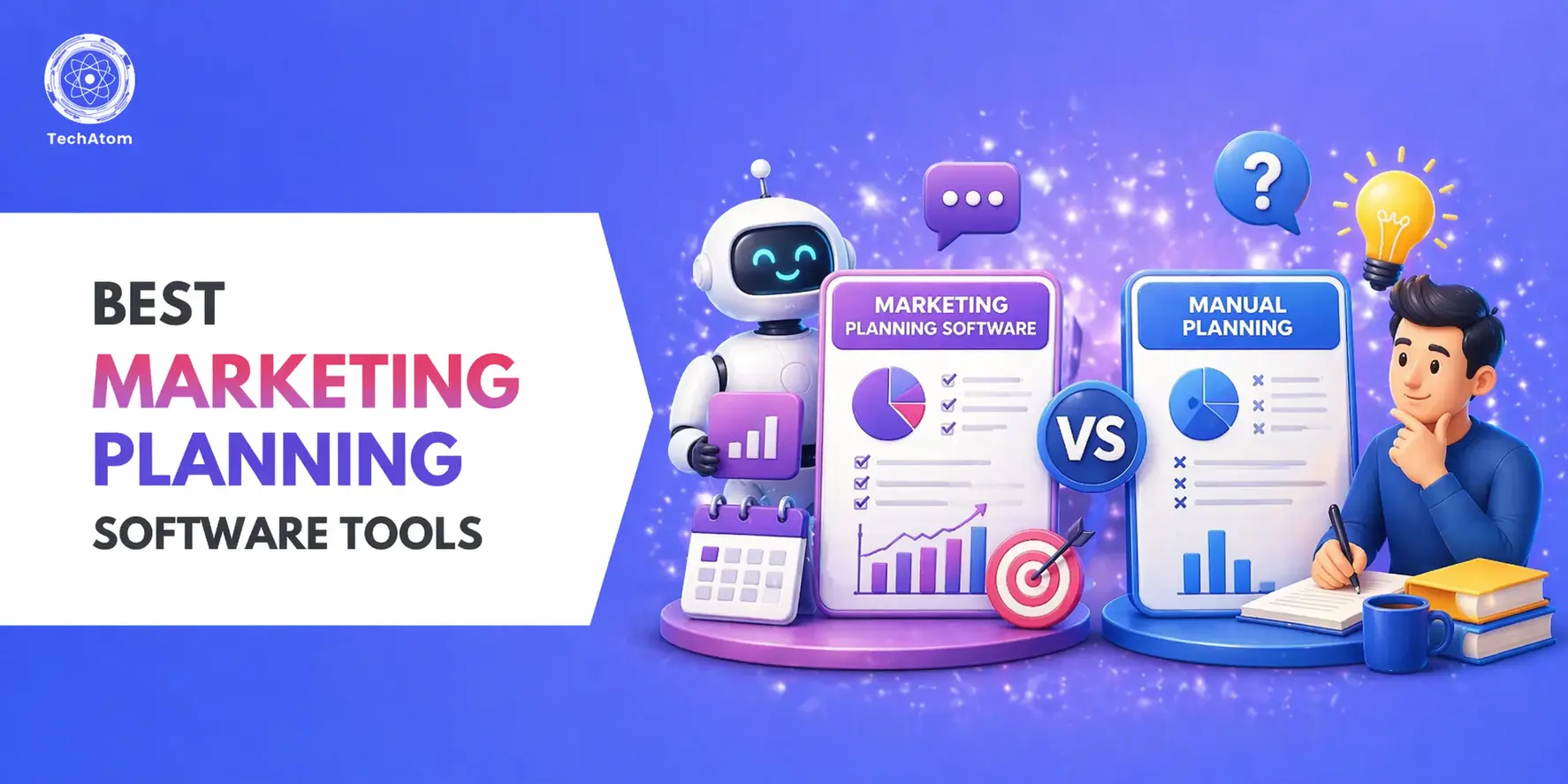
Running a successful marketing campaign today is no longer just about creativity it’s about strategy, planning, execution, and data-driven decisions. Without the right system in place, even the best marketing ideas can fail due to poor organization, missed deadlines, and lack of coordination.
This is where marketing planning software tools become essential. These tools help businesses streamline their entire workflow from campaign planning and task management to execution, tracking, and optimization all in one place.
In this guide, we go beyond surface-level comparisons and provide in-depth insights into the best marketing planning tools for 2026, including features, pricing (India-focused), real use cases, and expert recommendations to help you choose the right platform.
Whether you’re a beginner, a growing business, or an agency managing multiple campaigns, this guide will help you find the perfect tool to improve efficiency and maximize ROI.
Quick Glance: Top 10 Marketing Planning Tools
|
Tool |
Best For |
Key Feature |
Pricing (Approx) |
Ease of Use |
|
ClickUp |
All-in-one marketing management |
Custom workflows & automation |
Free + ₹500/month |
Medium |
|
HubSpot Marketing Hub |
CRM & automation |
Email marketing + lead tracking |
Free + High-tier plans |
Medium |
|
Asana |
Task-based planning |
Campaign timelines |
Free + ₹800/month |
Easy |
|
Monday.com |
Visual tracking |
Dashboard views |
₹900/month |
Easy |
|
Trello |
Beginners |
Kanban boards |
Free |
Very Easy |
|
Zoho Marketing Plus |
Indian businesses |
All-in-one suite |
₹1000/month |
Medium |
|
Notion |
Content planning |
Docs + database |
Free |
Easy |
|
Airtable |
Data-driven campaigns |
Database workflows |
Free + Paid |
Medium |
|
CoSchedule |
Marketing calendars |
Editorial scheduling |
Paid |
Easy |
|
Wrike |
Enterprise teams |
Advanced reporting |
Premium |
Hard |
What is Marketing Planning Software?
Marketing planning software is a digital tool that helps businesses streamline and manage their entire marketing workflow in one place. It allows teams to plan strategies, execute campaigns, and track performance efficiently.
With marketing planning software, businesses can:
- Plan and structure marketing strategies
- Organize and manage campaigns
- Assign, monitor, and track tasks
- Collaborate seamlessly across teams
- Measure and analyze campaign performance
In simple terms, it combines project management + marketing execution + analytics into a unified system, making marketing more organized and data-driven.
According to research from HubSpot and industry reports by Gartner, businesses that use structured marketing planning tools see significantly better campaign performance and ROI.
Marketing Planning Software Statistics
- Over 70% of marketers use marketing automation tools
- Businesses using structured planning tools see higher ROI
- Marketing teams improve productivity with centralized tools
- Data-driven campaigns perform better than manual planning
Top 10 Marketing Planning Software Tools
1. ClickUp
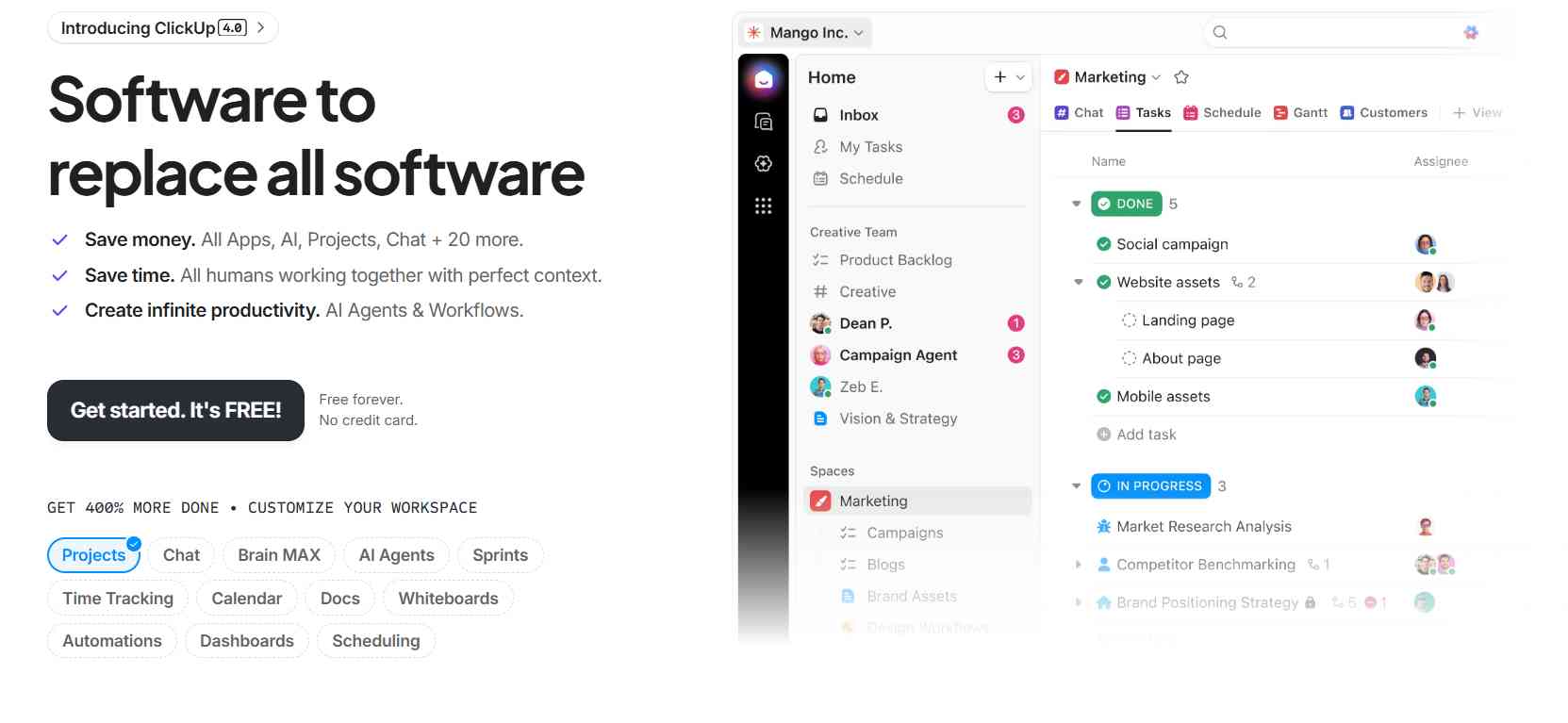
ClickUp is one of the most comprehensive marketing planning platforms available today. Unlike many tools that focus only on task management or reporting, ClickUp brings together campaign planning, execution, collaboration, and tracking into a single workspace.
The platform is designed to replace multiple tools by offering everything from content calendars and workflow automation to goal tracking and reporting dashboards. This makes it particularly useful for marketing teams that want a centralized system to manage campaigns from ideation to execution.
Key features
- Campaign planning: Plan and organize campaigns using lists, boards, timelines, and calendars
- Custom workflows: Create workflows tailored to your marketing processes
- Content calendar: Manage blog posts, social media, and campaigns in one place
- Automation: Automate repetitive tasks like status updates and notifications
- Time tracking: Monitor time spent on campaigns and tasks
ClickUp stands out because of its flexibility. You can customize almost every part of the platform, from dashboards to workflows, making it suitable for different types of marketing teams from freelancers to large agencies.
How much does ClickUp cost?
ClickUp offers a free plan that includes most essential features, making it a great starting point for individuals and small teams.
The paid plans start at around ₹500/month per user, unlocking advanced features such as:
- Automation
- Advanced reporting
- Increased storage
- Team collaboration tools
Compared to other tools, ClickUp offers excellent value for money, especially considering the number of features included.
What is ClickUp good for?
ClickUp is ideal for:
- Managing multi-channel marketing campaigns
- Coordinating work across teams
- Tracking campaign progress in real time
- Replacing multiple tools with one platform
If you want a single tool to manage everything, ClickUp is one of the best choices.
What is ClickUp missing?
Despite its strengths, ClickUp has a few drawbacks:
- It doesn’t offer deep marketing analytics like dedicated marketing platforms
- Initial setup can be overwhelming due to too many customization options
- Teams may require training to fully utilize the platform
ClickUp pros & cons
Pros:
- Highly customizable
- All-in-one platform
- Affordable pricing
- Scales with your business
Cons:
- Learning curve for beginners
- Not purely marketing-focused
ClickUp verdict
ClickUp is one of the best all-in-one marketing planning tools available today. It excels at organizing workflows, managing campaigns, and improving team collaboration.
If you’re looking for a flexible and scalable platform that can grow with your business, ClickUp is a strong choice.
2. HubSpot Marketing Hub
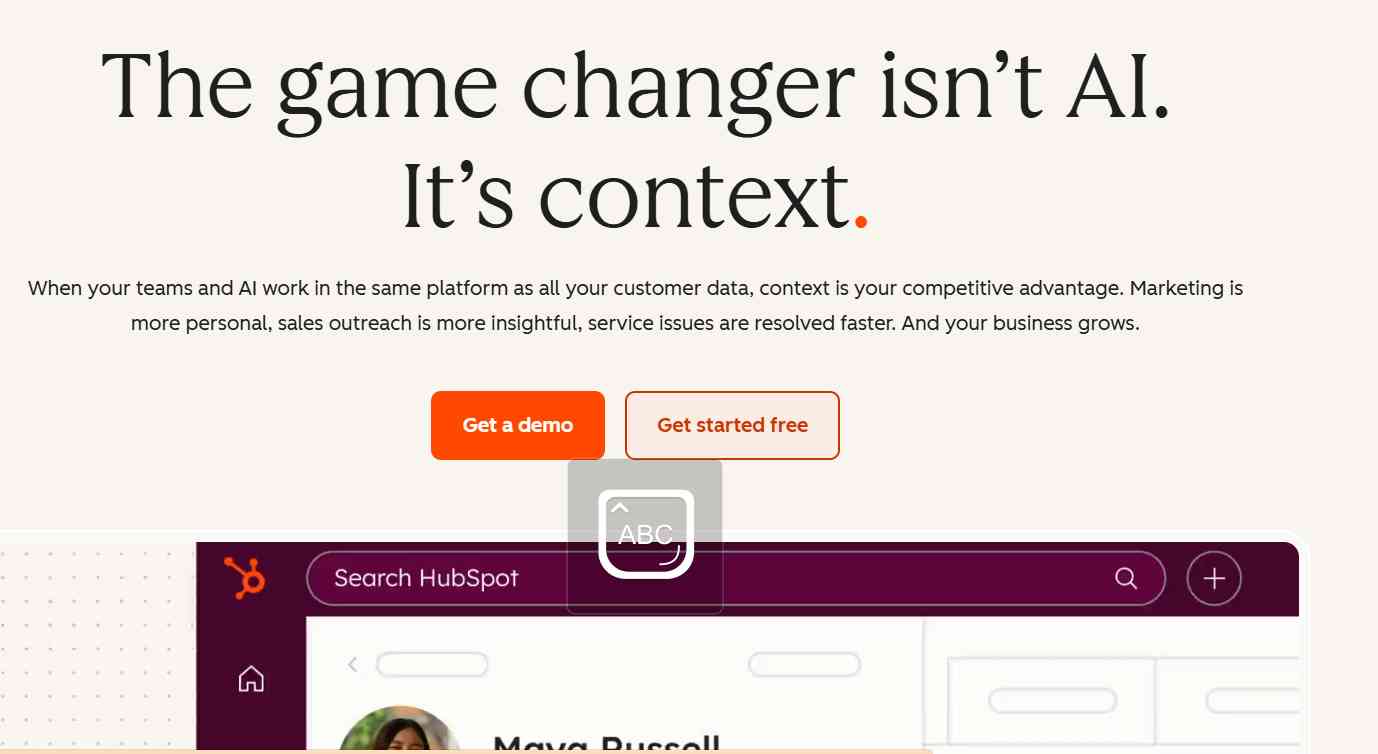
HubSpot Marketing Hub is not just a marketing planning tool it is a complete marketing ecosystem designed to help businesses attract, engage, and convert customers. Unlike tools that focus only on task management or campaign tracking, HubSpot combines marketing automation, customer relationship management (CRM), and analytics into one unified platform.
The platform is especially powerful for businesses that rely on inbound marketing strategies such as content marketing, email campaigns, and lead generation funnels. With its built-in CRM, marketers can track every customer interaction from the first website visit to final conversion making campaign planning more data-driven and personalized.
HubSpot stands out because it connects marketing efforts directly with sales outcomes. This makes it highly valuable for B2B companies and businesses that want to scale their marketing with automation.
Key features
- Campaign management: Plan, execute, and monitor campaigns across multiple channels
- Email automation: Create automated email sequences and nurture leads
- CRM integration: Track and manage customer interactions in one place
- Lead tracking: Monitor user behavior and engagement across campaigns
- Analytics dashboard: Measure campaign performance with detailed reports
HubSpot stands out because
HubSpot’s biggest strength is its automation and CRM integration. It allows businesses to create personalized marketing journeys based on user behavior, which significantly improves conversion rates. The platform also provides deep insights into campaign performance, helping marketers make smarter decisions.
How much does HubSpot cost?
HubSpot offers a free plan that includes basic CRM and limited marketing tools, making it suitable for beginners.
The paid plans are significantly more expensive compared to other tools, but they unlock powerful features such as:
- Advanced automation workflows
- Custom reporting dashboards
- A/B testing
- Lead scoring and segmentation
While pricing can be high, the value comes from having marketing, sales, and CRM in one platform.
What is HubSpot good for?
HubSpot is ideal for:
- Lead generation campaigns
- Email marketing funnels
- B2B marketing strategies
- Customer journey automation
- Aligning marketing and sales teams
If your focus is on automation and converting leads into customers, HubSpot is one of the best tools available.
What is HubSpot missing?
Despite its strengths, HubSpot has some limitations:
- High pricing for small businesses and startups
- Can be complex for beginners
- Less flexibility compared to fully customizable tools
HubSpot pros & cons
Pros:
- Powerful marketing automation
- Built-in CRM system
- Data-driven insights
- Scales with business growth
Cons:
- Expensive pricing
- Learning curve for new users
HubSpot verdict
HubSpot Marketing Hub is one of the most powerful marketing platforms available today. It excels at automation, lead tracking, and connecting marketing efforts with sales outcomes.
If you are looking for a complete ecosystem rather than just a planning tool, HubSpot is a top-tier choice.
3. Asana
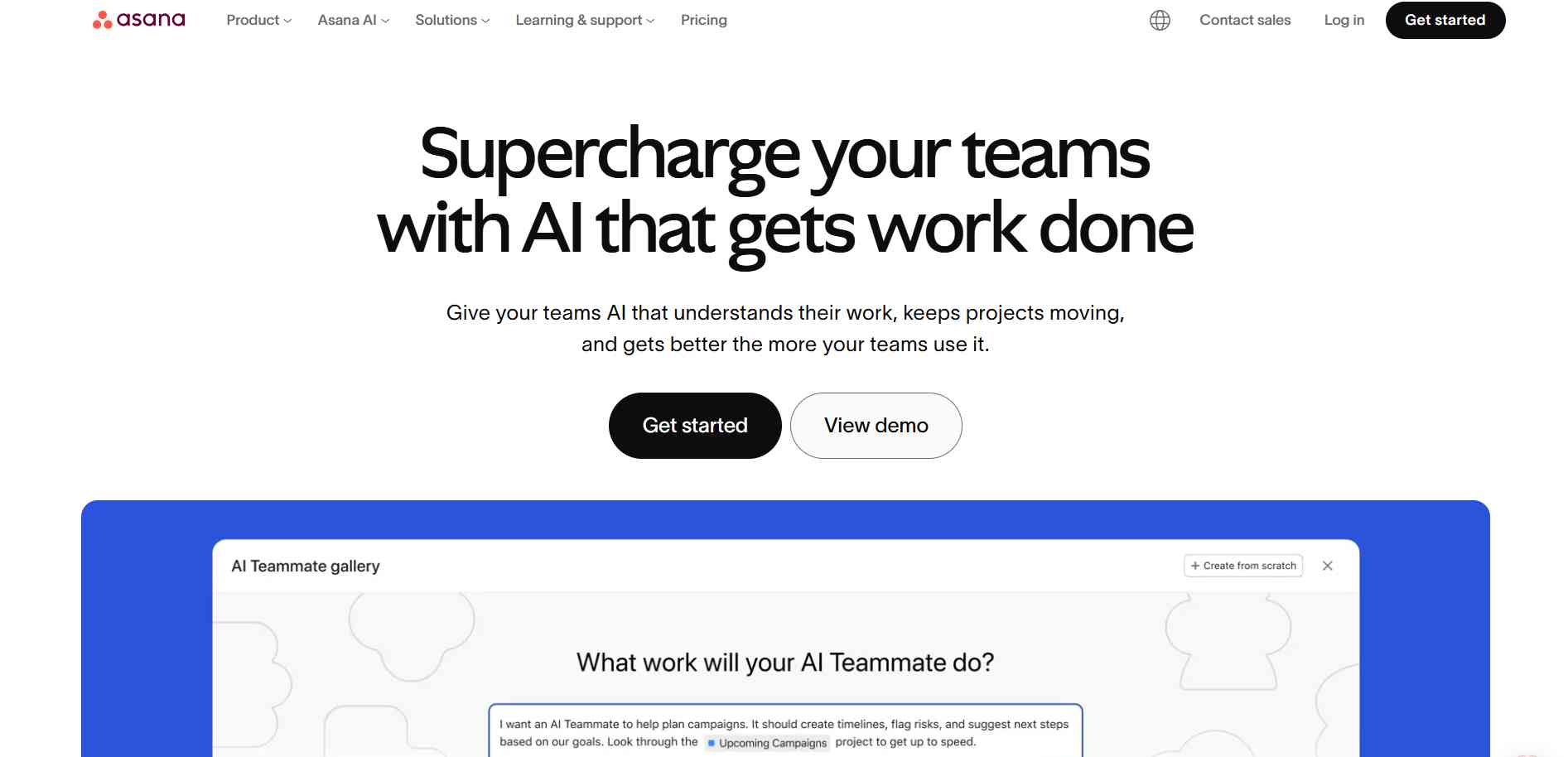
Asana is a highly popular project management tool that has been widely adopted by marketing teams for campaign planning and execution. While it is not a dedicated marketing platform, its structured task management system makes it extremely effective for organizing campaigns and tracking progress.
The platform focuses on clarity and accountability. Every task, deadline, and responsibility is clearly defined, ensuring that marketing campaigns run smoothly without confusion or missed deadlines.
Asana is particularly useful for teams that manage multiple campaigns simultaneously and need a clear overview of timelines and dependencies.
Key features
- Timeline view: Visualize campaign schedules and deadlines
- Task dependencies: Set relationships between tasks for better workflow
- Campaign workflows: Create repeatable workflows for campaigns
- Team collaboration: Assign tasks, add comments, and share updates
Asana stands out because
Asana excels in task organization and workflow clarity. It allows marketing teams to break down complex campaigns into manageable steps, ensuring better execution and coordination.
How much does Asana cost?
Asana offers a free plan suitable for individuals and small teams.
Paid plans start at around ₹900/month per user and include:
- Advanced timeline features
- Workflow builder
- Reporting tools
- Team management features
What is Asana good for?
Asana is ideal for:
- Content production workflows
- Campaign execution tracking
- Task management across teams
- Deadline and milestone tracking
If your focus is on execution and task management, Asana is a great choice.
What is Asana missing?
- No built-in marketing analytics
- Limited automation compared to advanced tools
- Not specifically designed for marketing
Asana pros & cons
Pros:
- Simple and clean interface
- Easy onboarding
- Strong task management
Cons:
- Not marketing-specific
- Limited advanced features
Asana verdict
Asana is an excellent tool for managing marketing tasks and workflows. It may not offer deep marketing features, but it ensures campaigns are executed efficiently and on time.
4. Monday.com
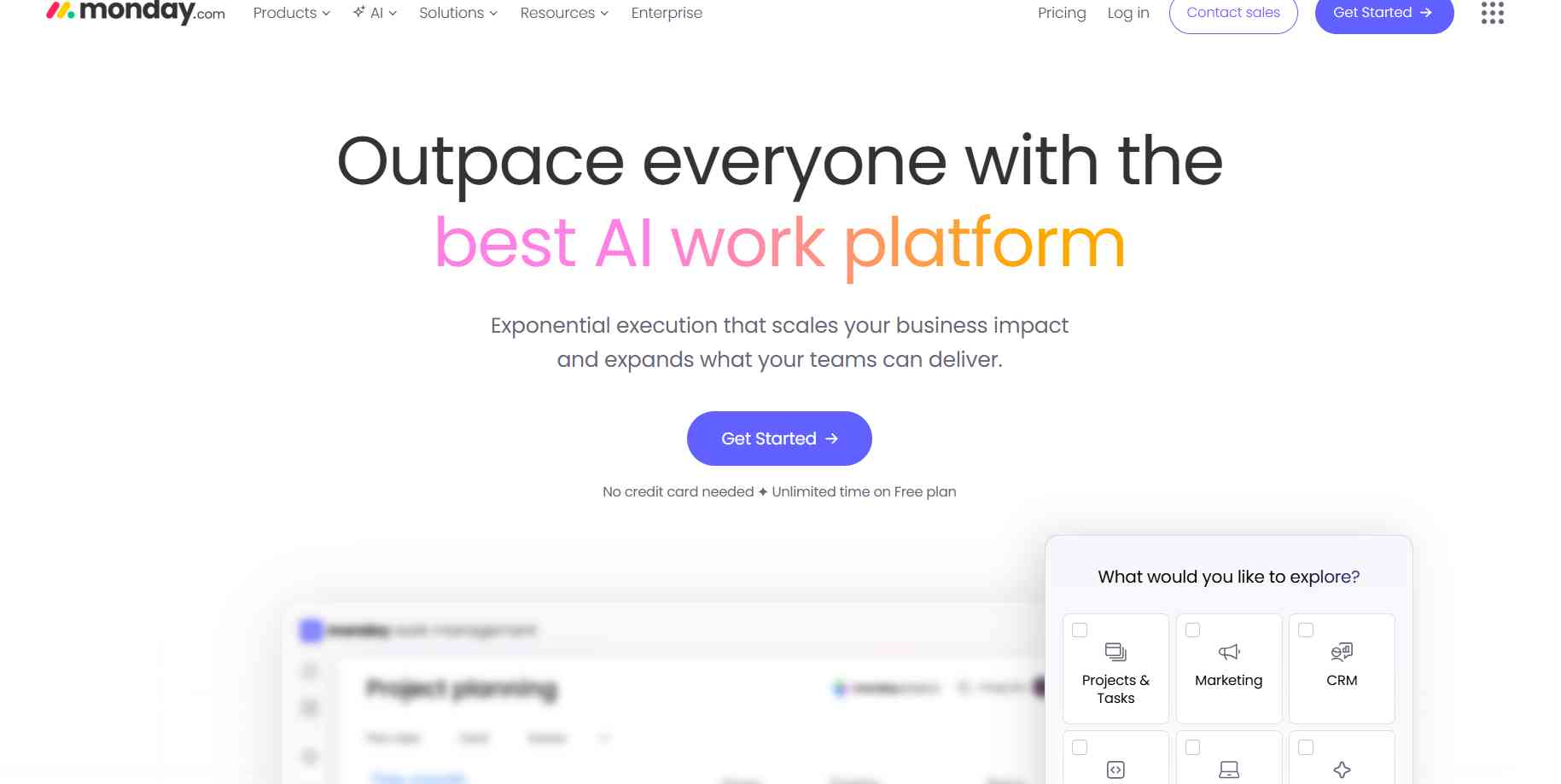
Monday.com is a visually driven work management platform that helps marketing teams track campaigns in a highly intuitive way. It uses colorful boards, dashboards, and automation to simplify campaign management.
The platform is designed for teams that prefer a visual overview of their work rather than complex data tables. It makes tracking campaign progress, deadlines, and performance extremely easy.
Key features
- Visual dashboards: Track campaigns using graphs and widgets
- Campaign tracking boards: Organize campaigns visually
- Automation workflows: Automate repetitive tasks
- Team collaboration: Centralized communication
Monday.com stands out because:
Its visual interface makes campaign tracking simple and engaging. Teams can quickly understand project status without going through complex reports.
How much does Monday.com cost?
Paid plans start at around ₹800/month per user and include:
- Automation: Streamline repetitive tasks
- Advanced dashboards: Visual campaign insights
- Integrations: Connect with other tools easily
What is Monday.com good for?
- Multi-channel campaign tracking
- Marketing team coordination
- Visual project management
Best for teams that prefer visual workflows.
What is Monday.com missing?
- Limited deep analytics
- Can become expensive
- Overkill for small teams
Monday.com Pros & Cons
Pros:
- Highly visual
- Easy to use
- Strong automation
Cons:
- Expensive scaling
- Not marketing-specific
Monday.com Verdict
Monday.com is perfect for teams that want a visual and interactive way to manage campaigns.
5. Trello
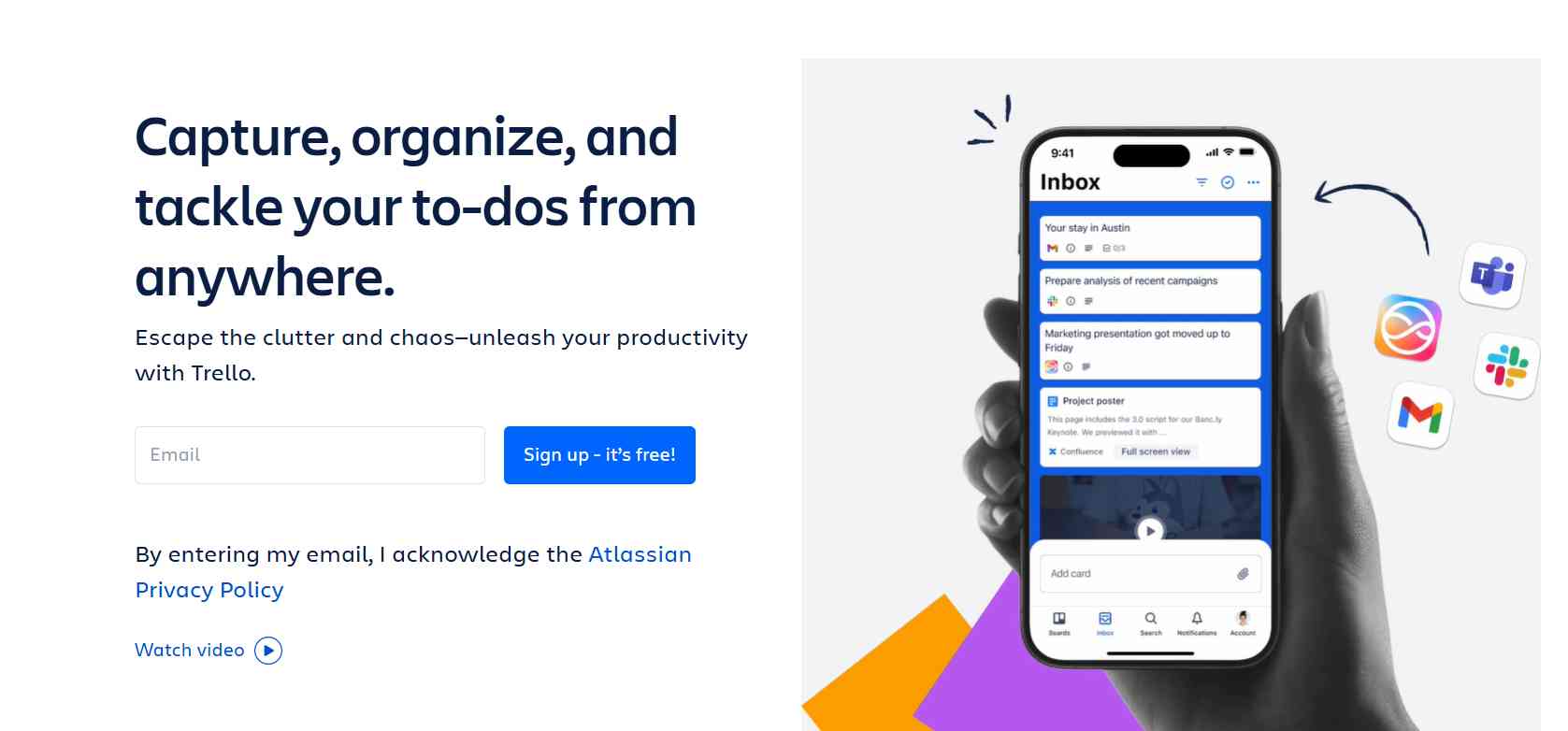
Trello is a simple yet powerful project management tool based on the Kanban system, making it one of the easiest platforms to use for marketing planning. Unlike complex tools that require setup and training, Trello focuses on visual simplicity, allowing teams to organize campaigns using boards, lists, and cards.
Each campaign or project can be represented as a board, where tasks move through different stages such as “To Do,” “In Progress,” and “Completed.” This visual workflow makes it extremely easy to understand campaign status at a glance.
Trello is especially useful for beginners, freelancers, and small teams who want to manage marketing tasks without dealing with complicated systems. Despite its simplicity, it still offers enough flexibility to handle content calendars, campaign tracking, and basic workflows.
Key Features
- Kanban boards: Organize campaigns visually using boards and cards
- Campaign organization: Track tasks across execution stages
- Basic automation: Automate repetitive actions with Butler
- Collaboration: Add comments, attachments, and deadlines
- Integrations: Connect with Google Drive, Slack, and more
Trello stands out because
Trello stands out because its simple and intuitive interface allows teams to get started instantly without any setup or technical expertise. It helps users organize tasks visually using boards, lists, and cards, making project management easy to understand.
How much does Trello cost?
Paid plans start at around ₹400/month per user and include:
- Automation limits: Higher workflow usage
- Power-Ups: More integrations
- Collaboration tools: Enhanced team features
- Priority support: Faster assistance
What is Trello good for?
- Small marketing projects
- Freelancers managing clients
- Simple campaign tracking
- Content planning workflows
Best for beginners and small teams.
What is Trello missing?
- Limited scalability
- No advanced analytics
- Not ideal for complex workflows
Trello Pros & Cons
Pros:
- Extremely easy to use
- Quick setup
- Free plan available
- Visual workflow
Cons:
- Limited advanced features
- Not suitable for large teams
Trello Verdict
Trello is a beginner-friendly tool that excels in simplicity but may not suit growing or data-driven teams.
6. Zoho Marketing Plus
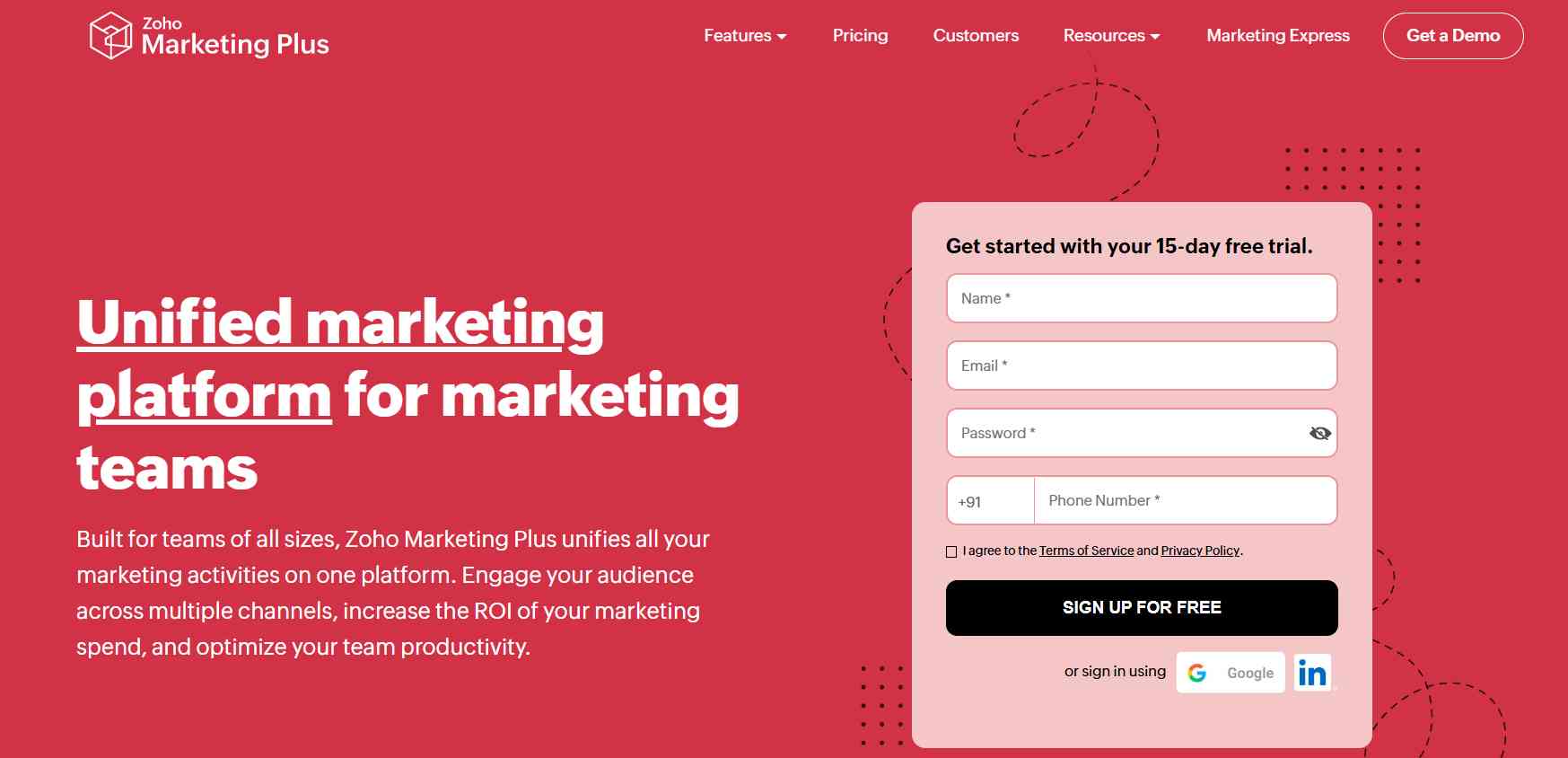
Zoho Marketing Plus is a comprehensive marketing platform that combines multiple tools into a single system, making it especially valuable for businesses looking for an affordable all-in-one solution. Unlike many global tools that are expensive, Zoho offers competitive pricing tailored for markets like India.
The platform covers everything from campaign management and email marketing to social media and analytics. This makes it a strong alternative to expensive tools like HubSpot, especially for startups and small to medium-sized businesses.
Zoho’s ecosystem also integrates seamlessly with other Zoho products, allowing businesses to manage sales, CRM, and marketing from one connected system.
Key Features:
- Campaign management: Plan and execute campaigns
- Email marketing: Create automated campaigns
- Social media tools: Schedule and manage posts
- Analytics: Track performance across channels
- Integration: Works with Zoho ecosystem
Zoho stands out because
Zoho Marketing Plus stands out for its affordability and all-in-one ecosystem. It provides many advanced features at a fraction of the cost of competitors, making it highly attractive for budget-conscious businesses.
How much does Zoho cost?
Zoho CRM offers a free plan for up to 3 users, while paid plans start from around ₹800/user/month and can go up to ₹2,600/user/month depending on features.
Paid plans include:
- Marketing automation
- Advanced analytics
- Multi-channel campaigns
- Team collaboration tools
What is Zoho good for?
Zoho is ideal for:
- Startups and SMEs in India
- Budget-friendly marketing teams
- Zoho ecosystem users
- Multi-channel campaigns
If you want an affordable yet powerful marketing suite, Zoho is a great choice.
What is Zoho missing?
- Interface is less modern compared to competitors
- Learning curve for beginners
- Limited advanced customization
Zoho pros & cons
Pros:
- Affordable pricing
- All-in-one platform
- Strong integrations
Cons:
- UI needs improvement
- Less advanced than premium tools
Zoho verdict
Zoho Marketing Plus is one of the best value-for-money marketing tools, especially for Indian businesses looking for a complete solution at a reasonable price.
7. Notion
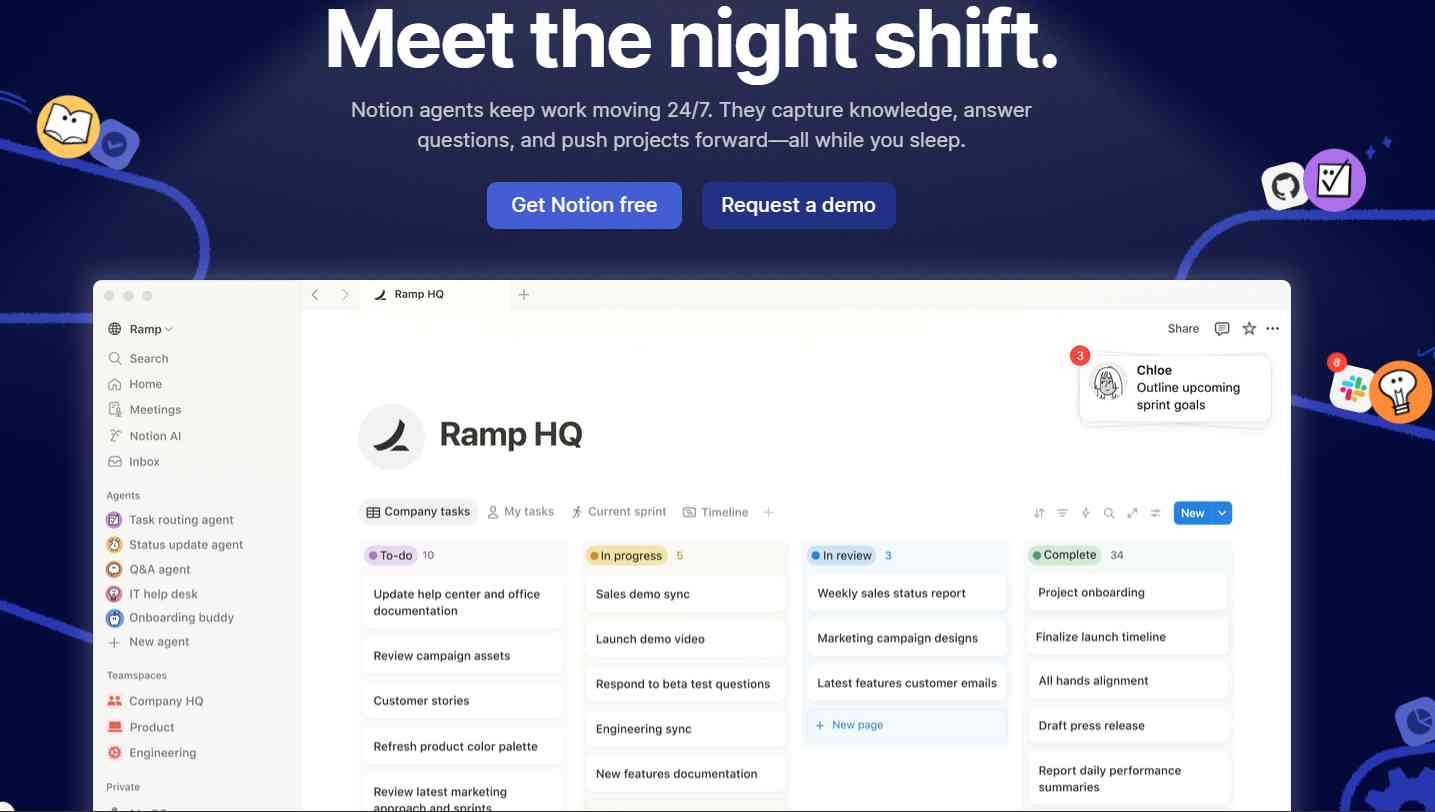
Notion is a highly flexible workspace tool that allows marketing teams to manage content, campaigns, and documentation in one place. Unlike traditional marketing tools, Notion acts as a customizable system where you can build your own workflows.
It is widely used for content marketing because it combines note-taking, databases, and project management into a single platform. Teams can create content calendars, campaign trackers, and documentation systems without needing multiple tools.
Notion is especially popular among bloggers, content creators, and startups that want a clean and organized system for planning and executing marketing strategies.
Key features:
- Content calendars: Plan blog and social content
- Documentation: Store strategies and SOPs
- Database system: Organize campaigns
- Collaboration: Real-time teamwork
Notion stands out because
Notion stands out because of its flexibility, allowing you to design your own marketing system exactly the way you want, and making it highly adaptable for different workflows.
How much does Notion cost?
Notion offers a free plan for individuals, while paid plans start at around ₹800/user/month (Plus plan) and can go higher depending on features and team size.
Paid plans include:
- Unlimited file uploads
- Advanced collaboration features
- Version history (30–90 days depending on plan)
- Team management and workspace tools
What is Notion good for?
- Content marketing planning
- Blogging workflows
- Campaign documentation
- Team collaboration
Best for content-focused teams.
What is Notion missing?
- No automation
- Limited reporting
- Manual setup required
Notion Pros & Cons
Pros:
- Highly flexible
- Clean interface
- Great for content
Cons:
- Not marketing-specific
- Setup required
Notion verdict
Notion is an excellent tool for content and campaign planning, especially for teams that prefer flexibility over pre-built systems.
8. Airtable
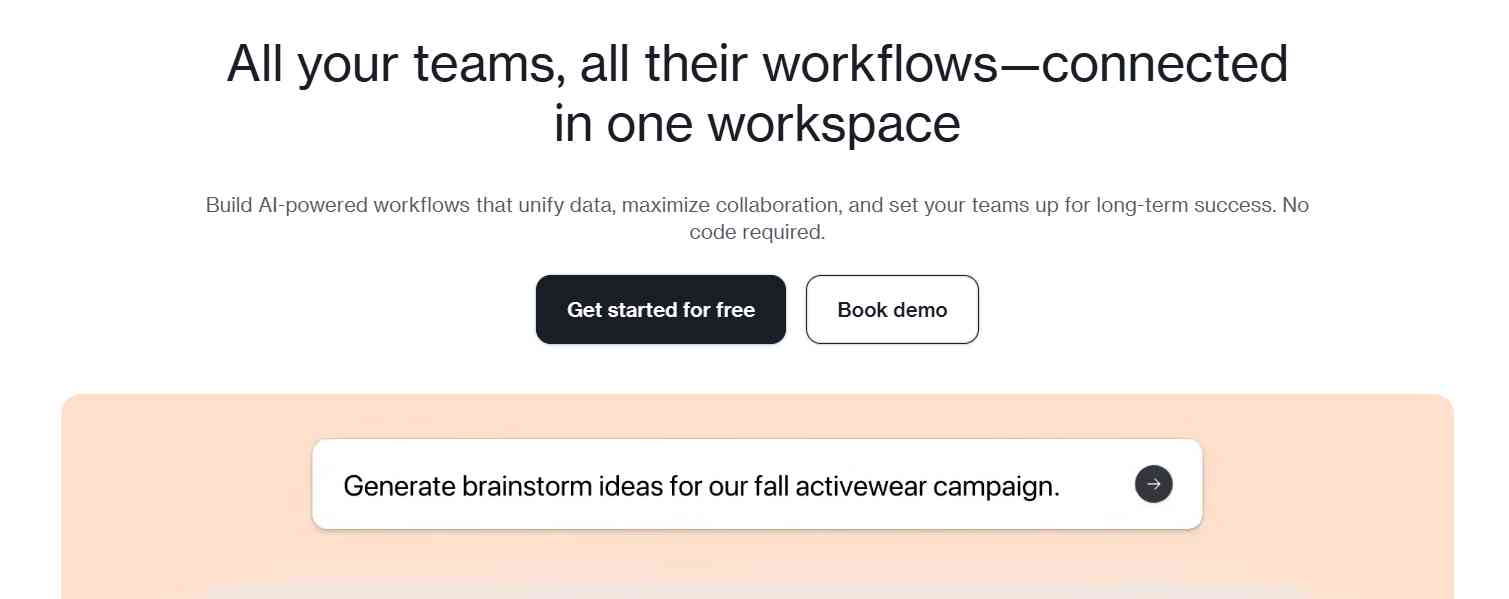
Airtable is a powerful platform that combines the simplicity of spreadsheets with the functionality of databases, making it ideal for managing complex marketing campaigns. Unlike traditional tools, Airtable allows teams to organize large amounts of data in a structured and customizable way.
It is particularly useful for teams that handle data-heavy campaigns, such as large content operations, multi-channel campaigns, or performance marketing.
Key Features:
- Database-style planning: Organize campaigns using structured data
- Campaign tracking: Monitor workflows and performance
- Automation: Reduce manual tasks
- Custom views: Grid, calendar, Kanban, gallery
- Collaboration: Real-time teamwork
Airtable stands out because:
Unlike traditional tools, Airtable allows you to manage marketing like a database, not just tasks. This makes it highly effective for teams handling large datasets and complex workflows. It bridges the gap between spreadsheets and project management tools.
How much does Airtable cost?
- Free plan: Suitable for individuals and small teams
- Paid plans: ₹1000–₹2000/month per user
Paid features include:
- Advanced automation
- Higher storage
- Advanced views
- Team collaboration tools
What is Airtable good for?
- Data-heavy marketing campaigns
- Large teams managing workflows
- Structured campaign planning
Ideal for data-driven teams.
What is Airtable missing?
- Steep learning curve
- Higher pricing than simple tools
- Not purely marketing-focused
Airtable Pros & Cons
Pros:
- Powerful data organization
- Highly flexible and customizable
- Scales with team growth
Cons:
- Learning curve for beginners
- Pricing increases with usage
Airtable Verdict
Airtable is one of the best tools for data-driven marketing teams. It is ideal for managing complex workflows and large datasets but may not be suitable for beginners.
9. CoSchedule
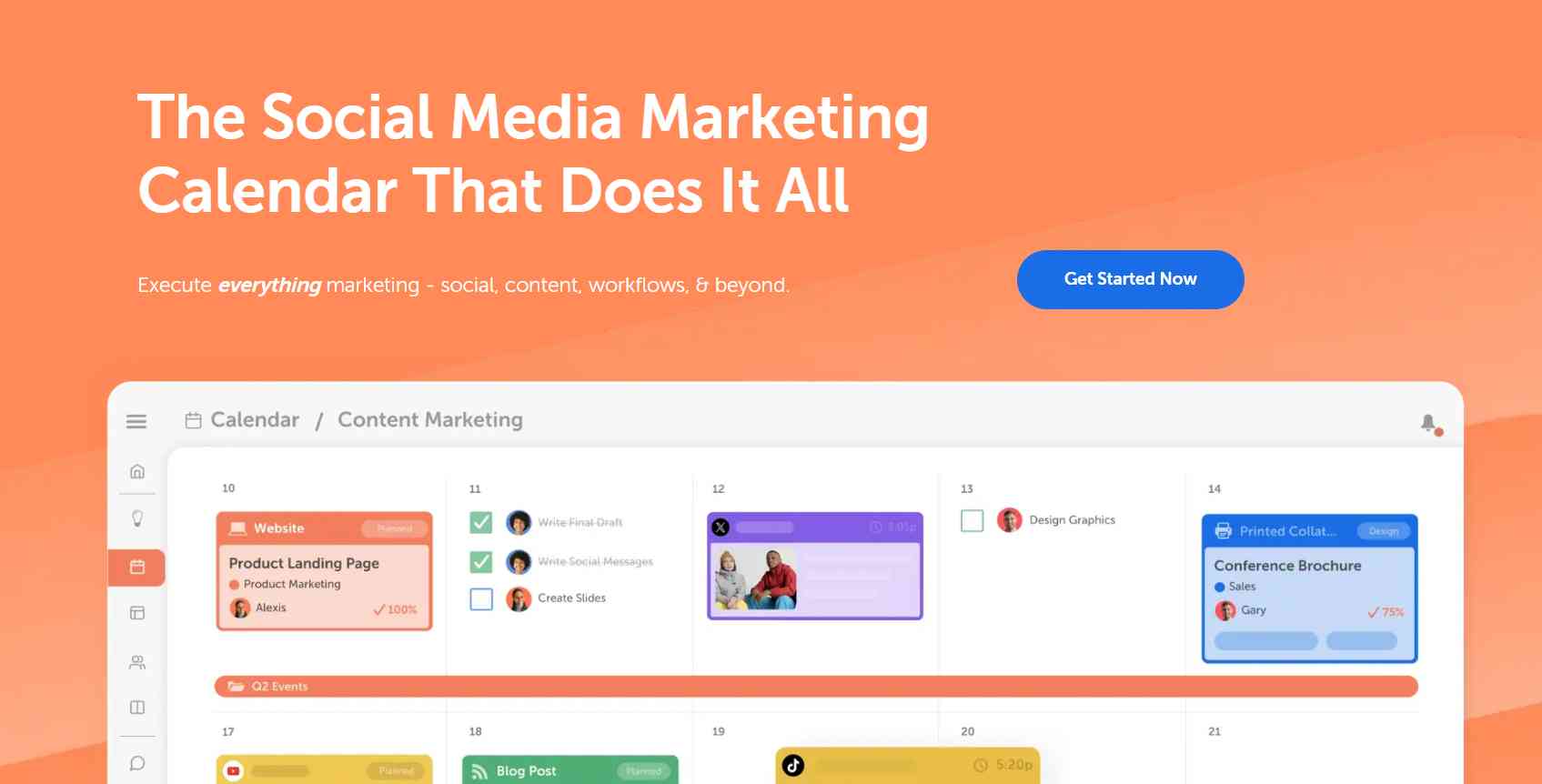
CoSchedule is a dedicated marketing calendar and campaign management platform designed specifically for content-driven teams. Unlike general project management tools, CoSchedule focuses entirely on organizing marketing activities such as blog publishing, social media scheduling, and campaign planning within a unified calendar interface.
CoSchedule is particularly useful for content marketing teams that need a structured and streamlined workflow. It ensures that all marketing activities are aligned with publishing schedules, reducing missed deadlines and improving consistency.
Key Features
- Editorial calendar: Plan blog and content schedules
- Social media scheduling: Automate posts
- Campaign planning: Manage multi-channel campaigns
- Task management: Assign and track work
- Content optimization: Improve consistency
CoSchedule stands out because
It is built specifically for marketers, unlike generic tools. All marketing activities are organized in one unified calendar. This improves visibility and publishing consistency.
How much does CoSchedule cost?
- No strong free plan
- Paid plans: ₹2500–₹4000/month
Paid features include:
- Unlimited publishing
- Advanced scheduling tools
- Campaign organization
- Team collaboration tools
What is CoSchedule good for?
- Content marketing teams
- Editorial calendar management
- Social media planning
Best for content-driven workflows.
What is CoSchedule missing?
- Limited outside content marketing
- Lacks deep analytics
- Less flexible than all-in-one tools
CoSchedule Pros & Cons
Pros:
- Built specifically for marketers
- Excellent content calendar
- Strong scheduling features
Cons:
- No strong free plan
- Limited beyond content workflows
- Expensive for small teams
CoSchedule Verdict
CoSchedule is a powerful tool for content marketing teams. It is ideal for managing editorial calendars but may not suit businesses needing a full marketing suite.
10. Wrike

Wrike is a powerful project management and collaboration platform designed for large teams and enterprise-level marketing operations. It offers advanced features like resource management, workflow automation, and detailed reporting, making it ideal for complex campaigns.
The platform is built for large-scale operations where multiple teams and stakeholders work together. It provides clear visibility into project progress, team workload, and campaign performance through centralized dashboards. Wrike is especially useful for organizations that need structured workflows and efficient campaign management at scale.
Key Features
- Resource management: Track workload and team capacity
- Advanced reporting: Generate detailed insights
- Campaign tracking: Monitor multiple campaigns
- Workflow automation: Reduce manual effort
- Collaboration tools: Real-time communication
Wrike stands out because
Wrike is designed for large teams and complex operations. It provides deep reporting, workflow control, and resource management. This makes it ideal for enterprise-level marketing.
How much does Wrike cost?
- Free plan: Basic features
- Paid plans: ₹800–₹2500/month per user
Paid features include:
- Advanced analytics
- Custom workflows
- Automation tools
- Enterprise-level security
What is Wrike good for?
- Enterprise marketing teams
- Large-scale campaign management
- Resource planning and coordination
Best for complex marketing operations.
What is Wrike missing?
- Complex for beginners
- Higher pricing for advanced features
- Not ideal for small teams
Wrike Pros & Cons
Pros:
- Advanced feature set
- Highly scalable
- Strong reporting capabilities
Cons:
- Steep learning curve
- Expensive for smaller teams
Wrike Verdict
Wrike is one of the most powerful tools for enterprise marketing teams. It excels at managing complex workflows and large campaigns but may be overwhelming for small teams.
Marketing Planning Software by Industry
Different industries use marketing planning tools in different ways:
-
E-commerce businesses
Manage product campaigns, ads, and seasonal promotions
Best tools: ClickUp, HubSpot
-
Bloggers & content creators
Plan blog posts, SEO content, and social media
Best tools: Notion, CoSchedule
-
Marketing agencies
Handle multiple clients and campaigns
Best tools: ClickUp, Monday.com
-
Startups & small businesses
Budget-friendly campaign management
Best tools: Zoho Marketing Plus, Trello
-
Enterprise companies
Advanced reporting and large team coordination
Best tools: Wrike, HubSpot
How Marketing Planning Software Fits in Campaign Workflow
Step-by-step workflow:
- Campaign idea & goal setting
- Task planning & timeline creation
- Content & asset management
- Execution (ads, emails, social media)
- Tracking & reporting
- Optimization
These tools act as the central system connecting all steps.
How to Choose the Right Marketing Planning Software
Choosing the right marketing planning software isn’t about picking the most feature-rich tool it’s about selecting one that aligns perfectly with your business goals, team workflow, and scalability needs.
Before making a decision, consider these key factors:
- Team Size → Small teams benefit from simple, easy-to-use tools, while larger teams require advanced features like role management, workflows, and reporting
- Budget → Evaluate whether a free plan meets your needs or if investing in a scalable paid solution will deliver better long-term value
- Campaign Complexity → Basic tools work for single-channel campaigns, but multi-channel strategies require more robust platforms
- Automation Needs → Decide whether you need manual control or automated workflows to save time and reduce repetitive tasks
- Integration Requirements → Ensure the software integrates smoothly with your CRM, analytics platforms, and SEO tools for a seamless workflow
A well-chosen tool doesn’t just organize your marketing it improves collaboration, enhances productivity, and drives better results across campaigns.
Key Features You MUST Look For
Core Features:
- Campaign calendar
- Task & project management
- Workflow automation
- Team collaboration
Advanced Features:
- Marketing analytics & reporting
- CRM integration
- Content planning tools
- Budget tracking
Key Insight: What Most Teams Get Wrong About Marketing Planning Tools
Many businesses assume that simply using a marketing planning tool will automatically improve their campaigns but that’s a misconception. While these tools can streamline workflows and improve organization, they cannot replace a well-defined marketing strategy.
Here are the most common mistakes teams make:
1. Confusing Tools with Strategy
A marketing tool can help organize tasks and workflows, but it cannot define your goals or strategy. Without clear objectives, target audience understanding, and proper planning, even the best tools will fail to deliver results.
2. Overcomplicating Workflows
Many teams choose advanced tools with too many features and end up overwhelmed. Instead of improving productivity, this creates confusion and slows down execution. Simpler tools often work better, especially for small teams.
3. Poor Team Adoption
A tool is only effective if your team actively uses it. If team members are not properly trained or fail to adopt the system, it quickly becomes ineffective. Proper onboarding and regular usage are essential for success.
4. Ignoring Data and Analytics
Planning campaigns without tracking performance is a major mistake. Without data, you cannot measure success or improve future campaigns. Always use tools that provide clear insights, reporting, and analytics.
5. Using Multiple Tools Without Integration
Using too many disconnected tools can lead to inefficiency and miscommunication. Switching between platforms wastes time and reduces productivity. Choose tools that integrate well or offer an all-in-one solution.
Best Marketing Planning Tools Compared (2026): Features, Pricing & Use Cases
|
Tool |
Core Strength |
Best For |
Pricing Level |
|
ClickUp |
All-in-one |
Agencies |
Low |
|
HubSpot |
Automation |
Businesses |
High |
|
Asana |
Task mgmt |
Teams |
Medium |
|
Monday |
Visualization |
Teams |
Medium |
|
Trello |
Simplicity |
Beginners |
Free |
|
Zoho |
India focus |
SMEs |
Low |
|
Notion |
Content |
Creators |
Free |
|
Airtable |
Data |
Advanced users |
Medium |
|
CoSchedule |
Calendar |
Content teams |
High |
|
Wrike |
Enterprise |
Large teams |
High |
Final Verdict: Best Marketing Planning Tools
- Best overall → ClickUp
- Best automation → HubSpot Marketing Hub
- Best for beginners → Trello
- Best for India → Zoho Marketing Plus
Each tool serves a different purpose, so choose based on your needs.
Best Tools for Different Users
Not every marketing team needs the same tool. The right choice depends on your goals, team size, and workflow complexity.
- Budget-friendly → ClickUp, Zoho Marketing Plus
- Beginners → Trello, Notion
- Agencies & teams → ClickUp, Monday.com
- Advanced / data-driven teams → Airtable, HubSpot Marketing Hub
This helps you quickly identify the best tool based on your specific needs.
Real Use Case Example
A digital marketing agency managing SEO and paid advertising campaigns can use tools like ClickUp to streamline its entire workflow from planning to execution.
With the right setup, the agency can:
- Assign tasks efficiently to content, ads, and SEO teams
- Track campaign timelines and ensure deadlines are met
- Plan and manage content calendars in a structured way
- Monitor campaign performance in real time using dashboards
Instead of juggling multiple tools and manual coordination, everything is managed within a single platform.
Result: Reduced communication gaps, faster execution, and improved overall campaign performance.
Benefits of Marketing Planning Software
In today’s fast-paced digital landscape, managing marketing campaigns without a structured system can quickly lead to confusion and missed opportunities. Marketing planning software solves this by bringing clarity, control, and efficiency to your entire workflow.
Here are the key benefits:
- Centralized campaign control: Manage all campaigns, timelines, and assets from a single dashboard, eliminating scattered workflows
- Improved team collaboration: Keep everyone aligned with real-time updates, task assignments, and shared visibility
- Higher campaign ROI: Optimize strategies using performance data and insights, leading to better results
- Data-driven decision making: Track key metrics and make informed decisions instead of relying on guesswork
- Time-saving automation: Automate repetitive tasks like reporting, follow-ups, and status updates
Result: More organized campaigns, faster execution, and better overall performance.
Alternatives to Marketing Planning Software (And Why They Fall Short)
Before adopting dedicated tools, many businesses rely on traditional methods such as:
- Spreadsheets (Google Sheets / Excel): Useful for basic planning but lack automation and scalability
- Manual campaign tracking: Time-consuming and prone to errors
- Basic CRM tools: Focus on customer data but not full campaign management
- Generic project management tools: Not optimized for marketing workflows
While these methods may work initially, they become inefficient as campaigns grow. They lack integration, automation, and real-time insights making it harder to scale marketing efforts effectively.
Marketing planning software replaces these limitations with a more powerful, all-in-one solution.
Common Mistakes Teams Make (Expert Insights)
Even with the best tools, many teams fail to achieve results because of poor implementation. Here are the most critical mistakes to avoid:
- Lack of clear goals: Starting campaigns without defined objectives leads to poor results
- Tool over strategy mindset: Relying on software instead of building a strong marketing strategy
- Ignoring analytics: Not tracking performance means missing opportunities to improve
- Overcomplicating workflows: Using too many features or tools creates confusion instead of efficiency
The biggest mistake? Thinking tools alone will fix your marketing strategy always comes first.
Which Tool Should You Choose?
There is no one-size-fits-all solution. The right tool depends on your team size, budget, and campaign complexity.
Here’s a quick guide:
- Beginners & freelancers: Trello, Notion (simple and easy to use)
- Small businesses & startups: ClickUp, Zoho Marketing Plus (affordable and scalable)
- Agencies & growing teams: ClickUp, Monday.com (collaboration + flexibility)
- Enterprise-level teams: Wrike, HubSpot Marketing Hub (advanced features & reporting)
- Data-driven teams: Airtable (best for structured workflows and analytics)
Pro Tip: Start simple, test what works for your workflow, and upgrade as your marketing needs grow.
Pros & Cons of Marketing Planning Software
Understanding both the advantages and limitations of marketing planning software helps you make smarter decisions and avoid common pitfalls.
Pros
1. Better organization & structured workflows
Centralizes all campaigns, tasks, and timelines in one place, reducing confusion and improving efficiency.
2. Improved campaign ROI
With better tracking, analytics, and optimization, businesses can make data-driven decisions that increase returns.
3. Automation saves time
Automates repetitive tasks like reporting, follow-ups, and status updates, allowing teams to focus on strategy and creativity.
4. Stronger team collaboration
Enables seamless communication, task assignment, and real-time updates across teams and departments.
5. Enhanced visibility & control
Gives a clear overview of campaign progress, deadlines, and performance metrics in one dashboard.
Cons
1. Learning curve for beginners
Advanced tools can be overwhelming initially and may require training and onboarding.
2. Cost of advanced features
Premium tools with automation, analytics, and integrations can be expensive for small businesses.
3. Over-reliance on tools
Relying too much on software without a clear marketing strategy can limit creativity and effectiveness.
4. Setup and customization time
Some tools require significant time to configure workflows, dashboards, and integrations properly.
5. Tool overload & complexity
Using too many tools or overly complex systems can reduce productivity instead of improving it.
Conclusion
Choosing the right marketing planning software can greatly improve how efficiently your campaigns are planned, executed, and optimized. These tools help streamline workflows, improve team collaboration, and provide better visibility into performance. However, the best tool isn’t the one with the most features, it’s the one that fits your team’s needs, budget, and workflow.
Beginners can start with simple tools, while growing teams may benefit from advanced platforms with automation and analytics. The key is to focus on consistency and proper usage rather than complexity.
Frequently Asked Questions
1. What is marketing planning software?
Marketing planning software is a tool that helps businesses plan, execute, and track marketing campaigns in one place. It improves organization, team collaboration, automation, and performance tracking, making campaign management more efficient and data-driven.
2. Which is the best marketing planning tool in India?
The top software tools for marketing planning in India include ClickUp for all-in-one use, Zoho for affordability, and HubSpot for automation. The right choice depends on your budget, team size, and campaign needs.
3. Are free marketing planning tools enough?
Free tools are sufficient for individuals, freelancers, and small teams managing basic campaigns. However, growing businesses often need paid tools for advanced features like automation, analytics, and integrations.
4. Which tool is best for marketing automation?
HubSpot Marketing Hub is one of the best tools for marketing automation as it offers email workflows, lead tracking, CRM integration, and advanced analytics in one platform.
5. How do I choose the right marketing planning software?
Choose a tool based on your team size, budget, campaign complexity, and required features. Simple tools work best for small teams, while advanced platforms are better for larger teams managing multiple campaigns.
People are also reading:
- How to Create a Digital Marketing Strategy: Step-by-Step Guide
- 10 Best Reporting Automation Tools in 2026