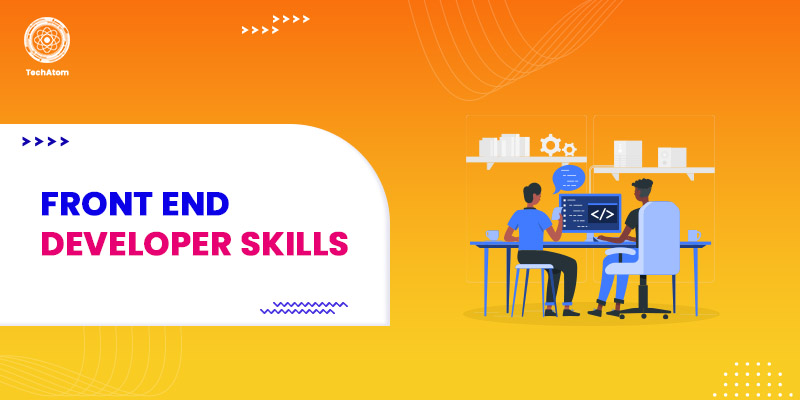

Software and website developers need to be skilled in front-end and back-end development because that makes them exceptional. When we talk about backend development, it is regarding the technical perspective of your website. On the other hand, front-end development refers to how the users experience your website and the different features and functionalities. So, regarding front-end development, you can rely on your website's search bar and subscription button.
Front-end development is creating an aesthetic user experience using different fonts, colors, layouts, and more. If you want to be a front-end website developer, you will have to acquire a set of essential skills that will make you experienced and knowledgeable in front-end website development.
For example, you must be knowledgeable about creating a well-designed UI that will boost the website’s conversion rate and engagement rate. As a front-end developer, you will have to execute your skills and ideas to create a good-looking and responsive website that will benefit both the users and the owner alike.
In this post, we will share some tips and skills that you need to become a professional front-end website developer.
Roles and Responsibilities of a Front-end Developer
Front-end developers perform the following roles:
- Front-end developers optimize the page speed and graphics to improve the user experience.
- Front-end developers also check for consistency throughout the website or software.
- Conducts practical testing of the main elements of the software/website.
- Front-end developers create features to make websites more user-friendly.
- Develop tools to improve user communication in the browser.
- Carries out on-site Search Engine Optimization.
On the other hand, backend developers manage the infrastructure of a website that includes databases, servers, etc.
Now, to perform the above tasks, a front-end developer needs to have a set of basic and advanced skills.
Abilities Required to be a Front-end Developer
It is important to note that you don't have to possess a college degree to be a front-end developer. You only need to get the right skills. Here are the top technical skills you must acquire as a front-end developer.
1. HTML and CSS
HTML (Hypertext Markup Language) and CSS (Cascading Style Sheets) are cornerstone technologies of WWW. With HTML, you can create the proper structure of a website, and CSS creates an aesthetic look in the elements using different fonts, colors, typefaces, etc. If you know HTML and CSS, you can apply that to your project to create a functional website.
2. JavaScript
JavaScript makes your website more responsive and opens on mobiles, laptops, tablets, and every other device. HTML and CSS are perfect for those websites that only contain text, but JavaScript adds more features to your website to make it stand out. JavaScript is a client-side programming language that you can use to create forms, animations, scrolling, slideshows, polls, media, etc., to make the website more interactive.
3. Frameworks and Libraries
Frameworks are codes that create website elements, such as interfaces and login buttons. These codes are easy to execute and are transposable. Javascript frameworks, including Angular JS and JsonJs, are the most popular.
When discussing libraries, we must include plugins and extensions that can easily add
standardized components to your website. Libraries such as jQuery are the most popular open-source JavaScript libraries that allow you to customize them the way you want.
4. Version Management
A version control system keeps a record of the changes to the code that the developers make to the website for the software. The front-end developer’s task is to compare the codes from the previous version to the new version. If there is an issue with the new codes, the developer will restore the previous changes. The most popular and widely used version content system is Git.
5. Cross-platform Availability
A website's performance may vary slightly depending on the browser or device on which it is running. If Google.com appears as a full-width page on your laptop, it will appear as a landscape view on your smartphone. There is a browser tool that front-end developers use to determine if the website is as device-friendly as possible.
Developers can use the browser tool to fine-tune the website to make it more user-friendly. Developers can also use the tool to make a web page more responsive by changing the layout and design based on the browser or device running it. For example, if you run a website on your Linux desktop, it will display larger fonts on a large screen, but if you run the same website on a smartphone, it will display small fonts on a small screen.
6. Performance Optimization for the Web Pages
Front-end developers ensure the website is fast in terms of loading time and performance. Since a slow website can drive users away, it is the developer’s task to ensure the quick performance of the website using various automation tools. They use tools such as Grunt that optimize the images so that the components on the web page look appropriate and are also lightweight when being accessed by a device.
7. Search Engine Optimisation or SEO
Front-end developers also take care of the SEO strategies of a website that are responsible for organically increasing traffic. They conduct best SEO practices, including adding titles, meta descriptions, altering text on images, keywords, etc., to optimize the site so the target audience can find it more easily.
8. Accessibility
Accessibility means making sure websites can be used by those with a variety of disabilities (from being visually impaired to having other mobility disabilities).
Ultimately, the web should be accessible to everyone and, understanding what accessibility is and its principles will allow you to turn your web products into an entity that almost everyone can use.
This includes a spectrum of practices to do everything from providing proper HTML markup to establishing ARIA roles, to even setting up the page for proper keyboard navigability. Accessible websites are compliant with legality and usability domain and provide better user experience for a larger user base. Screen readers and voice recognition programs will function based on well structured and accessible content on these sites.
9. Responsiveness
The time has passed when users look at a specific website utilizing only one device. Nowadays, we all use various devices depending on our own comfort to look at that website and we all want that that web page is responsive and interactive on any device. As far as web development is concerned; developers on the client-side need to be aware of the word and meaning of "responsiveness" which means the website should be responsive and can be looked at on any device; either a mobile phone, laptop, tablet, etc. The web page should be able to adjust itself according to whatever device (laptop, tablet, mobile, etc.) the users are using. After all, the viewing experience does matter a lot in creating traffic to the website, which will help indirectly improve search engine ranking and in turn, help business growth.
The built-in functionality of CSS frameworks or modules like Tailwind and Bootstrap help you to create responsive websites for all responsive devices and screen sizes which is less work at the end.
For example, we would expect a website providing online courses to display the complete column of content in the form of Nav-Bar, larger graphics, and interactive laptos, shrink in phones and collapse into a side-column, presenting each element single-column or one message at-at-time (one at a time). The primary purpose of making a website responsive, is to facilitate ease of use, in cultivating an enjoyable and fulfilling experience for the user.
10. UX Basics
As a front end developer, you are not explicitly tasked with designing and establishing the user experience norms, however, in some team setups (especially when they serve smaller companies), front end developers also have responsibility of establishing parts of the user experience.
Knowing the fundamentals of user experience (UX) design allows developers to develop websites that are not only functionally effective, but also intuitive and enjoyable to use. This includes, in theory, knowledge of design principles, user research & usability testing; however, front end developers given their limited exposure and responsibility towards UX, usually do not dive deeply into UX, but instead typically take a more practical approach, learning from experts or their own personal experience.
An adequate understanding of UX principles allows developers to build interfaces that satisfy the user's needs and expectations connected to product satisfaction and therefore engagement.
Improved User Satisfaction: Good UX design leads to improved user satisfaction by creating interfaces that are enjoyable and intuitive to interact with. Users are more likely to recommend and/or return to a product that offers a positive user experience.
Enhanced User Engagement & Retention: A solid UX design keeps users engaged and comes with additional time spent on a site or application alongside that. This of course can increase retention rates and performance metrics will likely improve as well.
Competitive Advantage: In a noisy marketplace, designing products with a UX that stand out from the pack is a wise choice, and choosing to invest in UX design may provide a competitive advantage by retaining and attracting more users compared to competitors with poor UX.
Alignment with Business Goals: Investing in good UX aligns with business goals that enhance user satisfaction then enhances conversions/sales and even customer loyalty. A well-designed UX provides value for users and the business, leveraging user needs to accomplish business needs.
11. Rest APIs
REST, which stands for representational state transfer, uses an API (also known as RESTful API) which is an application programming interface (API) that allows interaction with RESTful web services. It uses HTTP (HyperText Transfer Protocol) requests to access and manage data. An example of several commands are GET, POST, PUT and DELETE data types meaning read, update, create and delete operations.
- Using GET requests to retrieve data
- POST request to create the data
- PUT request to update the data
- DELETE request to delete one in an application
All of the HTTP methods can be used in API calls. A well-designed REST API for an application is the same as a well-designed website that a customer runs in a web
12. Testing and Debugging
The next process after development of a web application is testing and debugging to ensure that it is as bug-free as possible, in order to optimize the user experience. The chances of developing an application with no bugs is very low so testing and debugging processes are necessary in software after development. It is an additional skill for any front-end developer to develop the quality of your web application. Let’s start by clarifying the difference between testing and debugging.
Testing is a practice of software to help ensure quality and function in web applications. Your test of a site should involve looking at several different aspects of the application such as usability, and compatibility. For testing, think of yourself as a person requiring the application to perform smoothly without any haggling. There are many variations of tests, which can include things like unit testing and component testing.
- Unit Testing: Tests individual sections of code where you tested that it is responsive like the design shows it should be. For instance, if a user clicks on a button, the button should then take the user to another page if it is designed to.
- Component Testing: It focuses on a specific component and tests individual components of an application and will test real data of the code that was written instead of dummy data by developers.
There are many other types of testing to help enhance the working of a website. Other types of testing are Integration Testing, Alpha Testing, Beta Testing, and others.
Debugging is the process to fix errors (bugs) found in the testing of the web application. This process includes identifying the bug, where it originated from, and fixing the problem to ensure the program is bug-free subsequently aiding the proper working of the overall website. Steps that come to play include identifying the error, determining where, analyzing the error, correcting it, and validating it. This process can be completed through manual or automated tools. Debugging is vital and essential to have in a front-end developer because it finds and fixes errors in source code. Further, proper usage of breakpoints should be used to see a good flow of code and detect an error line-by-line otherwise understanding the flow of the code becomes much harder.
Conclusion
Another valuable skill of a front-end developer that we have not mentioned before is verbal communication skills. Because to create an effective website or software, the developer must communicate with the target audience and understand what kind of features they are looking for and how they can make the target audience happier by enhancing their website's performance.
If the front-end developer does not have the right communication skills, they won’t be able to talk to the clients and team to execute the essential tasks. Therefore, with good communication skills, a front-end developer should gain problem-solving skills to help improve the website's performance effectively. But in technical terms, you must possess the above-mentioned technical skills to be a successful front-end developer.
People are also reading:
- What is Web Designing?
- Difference Between UI, UX, and Web Designer
- Cheat Codes for Designing User Interfaces
- Python and its Benefits
- Great Ideas for Small Business
- Native vs Hybrid Apps
- Quillbot vs Grammarly
- Best Tech Stack
- Content Marketing Tools
- Best Startup Ideas
Frequently Asked Questions
1. What should every front-end developer know?
To be a successful front-end developer, one must have the following skills:
- A degree in Computer Science or a similar field (preferred but not essential).
- Knowledge of graphic design applications (e.g., Adobe Illustrator)
- Proficiency in HTML, CSS, JavaScript, and jQuery coding languages.
- Understand server-side CSS.
- Know about the principles of SEO.
2. Which language is mostly used in the front-end?
The most commonly used front-end language is HTML (HyperText Markup Language), which is a markup language. HTML is a programming language that is used to make websites and web apps.
3. Does the front-end require coding?
Yes, a front-end developer should know HTML, JavaScript, and CSS. Framework knowledge, including JSON and jQuery, is also important for a successful career in web development. Senior Front-end job descriptions may ask for experience with PHP or frameworks with server-side templates.
4. Is HTML a front-end or backend language?
HTML is a front-end development language. Other front-end development languages are CSS and JavaScript. Front-end developers create the structure, design, behavior, and content of everything seen on browser screens when websites, web applications, or mobile apps are opened up.
5. Why is front-end development harder than the backend?
Front-end web development keeps on changing, and the results take longer to achieve. Therefore, it is harder than the backend development. However, it all depends on the skills of the developer and the tools used by the developer.