
Web design is the process of creating a website’s layout, appearance, and user experience. A good design makes a website attractive, easy to navigate, and simple to use. Studies show that users can form an opinion about a website in just 0.05 seconds, making design important for creating a strong first impression. With more than 50% of web traffic coming from mobile devices, responsive design is also essential today. In this guide, we will cover web design types, important elements, design principles, tools, the design process, and useful tips for creating an effective website.
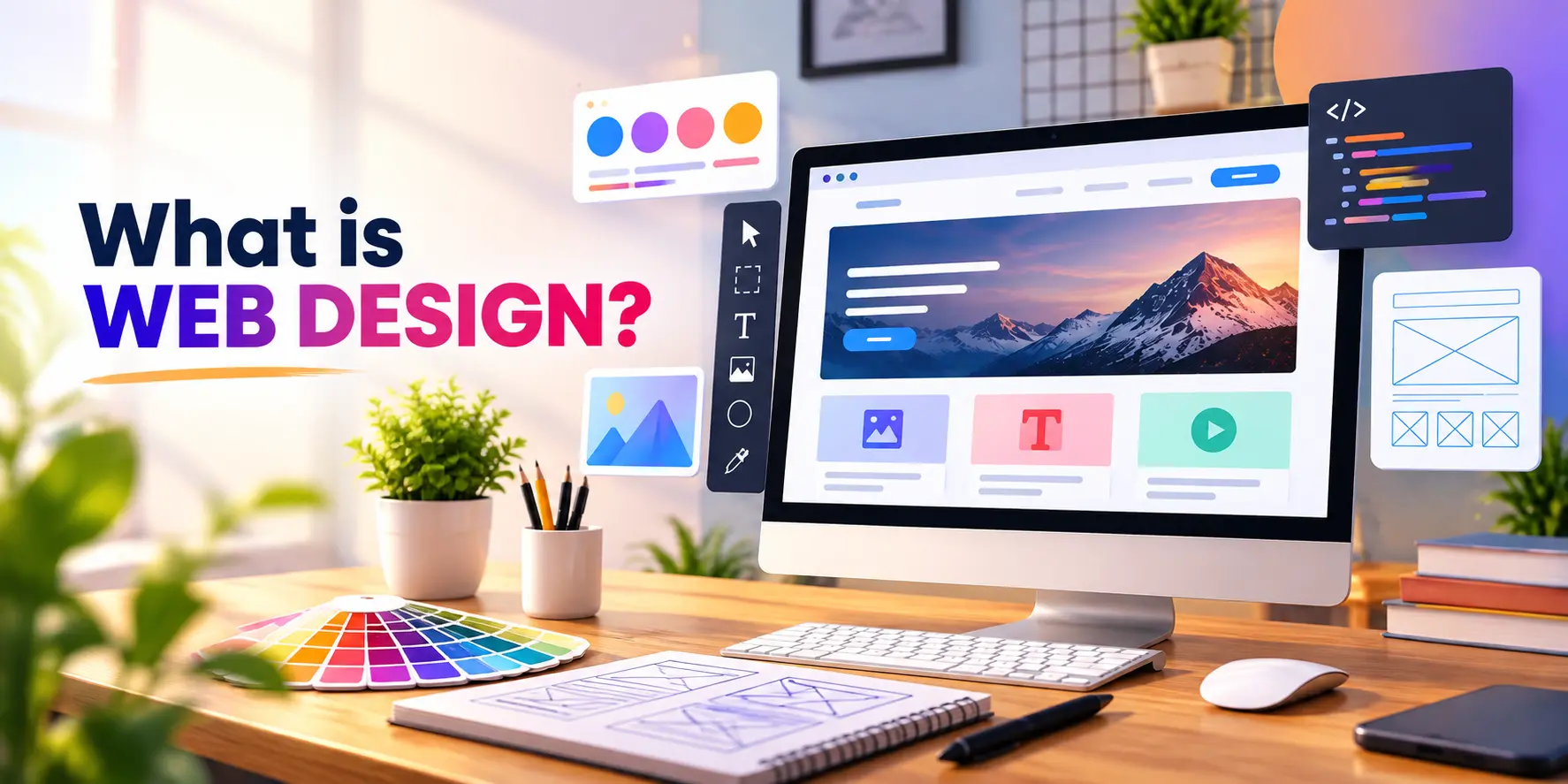
What is Web Design?
Web design or website designing is creating websites and different web pages for a brand. It tells the users about your company and the information associated with it. The two most important factors in web design are appearance and design. These two elements instantly catch users' attention and prompt them to spend more time on your site.
However, web design has other important elements, such as layout, images, readability, color scheme, etc. All these elements determine the final look of a website and its compatibility on different devices.
Types of Web Design
There are different types of web design used depending on the purpose of a website. Each type serves a unique goal and is designed for a specific audience. Choosing the right type of website is important because it directly affects performance, user experience, and business goals.
- Static Website Design: Static websites are simple websites with fixed content. The pages remain the same for every user and only change when a developer manually updates them. These websites are fast, secure, and cost-effective, making them suitable for small businesses, portfolios, or informational sites.
Example: A local restaurant website that displays its menu, location, and contact information with content that rarely changes.
- Dynamic Website Design: Dynamic websites display changing content based on user interaction or database updates. The content can vary for different users, making these websites more interactive and flexible. They are commonly used for blogs, news portals, and business websites where content is updated regularly.
Example: Facebook displays different content to each user based on their activity, interests, and connections.
- E-commerce Website Design: E-commerce websites are designed for online buying and selling of products or services. They include essential features such as product listings, shopping carts, secure payment gateways, order tracking, and user accounts. These websites focus heavily on user experience and smooth checkout processes.
Example: Amazon allows users to browse products, add items to a cart, and complete purchases online.
- Single Page Website (SPA): A single-page website loads all content on one page instead of multiple pages. Users can scroll through different sections easily without waiting for page reloads. This type of design is smooth, fast, and often used for startups, landing pages, or promotional campaigns.
- Portfolio Website: Portfolio websites are created to showcase an individual’s work, skills, and achievements. They are commonly used by designers, photographers, developers, freelancers, and creative professionals to present their projects in a visually appealing way.
Example: A freelance graphic designer's website showcasing past projects, client testimonials, and contact details.
- CMS-Based Website: CMS (Content Management System) websites are built using platforms like WordPress, Joomla, or Drupal. These websites allow users to create, edit, and manage content without advanced coding knowledge. They are widely used for blogs, business websites, and news platforms due to their ease of use and flexibility.
Example: Many business blogs and company websites are built using WordPress, allowing content updates without coding.
Adaptive vs Responsive Web Design
When you want to create your website, first consider whether you want an adaptive or a responsive website. This choice helps determine the right website builder to use. Many technologies are available for website design. But amongst that grand schema of things, there are only two styles of website. What are the differences between those two website styles?
Adaptive Website
Adaptive websites have two or more versions. These versions can be customized for certain screen sizes. They have two categories based on the way the site detects them:
- Device type: The browser requests the “user-agent” field after connecting your website.This field helps the server understand the type of device used to view the page. Adaptive websites understand the version to display. If the browser is shrunk to house additional windows, then the users could potentially run into issues. This is because the user agent will still recognize the desktop as the original device.
- Browser width: In a browser, the website doesn’t use the user agent, but the media queries that use pixel widths, not versions, based on the device. This provides a more flexible and better experience for the users.
Responsive Websites
Responsive websites use the flexibility of grid layouts. These layouts are based on the percentages of each element in the container. Responsive websites include elements that will be of certain percentages. The screen size doesn’t affect these elements. These websites are valuable as they change constantly based on the used screen size.
Key Point:
Some web builders contain both types of website features, adaptive and responsive. These builders are better for use as they can make the website adaptive as well as responsive at the same time.
Web Design vs Web Development
Web design and web development are the two different terms that you may get confused in. They both are two very different things having different purposes and requiring different skill sets.
Web design is about the experiential side of a website. It helps make sure that your website is useful, immersive, and engaging. It depends on the expectations of the users. Web design uses this knowledge of user’s expectations to ensure an excellent user experience.
On the other hand, web development is about the building and maintenance of a website. It is done using the coding systems. This helps ensure the smooth functioning of the website without any glitches.
Example: On Amazon, the product page layout, colors, and navigation are part of web design, while the shopping cart, payment processing, and order management are part of web development.
Why is Web Design Important?
If you have an appealing and user-friendly website, the chances of more visitors to your site increase tremendously.
According to statistics, a user takes approximately 0.05 seconds to form an opinion about your site. So, strategize in the right way and hold your users!
A good web design indicates a lot about your brand, such as:
- Brand authenticity
- Reliability
- Trustworthiness
Therefore, work on creating a website that bonds with the users instantly and gives them the accurate information they want!
What is the use of Web Designing?
Web designing has immense features for a business. Take a look:
- Sets the first impression: First impressions are extremely important. They decide whether the user will come back to your site or not. Therefore, an appealing and impressive web design can fetch more customers.
- Builds trust with the audience: Every piece of information and data on a website builds a connection with the audience. This nexus results in developing trust with them, which further helps enhance your business's credibility.
- Customer satisfaction: Customer is the king. Hence, it is important to satisfy their needs. With an appealing and impressive web design, you can guarantee customer satisfaction.
- Consistent branding: Regular updates and new posts on the website result in consistency. This is crucial for the brand’s growth.
- Improve in sales: The more customers, the more sales will be. This is what every business aspires for. So, with an impressive web design, you can attract more customers to purchase your products.
- More conversion rates: Your conversion rates increase once a user transforms into a customer. The higher the conversion rate, the more the profit!
- SEO: Search Engine Optimization improves your chances of ranking higher on search engines. This will further boost your business as your site's link is displayed in the top search results.
What Does a Good Web Design Look Like?
A good web design does not look complicated and leaves the user confused. However, there is no protocol for good web design that one must follow. But a few important factors must be considered when designing.
An excellent website design is directly related to the number of users you convert regularly. Conversion simply means transforming your users into customers. Your website can prompt users for a purchase or a signup, which is known as converting a user.
Further, here are some effective factors to create an appealing web design:
- Clear representation of content, images, and CTAs.
- Responsive and fully optimized design.
- Appropriate font size (not too small, not too large).
- High-quality images.
- Attractive content.
- Balance texts and images.
An effective design helps your business boost. Therefore, understand your target audience and their style to resonate with them.
Popular Web Design Tools
Creating a modern website requires more than creativity alone. Web designers rely on specialized tools to plan layouts, create visual designs, build prototypes, and improve collaboration throughout the design process. These tools help streamline workflows, enhance user experiences, and ensure websites meet both functional and aesthetic requirements.
Some of the most popular web design tools include:
- Figma
- Adobe XD
- Sketch
- Webflow
- WordPress
What Does a Web Designer Do?
A web designer is a crucial position in a business firm. They are responsible for building the layout and design of the brand’s website.
A website designer is an expert in user interface and designs a user-friendly and appealing site. Their work reflects the image of a brand. Therefore, web designers bear a huge responsibility on their shoulders.
In addition, as per statistics, approximately 50% of internet users say that design is important while forming an opinion of a brand.
A web designer's core responsibilities and tasks are:
- Designing layouts of the websites.
- Creating sample pages and mockups.
- Working on website updates.
- Coordinating with designers and writers.
- Expertise in various designing tools, such as Adobe, to create visuals or animations.
- Providing optimal user experience.
- Registering web domains.
Web Design Process
The web design process involves several important stages that transform an initial idea into a functional, visually appealing, and user-friendly website. It goes beyond selecting colors and arranging images. A well-planned process considers business objectives, user requirements, website structure, functionality, accessibility, and performance. Following a structured web design process helps designers create websites that are easy to navigate, responsive across different devices, and aligned with the needs of their target audience.
Here are the key stages involved in the website design process:
1. Requirement Gathering
Requirement gathering is the initial stage of web design, where designers understand the purpose of the website, business objectives, target audience, and specific project requirements. This stage involves identifying the website's primary goals, required features, content needs, and user expectations. A clear understanding of these requirements helps establish the project's direction and ensures that the final design supports both business goals and user needs.
2. Website Planning
Once the requirements are defined, the next step is planning the website's structure, content, and functionality. Designers create a sitemap to organize important pages, such as Home, About Us, Services, Products, and Contact. This stage also involves planning navigation, content hierarchy, and user journeys. Proper website planning makes information easier to find and creates a logical structure for the entire design.
3. Wireframing
Wireframing is the process of creating a basic visual blueprint of a website before applying its final design. It outlines the placement of important elements such as headings, images, navigation menus, content sections, and CTA buttons. Wireframes help designers evaluate page structure, content organization, and usability at an early stage. They also make it easier to identify design issues and make changes before development begins.
4. UI/UX Design
The UI/UX design stage focuses on the website's appearance and overall user experience. UI (User Interface) design involves selecting colors, typography, buttons, icons, images, and other visual elements, while UX (User Experience) design focuses on making the website intuitive, accessible, and easy to use.
Designers create layouts that maintain visual consistency, improve readability, and guide visitors toward important information or actions. Responsive design is also considered to ensure a consistent experience across desktops, tablets, and smartphones.
5. Website Development
After the design is approved, developers convert the visual layouts into a working website. This stage involves implementing the website's structure, styling, interactive elements, and required functionality using technologies such as HTML, CSS, and JavaScript. Content management systems and website builders, including WordPress and Webflow, can also be used to develop and manage websites. The primary goal is to ensure that the approved design functions correctly and delivers a smooth browsing experience.
6. Testing and Quality Assurance
Before launching a website, it must be tested to identify technical issues and usability problems. Testing involves checking page loading speed, mobile responsiveness, navigation, forms, broken links, browser compatibility, and interactive features. Designers and developers also review content readability, accessibility, and overall functionality. Fixing these issues before launch helps provide a reliable and consistent experience for visitors.
7. Website Launch
Once the website has been designed, developed, and tested, it is ready for launch. This stage involves connecting the domain, configuring hosting, checking essential settings, and making the website publicly accessible. A final review of important pages, links, forms, and performance helps ensure that visitors can access and use the website without unnecessary difficulties.
8. Maintenance and Optimization
The web design process does not end after launch. Regular maintenance is necessary to keep a website secure, functional, and up to date. This includes updating content, fixing technical issues, monitoring performance, checking security, and ensuring compatibility with new devices and browsers. Designers can also review user behavior and website analytics to identify areas for improvement. Continuous optimization helps maintain a positive user experience and keeps the website aligned with changing business needs and user expectations.
Skills of a web designer
If you wish to become a web designer, recruiters seek specific skills in you. Here we mention some of the most important skills needed for website designing.
1. Communicative skills
A designer must be cordial with the team members, such as a writer, web developer, and other designers, etc. You must be able to listen, understand, and collaborate with other team members and take constructive criticism.
Site creation is the core responsibility of a web designer and the whole team.
Therefore, good communication skills will give the web designer an edge.
2. Time management
Web designers must manage their time efficiently. There are certain deadlines to conquer and handle pressure at work. Therefore, an individual looking for the job role of a web designer must excel in time management.
3. Expertise in design programs
Website designers must hold expertise in different design programs such as Adobe Creative Cloud, Inkscape, CorelDRAW Graphics Suite, etc. These tools help designers create effective visual elements, mock-ups, and appealing images for the website.
4. Knowledge of UX
User experience is an important aspect of web design. UX is essential as it indicates a user's overall experience on your site. To provide an excellent user experience, a designer must research and understand the users' needs.
Check out: Difference Between UI, UX, and Web Designer
5. Coding Languages
It’s not mandatory for a designer to have knowledge of coding languages. However, basic knowledge of HTML and CSS can go a long way! Knowing these programming languages will make modifying templates and fonts or adjusting other web page elements easier.
Elements of a Web Design
A web design comprises various elements that form a fully-functional website. Here are some essential elements:
1. Layout
The website layout is the skeleton of a site. It is the base on which a designer works and creates different web pages. It is an important task for a web designer to choose an appropriate layout for the website. A layout must be simple, interactive, and easy to access for the user.
People currently access websites from devices such as laptops, desktops, tablets, and mobiles. Therefore, it is crucial to create specialized layouts for all these devices. Moreover, Mobile optimization is extremely important, as 80% of users access apps or sites on their phones. So, it is the task of a web designer to create an optimized website compatible with multiple devices.
Example: Amazon places its search bar prominently at the top of every page so users can quickly find products.
2. Images
The visual appearance of a website makes a huge difference. The more appealing and highly qualitative images, the more visitors to the website. Therefore, a web designer must incorporate high-quality images, illustrations, graphics, or animations. In addition, it is the designer's responsibility to balance the brand’s images and text with each other.
3. Color Scheme
The combination of a few colors representing your brand defines the color scheme. It is highly effective and a proven factor in attracting a large audience to your site. So, it is advised to work diligently on creating a color palette for the brand and working with it.
Designers must also search for the colors that resonate most with the users and focus on creating a modern website design.
Example: Facebook primarily uses blue because the color is associated with trust, reliability, and communication.
4. Readability
A web page must have easy-to-see and read content that does not confuse users. Any website with complicated text or fonts will increase the bounce rate. This is the last thing a business wants!
Therefore, try incorporating an appropriate size and pixel for your text with readable fonts. Further, the colors of the font also play a vital role in readability. So, work smartly on that!
5. Content
Each and every piece of information or data available on the website is known as content. It holds the highest value. The reason is that it is a medium for your brand to communicate with the users.
An effective copy can quickly grab the eyes of the user, whereas a complicated one loses the customer’s attention. So make sure the tone of your content is catchy and informative.
6. Good Navigation
The navigation on the website should be easy for the user to understand. Otherwise, the customer will simply leave the website and never visit again. The navigational elements help users jump to different web pages of your site. For instance, you must have seen various links in the footer of a website, such as about us, contact us, blogs, etc.
These links help users access other website pages and get the required information.
Therefore, a web designer must be thoughtful and attentive while choosing navigation designs and layouts.
Example: Most websites include a navigation menu with links such as Home, About, Services, Blog, and Contact.
Design Principles Applied to Websites
Various principles of design help designers achieve good web design. These principles help a site to look harmonious and user-friendly. Thus, it attracts a large number of visitors.
Consider these as guidelines to apply while designing a website. Here is a list:
1. Balance
All design elements must not overpower each other. This would gradually lose the interest of the viewer and confuse them. You can create an imaginary line in the middle of a design and use these two ways to achieve balance:
- Symmetrical balance: this creates consistency in the design and provides visual weight on both sides of the line. It results in clean and arranged visuals (mirror image).
- Asymmetrical balance: it’s a modern approach that creates dynamic designs and maintains a harmonious composition overall (not a mirror image).
2. Emphasis
If there is something that you want the user to emphasize, such as a logo image or a CTA, then you can apply this principle of emphasis. Use bright colors, create variations in size, or animate the element to grab the user's attention.
Example: Netflix highlights its "Get Started" button using a bright color to attract user attention.
3. Contrast
It is important to play with contrast to add a bit of extra drama and eye-catching qualities to the design. Designers can focus on highlighting the elements in a design by creating dark and light, large and small, or such variations.
A contrast stops the customer and captivates their attention.
Example: Google's homepage uses dark text on a white background to maximize readability.
4. Rhythm
To focus or deliver a certain message, designers should focus on rhythm. Rhythm is the repetition of elements in a design to create consistency.
It also creates a strong web presence for your brand by repeating the characteristics, such as brand colors or logos.
5. Whitespace
Any void area in a design is referred to as white space. By creating a white space, other elements can breathe and have the viewer's attention.
Example: Apple's website uses generous whitespace around products and content, creating a clean and premium appearance.
6. Movement
This principle is important in holding the user on your website. Movement guides the users from one element to another on the site. You can control the size, direction, or order of different elements of web pages to retain the viewer for a longer time on the site.
Future of Web Design
The future of web design is becoming more advanced, user-focused, and technology-driven. With the rise of artificial intelligence, automation, and no-code platforms, creating websites is becoming faster and more accessible for everyone. Mobile-first design, minimal layouts, and interactive elements are now becoming standard as users expect faster, simpler, and more engaging experiences. In the coming years, web design will continue to evolve with trends like voice-based interfaces, AI-powered personalization, and highly responsive, dynamic websites that adapt to user needs in real time.
Tips for Designing an Effective Website
An effective web design has no protocols. However, some tips can create an eye-catching and aesthetic design for your website.
1. Mobile Optimization
According to statistics, approximately 80% of users access websites and applications from their mobile phones.
As you can see, a large number of people across the globe pick up their phones to browse a site. Therefore, you must optimize your site for different devices, especially mobiles. Designers can start designing the UI layout for mobile screens and then move to the desktop website experience.
2. Balance Whitespace
White space is also known as negative space. A good design has different elements that also have space to breathe. Designers must not overcomplicate or create congested designs. Moreover, it’s not necessary to fill space with graphics and information. Instead, use the negative space in a design as it creates a better, cleaner, and more appealing design.
3. High-Quality Images
Web designers are highly recommended to avoid blurry images on the website. This instantly prompts the user to leave the website. Moreover, good-quality images reflect the authenticity of a brand. So, using graphics with the right size and scaling is vital.
Every designing tool, such as Adobe Photoshop, has features to adjust the pixels of an image accordingly. So, use those adjustments to avoid adding bad-quality images.
4. Use Grids
Implementing the use of grids while designing helps to better organize the content of a webpage. If you are not using grids, it may lead to the misalignment of elements, which results in a bad navigation experience for the users.
Web designers can opt for the 960 Grid System in their designs. There are two variations, namely, 12 and 16 columns.
5. Hierarchy
Hierarchy in a website is extremely important. It guides the user to understand the most important element of the website. For instance, if you keep the font size and style of the CTA button the same as that of the normal text on the landing page, it might not attract a user's attention. But creating a bold CTA button with bright colors will instantly grab the user's attention.
Therefore, hierarchy is a great concept and directs the user to the most important information on your website, and then reads the latter part.
In addition to the above tips and principles, you can also refer to the creative web design trends to develop appealing websites.
Common Web Design Mistakes
A well-designed website should be visually appealing, easy to navigate, mobile-friendly, and fast to load. However, even a website with valuable content can struggle to engage visitors if its design creates usability problems. Common issues such as slow loading speed, poor navigation, cluttered layouts, and unreadable text can frustrate users, increase abandonment, and affect website performance.
Understanding these common web design mistakes helps businesses and designers create websites that offer a better user experience, support SEO, and encourage visitors to take meaningful actions.
Here are some common web design mistakes to avoid:
- Slow Website Loading Speed: Large image files, unnecessary scripts, and poor hosting can slow down a website. Visitors may leave before the content loads, affecting engagement and conversions. Optimize images, reduce unnecessary code, and use reliable hosting to improve loading speed.
- Poor Mobile Optimization: A website that does not adjust properly to smartphones and tablets can make reading, navigation, and interaction difficult. Use responsive web design to ensure that layouts, images, menus, and buttons work smoothly across different screen sizes.
- Cluttered Website Layout: Too much text, excessive images, animations, or unnecessary design elements can overwhelm visitors and make important information difficult to find. Maintain a clean layout, use sufficient whitespace, and establish a clear visual hierarchy to improve readability.
- Confusing Navigation Structure: Complicated menus, unclear labels, and poorly organized pages make it difficult for users to find relevant information. Use simple navigation menus, descriptive page labels, and a logical website structure to help visitors move between pages easily.
- Low-Quality or Unoptimized Images: Blurry, stretched, or oversized images can reduce visual appeal and slow down page loading. Use high-resolution images in appropriate dimensions, compress files without noticeable quality loss, and select visuals that support the website's content.
- Missing or Unclear Call-to-Action (CTA) Buttons: When visitors cannot identify what action to take next, they may leave without completing a desired task. Use clear and descriptive CTA text, such as "Get Started," "Contact Us," or "View Services," and place buttons where users can easily notice them.
- Poor Color Combinations and Readability: Low contrast between text and backgrounds, inconsistent colors, and difficult-to-read fonts can make a website uncomfortable to use. Choose a consistent color palette, maintain sufficient text contrast, and use readable font sizes to improve accessibility and visual consistency.
Avoiding these mistakes helps create a website that is easier to use, more accessible, and better aligned with visitors' expectations. A thoughtful web design also supports technical performance, user engagement, and the overall effectiveness of a website.
Conclusion
Web design plays an important role in creating a website that is visually appealing, user-friendly, and easy to navigate. From choosing the right layout and color scheme to ensuring mobile responsiveness and smooth navigation, every element contributes to a better user experience. Understanding different types of web design, essential design principles, tools, and the website design process can help you create a website that meets your audience's needs. Whether you are a beginner learning web design or a business looking to improve your online presence, focusing on usability, accessibility, and consistent design can help you build a more effective website.
Frequently Asked Questions
1. Is web design easy to learn?
Web design can be learned by beginners with practice and the right resources. You can start with basic design principles, UX, responsive layouts, and tools such as Figma before gradually learning HTML and CSS.
2. What are the duties of a web designer?
A web designer creates website layouts, designs user interfaces, develops page mockups and prototypes, selects visual elements such as colors and typography, improves user experience, and collaborates with developers and content teams. They may also update existing website designs.
3. Should I opt for web designing as a career?
Web design can be a suitable career for people interested in visual design, technology, and user experience. Career opportunities can include web designer, UI designer, UX designer, product designer, or freelance web designer. The skills and tools required can vary depending on the role.
4. Can I learn web design myself?
Yes, you can learn web design yourself through online tutorials, courses, documentation, and hands-on projects. Start with design fundamentals and UX, practice with tools such as Figma, and gradually learn HTML and CSS to understand how website designs are implemented.
5. What skills do I need to develop to become a web designer?
Important web design skills include visual design, UX principles, typography, color theory, responsive design, communication, and problem-solving. Basic knowledge of HTML and CSS can also help designers understand how their designs are implemented.
People are also reading: