A solid site starts where visitors see, right on the page. Without a clear structure, even great traffic sources fall short. Titles need clarity, pictures require context, and each word must carry weight. When these pieces fit, search engines respond. Hidden details like code settings matter just as much as headlines. Good placement comes from attention, not luck.
A step-by-step walkthrough of every key part of website SEO begins here, finding the right search terms, shaping content that connects, fixing site structure details, and smoothing how people move through pages. Each piece builds visibility slowly, pulling in visitors without force. Ranking climbs happen when effort aligns behind the scenes. Better reach comes not from noise but quiet refinements repeated.
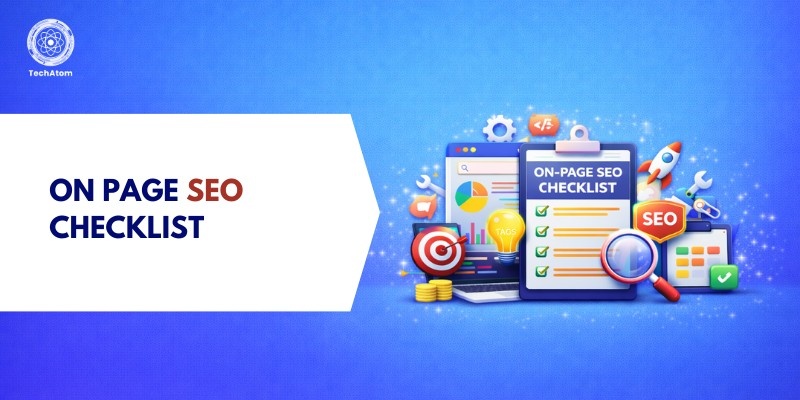
What Is On-Page SEO?
A single webpage can rank better when its pieces fit together clearly for both people and machines. Titles shaped well, descriptions that tell what’s inside, these matter a lot. Pages gain strength when words, tags, and structure work like parts of something built on purpose. Images carry meaning only if named correctly and given context nearby. Links pointing within keep visitors moving, and also help bots follow paths. Technical details behind the scenes influence how fast or smooth it feels. Each choice adds up, slowly, steadily, to make a page more likely to appear.
Not like off-page SEO, where attention goes to outside links and signals, on-page tweaks let your site show search engines what it’s about, clearly, without confusion. Relevance isn’t guessed; it’s built right into the structure.
Keyword Research Checklist
1. Choose a primary keyword
Start by picking a single key term that captures your page's primary subject. This word needs decent traffic numbers while fitting what people are actually searching for. Choose carefully, what users expect matters just as much as popularity.
2. Identify secondary keywords
Include related terms and variations naturally throughout your content to improve semantic relevance.
3. Understand search intent
Some people search just to learn something new. When that happens, give them clear facts without clutter. Others come looking to buy, meet those moments with what they need to decide. Then there are the ones who know where they want to go; guide them quietly, step by step. Match each moment with the right kind of response. What matters is fitting the purpose behind the query.
4. Use keyword tools
Start by exploring Google Keyword Planner, since it reveals how often people search certain terms. Ahrefs gives a clear look at rivals’ keywords through its detailed reports. SEMrush enters the scene when checking how tough a keyword is to rank for. Search numbers matter most, yet competition levels shape your choices just as much. Each tool measures difficulty differently, so cross-checking helps avoid blind spots. Volume alone won’t win anything unless matched with realistic ranking odds.
Title Tag Optimization Checklist
1. Include primary keyword
Start your title with the key term to match searches more closely.
2. Keep under 60 characters
Search engines typically display only the first 50-60 characters of a title tag.
3. Make it clickable
Try making the title attractive so that people will click on it.
4. Avoid keyword stuffing
Keep titles natural and readable rather than overloading with keywords.
Meta Description Optimization
1. Write compelling meta descriptions
Even if search engines don’t rank pages based on meta descriptions, a sharp one pulls more clicks. Though unseen in rankings, its power shows up in user choices.
2. Include keywords naturally
Use your primary keyword once and keep the text natural.
3. Keep 150–160 characters
Keep descriptions short enough to show fully on search pages.
4. Add CTA phrases
Use calls-to-action like “Learn more,” “Discover,” or “Get started.”
URL Structure Optimization
1. Use short, clean URLs
Users find short links simpler to follow. Search engines process them faster, too.
2. Include the target keyword
Place your main keyword right inside the web address. That tiny detail helps search engines understand what the page is about.
3. Avoid unnecessary parameters
Avoid cluttered web addresses filled with digits or odd characters. Simple links work better when they stay clean and clear.
4. Use hyphens
Separate words with hyphens for readability and SEO clarity.
Content Optimization Checklist
1. Use proper heading structure (H1- H3)
Organize content logically using headings to improve readability and indexing.
2. Add keywords naturally
Finding spots for keywords feels natural when done right, slip them into titles, weave them through sentences. A smooth fit keeps reading comfortable while still hitting targets quietly behind the scenes.
3. Maintain content quality
Start by sharing something useful you made yourself. Go deep enough that it feels complete when someone reads through. A fresh take beats repeating what others say every time.
4. Improve readability
Short chunks of text work well. Break ideas into small pieces. Lists help organize thoughts clearly. Items stand out when separated. Plain words make things easier. Understanding grows without confusion.
5. Add FAQs section
A single question on a page might pull in searches you never expected. Hidden phrases people speak aloud often show up here by accident.
Image SEO Checklist
1. Optimize image size
Shrinking picture files helps pages load faster. When visuals take up less space, websites respond more quickly.
2. Add alt text
Try to use a descriptive alt text to help search engines understand images.
3. Use descriptive file names
Start by calling your pictures something that matches what they show. Name them properly ahead of loading online.
4. Use relevant images
Images should support the content and improve user experience.
Internal Linking Checklist
1. Link to relevant pages
Connect related articles and pages within your website.
2. Use keyword-rich anchor text
Use descriptive anchor text rather than generic phrases like “click here.”
3. Improve navigation
Pages connect, so visitors find what they need without trouble. Search robots follow these pathways just like people do.
External Linking Checklist
1. Link to authority sites
Cite trustworthy and authoritative sources.
2. Use relevant sources
External links should add value to readers.
3. Avoid spammy links
Do not link to low-quality or unrelated websites.
Technical On-Page SEO Checklist
1. Mobile responsiveness
Ensure your website works well on all devices.
2. Page speed optimization
Optimize loading speed using caching, compression, and optimized images.
3. HTTPS security
Use SSL certificates to secure your website.
4. Schema markup
Add structured data to improve search visibility and rich results.
5. Broken link check
Regularly scan for and fix broken links.
User Experience (UX) Optimization
1. Fast loading pages
Faster performance shapes search results while shaping how people feel using a site.
2. Clear layout
Use a clean design with readable fonts and spacing.
3. Easy navigation
Ensure menus and links are intuitive.
4. CTA placement
Guide users by positioning prompts where they fit naturally
Common On-Page SEO Mistakes to Avoid
- Keyword stuffing
- Duplicate content
- Missing meta tags
- Slow page speed
- Poor mobile optimization
Avoiding these mistakes improves both rankings and user engagement.
On-Page SEO Tools to Use
- Google Search Console
- Yoast SEO
- Ahrefs
- SEMrush
- PageSpeed Insights
These tools help monitor performance, identify issues, and optimize pages effectively.
Conclusion
Tackle each webpage with a clear plan, so it works well for visitors and Google alike. Start by picking the right words people type into search bars, then build solid content around them. Technical bits matter too; pages should load fast, link properly, and fit screens of all sizes. Watch how folks interact; smooth navigation keeps them reading longer. Rankings climb when effort stays steady over time. Refresh old posts, check what's working, adjust quietly behind the scenes.
Frequently Asked Questions
1. What is on-page SEO in simple terms?
Fixing each webpage so it shows up better in searches happens through on-page SEO. This kind of work helps bring more visitors by improving how pages appear online.
2. How often should I update on-page SEO?
Every so often, check what is on your pages, especially if positions fall or fresh details come up. Outdated stuff gets swapped when needed, maybe once a season. When changes appear elsewhere, that is when adjustments make sense too.
3. Is on-page SEO enough to rank?
Good rankings need more than just on-page work. Off-site efforts matter too, especially links pointing in. One without the other often falls short.
4. What is the most important on-page factor?
Content that matches what people search for matters more than anything else. Quality shows when it hits the right need without missing the mark. What users want drives how sites rise or fall in results.
5. Which tools help with on-page SEO?
Google Search Console, Ahrefs, SEMrush, Yoast SEO, and PageSpeed Insights are widely used tools for optimization.