

Do you use a paper-pen list to manage your daily chaos? Many of you would be using this. Using a paper to-do list is not wrong, but inefficient. But staying organized, efficient, and productive in today's fast world is becoming increasingly important. So, you need to get digitized for your task. But why exactly is task management important?
Strict deadlines and workloads pose stress on professionals. Research shows that 94% of professionals experience chronic stress. This hampers their work, productivity, and job satisfaction.
Task management apps or software can help overcome these problems. They streamline the workflows and help in managing tasks and deadlines. Thus, they help reduce stress and boost productivity.
Let’s discuss in detail the best task management apps for 2025!
What Makes The Best Task Management App
The task management app must have the following key features:
- Ease of Use: They must have a user-friendly UI for beginners and advanced professionals.
- Task Organization Features: The to-do app must include features like task lists, assigned tasks, prioritization, due dates, priorities, etc.
- Cross-Platform Availability: The app must easily sync across diverse platforms. It should also be easily synced across different devices.
- Pricing & scalability: Check if the task management app has a free plan or free trial that you can use before committing to paid plans.
- Automation & Integrations: The app must integrate with tools like Google Apps, Slack, or Microsoft Teams. This streamlines workflows and boosts efficiency.
- Collaboration Tools: Team-task apps must include collaborative tools like real-time collaboration, file sharing, and comments are essential.
- Real-Time Task Tracking: All the progress, deadlines, and dependencies must be tracked in real-time. It helps in monitoring productivity and allocating resources efficiently.
Importance Of Task Management App
In today’s work culture, work stress is increasing manifold; This makes task management apps indispensable tools. These apps help in:
- Setting deadlines, notifications, and reminders to work as per the schedule.
- Enhancing productivity by streamlining the workflows.
- Prioritising tasks to ensure that the work is scheduled based on importance. This means that the most important work should be done first.
- Improving accessibility by monitoring development and responsibilities.
- Collaborating with the team through shared tasks, notes, comments, and files.
- Reducing stress by providing a clear outline of tasks.
- Integrate with other tools like Google, emails, and project management platforms.
Best Task Management Apps
1. Motion
- Easy-to-use
- AI scheduling
- Auto-prioritization
- Calendar & task integration
- AI Notemaker
- AI business intelligence
- AI workflows builder
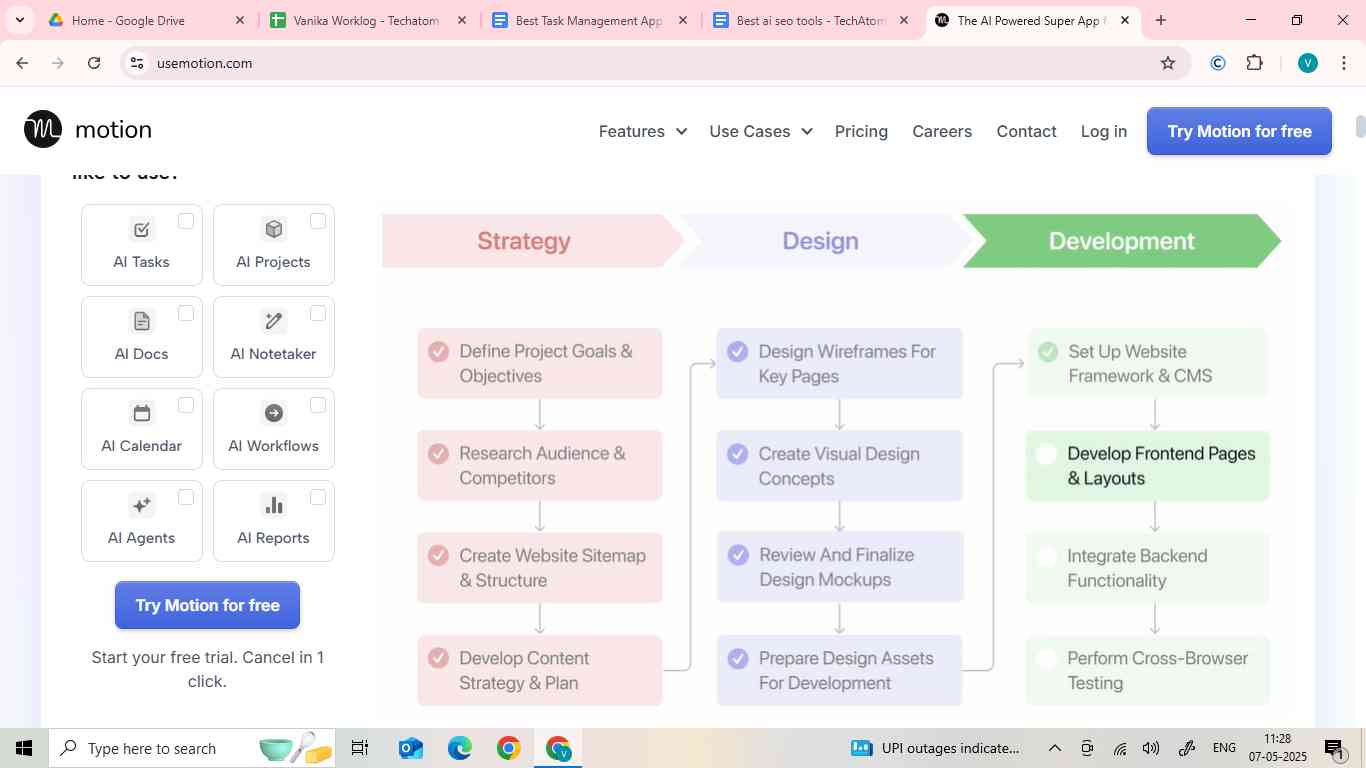
- Motion is a time management app. It automates task scheduling according to your proposed work and schedule. Using AI, Motion automates task scheduling by finding free time slots and optimizing productivity.
- It was founded in 2019. It raised $13M in 2022 in its second funding round.
- It is among the best AI-powered productivity apps. Using AI, Motion automates task scheduling by finding free time slots and optimizing productivity.
- Motion learns from your schedule. Then, it creates tasks based on your behaviours.
- It helps reduce the repetition of tasks.
- Although it is an easy program, not all features are easy.
Pros
- Most useful AI: Out of all the mentioned PM tools, Motion is very advanced in the implementation of AI. Its AI features help teams work smarter and faster.
- Predictive Workload: Motion helps predict the workload, indicating when your deadlines are at risk.
- AI Employees: Motion has been actively adding AI employees to their team and also making them better.
Cons
- Custom Integration Required for Large Teams: Motion gets more involved with other enterprise tools for large teams (100-500).
- Minimal Reporting & Dashboards: There is a lack of advanced reporting and dashboard functionality on Motion. This makes it less suitable for large teams that require extensive project analytics.
Pricing
|
Pro AI |
Business AI |
|
|
Ideal for |
Individual & Small Teams |
Businesses with Complex Needs |
|
Price |
$29 per month |
$39 per month |
|
Calendars |
✔️ |
✔️ |
|
Task management |
✔️ |
✔️ |
|
Project Planning |
✔️ |
✔️ |
|
Meeting Scheduling |
✔️ |
✔️ |
|
Email assistant |
✔️ |
✔️ |
|
Automation |
✔️ |
✔️ |
|
Support |
Priority Support |
Business Support |
2. Sunsama
- Productivity application
- Drag & drop interface
- Integrates with Google & Outlook calendars
- Colour coding
- Time-blocking tools
- Your time usage reports
- Channels to filter task types
- Automatic Accessing
- Time management coaching
- Focus on work-life balance

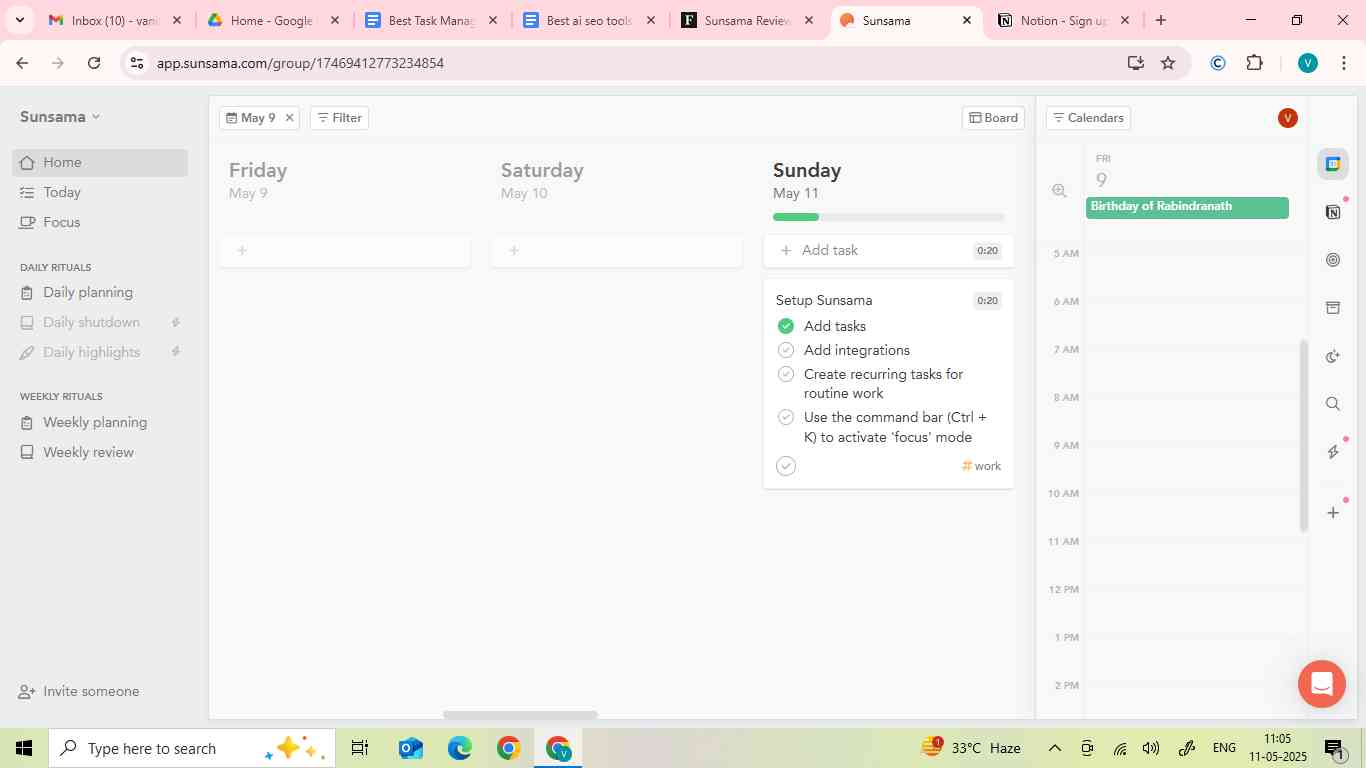
- Sunsama is a daily planning app. It is best suited for work-life balance. It promotes systematic planning with a balanced workload.
- It is primarily a productivity app, but it can also work as a task management app.
- Sunsama raised $2.4M to launch and market in 2019.
- Using Sunsama, you can manage your daily, weekly, or even monthly tasks. It also helps you plan your tasks hourly and manage your work-life balance.
- It even allows the creation of substacks for each task. Repetitive tasks can also be added.
- You can integrate your Google Calendar and other apps.
- It has a minimal and simple setup.
- It does not offer any free plan, but it has a 14-day free trial.
How Sunsama Works?
Sunsama shows your previously planned tasks and your calendar together. This helps provide you with an overview of your schedule. This also allows you to add or remove tasks from your day. It also allows you to time-block your tasks by dragging them to the calendar.
Pros
- Simple and automatic
- Easy to use
- Prevents overwork
- Automatic daily planning
Cons
- Not ideal for complex projects
- Expensive for individuals
- Requires a lot of planning
- No autoscheduling
Pricing
|
14-Day Free Trial |
Yearly Subscription |
Monthly Subscription |
|
No Credit Card Required |
USD 16 per month, billed annually |
USD 20 per month, billed monthly |
3. Akiflow
|
- It integrates a daily planner app and a project management app. It streamlines task capture and execution, focuses on speed work, and helps centralize your schedule.
- In Akiflow, you can integrate your workflows in different apps into a to-do list. So, it helps us use different tools in one place.
- It does not automate your workflow manager; you have to do it manually.
- It has a 7-day free trial.
How AKiflow Works?
Akiflow integrates the following apps to pull your tasks from each app into one inbox:
- Trello
- Slack
- Google Calendar
- Notion
- Todoist
From this inbox, you can drag tasks onto a calendar for time blocking or mark them with Akiflow keyboard shortcuts. These shortcuts can be used anywhere on your desktop.
It allows quick sharing of availability and creating bookable links for others.
Pros
- Speed-focused and improves efficiency
- Minimalist design
- Ideal for productivity enthusiasts
- Reduces cognitive overload
Cons
- Lacks team collaboration tools
- No free version is available
- Challenging for manual organizing
Pricing
|
Pro Monthly |
Pro Yearly |
|
$34 per month, billed monthly |
$9.5 per month, billed yearly |
|
Best for busy professionals |
Best for C-levels & professionals |
- System for modern software development
- Purpose-built for product development
- Designed to move fast
- Crafted to perfection
- GitHub & Slack integration
- Issue tracking
- Fast-paced workflows

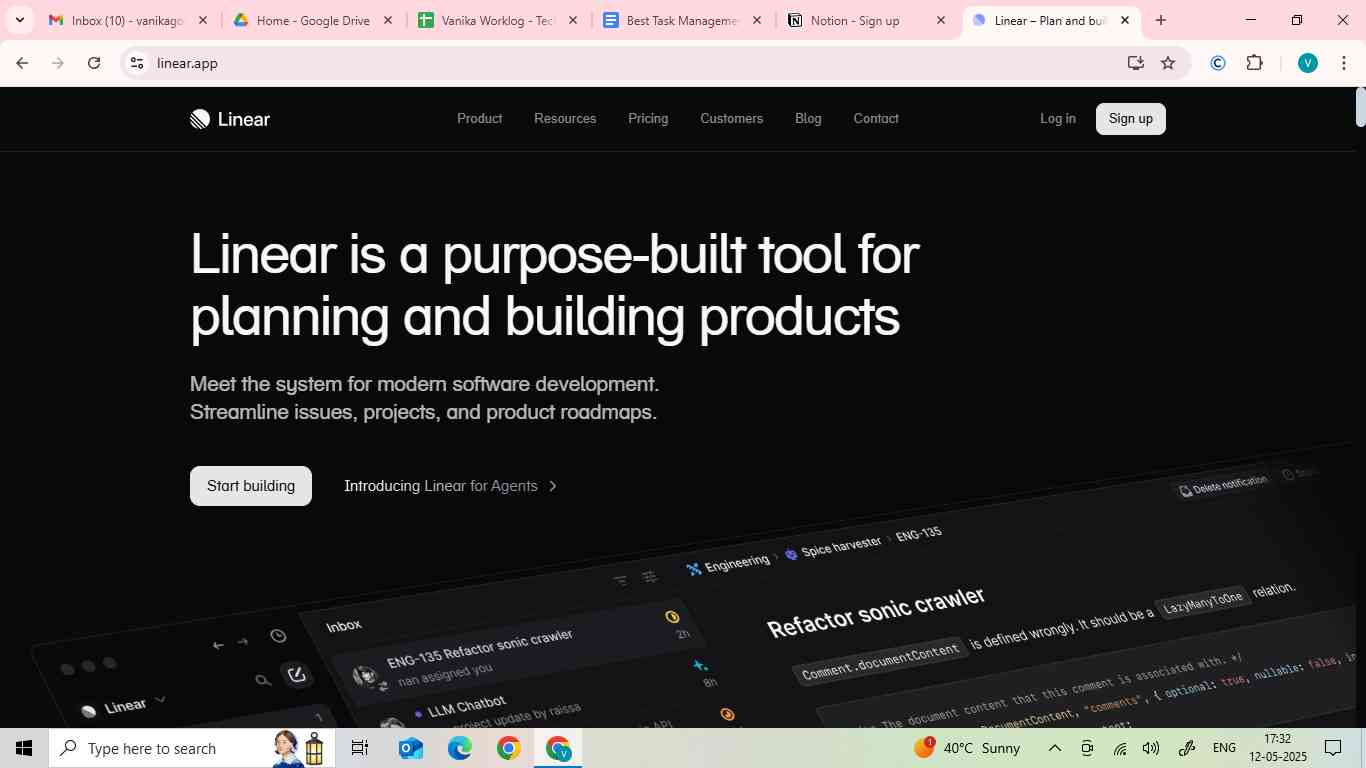
- Linear is a project management app. It is designed for software development teams. It focuses on systematic workflows and bug tracking, aiming to move teams forward and keep them organized.
- One part of it is a product tool (such as focusing on bugs, feature requests, etc.). The other part includes project management.
- Linear helps your engineering and product teams create workflows together.
Pros
- Optimized for developers
- Enhanced collaboration
- Extremely fast and responsive
- Clean, simple UI
Cons
- Not suitable for complex work
- Limited calendar features
- Limited customization
Pricing
|
Free |
Basic |
Business |
Enterprise |
|
$0 |
$8 per user/month |
$14 per user/month |
Contact them, customizable |
|
Free for everyone |
Billed yearly |
Billed yearly |
Annual billing only |
|
Unlimited members |
All features, plus |
Al basic features, plus |
All business features, plus |
|
2 teams |
5 teams |
Advanced linear teams |
|
|
250 issues |
Unlimited issues |
Unlimited teams |
Issue SLAs |
|
Unlimited file uploads |
Private teams & guests |
SAML & SCIM |
|
|
API access |
Admin roles |
Advanced security |
|
|
Triage responsible automation |
Migration & onboarding support |
||
5. Superlist
- AI-powered collaboration hub
- Real-time collaboration
- Repeatable tasks
- Nested lists & tasks
- Fast, fast
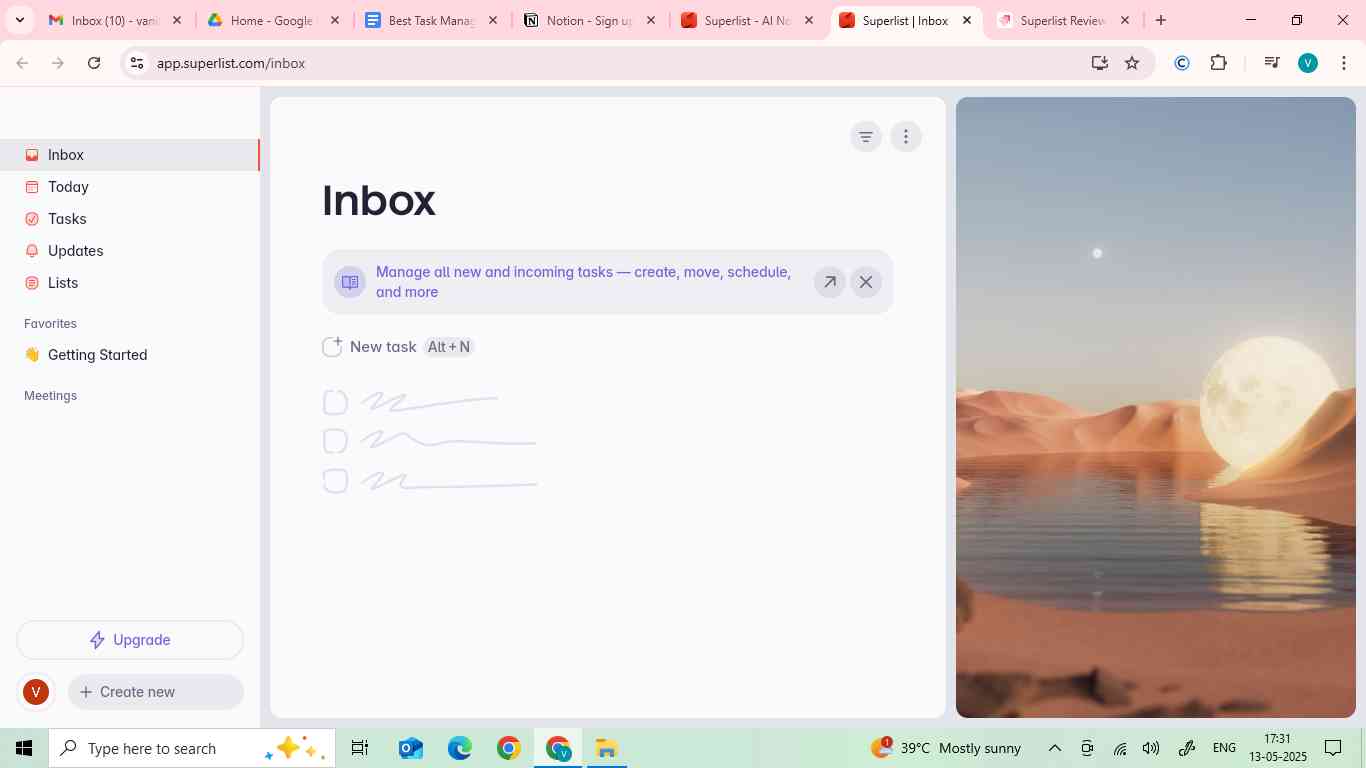
- Superlist is a to-do list app. It is designed for individual and teamwork. It combines task management and document sharing for integrated teamwork.
- It allows you to make professional and personal to-do lists simultaneously.
- It offers a 7-day free trial.
Pros
- Combine tasks and documents
- Sleek, modern interface
- Resource optimization
- Thoughtful/beautiful personal task manager
- Better time management
Cons
- Fewer integrations than competitors
- Pricing may not suit individuals
- Reduced creativity
- Data security concerns
- Not suitable for a full-fledged team project
Pricing
|
Pro |
Super |
|
$19/month |
$39/month |
|
Unlimited lists & sublists |
Everything in Pro, plus |
|
30 AI meeting notes/month |
Unlimited AI meeting notes |
|
15 AI chat messages/day |
Unlimited AI chat messages |
|
Talk about your task with voice AI |
|
|
Access to all integrations |
|
|
AI generation with Make AI |
|
|
Email task summarization |
|
|
100 MB uploads & 25 GB storage |
6. Routine
- All-in-one work platform
- Next-gen platform
- Daily planner + productivity tool
- Note-taking
- Calendar integration
- Time blocking
- Customizable workflows

- This app is designed to help users organise their daily routines and tasks. It has features that boost productivity and habit formation. It is best suited for workflow optimization.
- It helps individuals with:
- Habit building
- Task management
- Time blocking
- Daily planning
- It is a lightweight app.
- It is a beautiful productivity tool and has a minimalistic design.
Pros
- All-in-one productivity tool
- Great calendar integration
- Efficient keyboard shortcuts
- Enhanced organization
- Time-management
- Beautiful and thoughtful user interface
Cons
- Less suited for automation
- Limited integrations with project management tools
- Complex
- Costly
- Suited for individuals, not professionals
Pricing
|
Free |
Professional |
Business |
Enterprise |
|
$0, forever |
$10 per seat/month |
$13 per seat/month |
Customizable |
|
Ideal for students & hobbyists |
For executives, freelancers & managers |
For teams |
For the entire organization |
|
Tasks, calendars, notes & contacts |
Calendar layouts (5-day & month) |
Collaborations |
Unlimited data connections |
|
Standard providers (Google, Slack, etc.) |
Contextual capture |
Workspaces |
Unlimited history |
|
5 data connectors |
Views |
Access Control |
Compliance |
|
7-day ry |
All providers |
30 data connectors |
Audit logs |
|
Community support |
10 data connectors |
90-day history |
Analytics |
|
Premium support |
Custom domain |
User provisioning |
|
|
Priority support |
Success manager |
7. Amie
- Automate your workflows
- Record your meetings
- Get organized (smart scheduling)
- Summarize without using bots
- Keep CRM updated
- Split-view scheduling
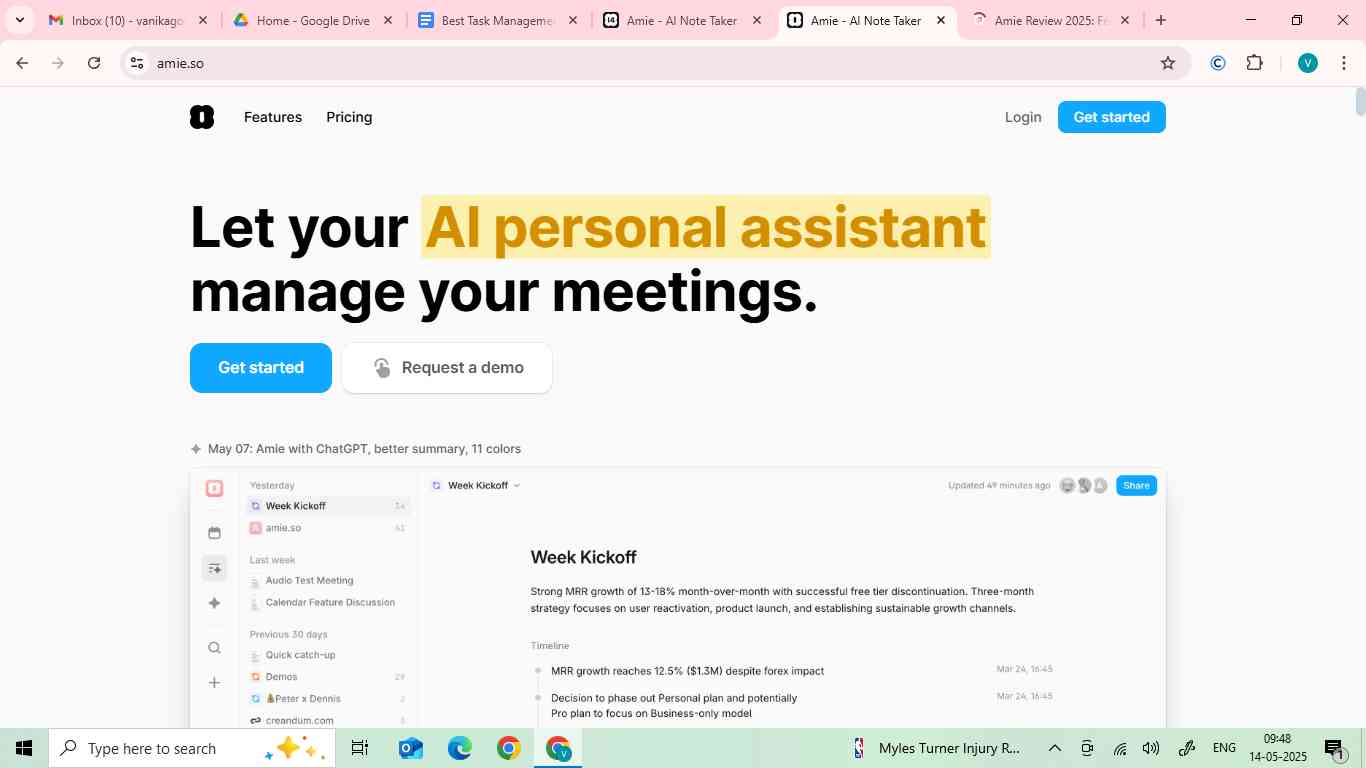
- Amie is an AI-powered calendar app. It integrates task and email management. It automates and customizes task management. It aims for “joyous productivity”.
- It allows time-blocking of events and tasks and manages and organises user meetings and workflows.
Pros
- AI-driven efficiency
- Customizable automation
- Excellent smart scheduling
- Daily and weekly overviews
Cons
- AI may not suit all users
- Subscription costs may be high
- Lack of email client management
Pricing
|
Pro |
Business |
Enterprise |
|
$20 per user/month, billed annually |
$40 per user/month, billed 1-weekly |
Custom pricing |
|
$25 per user/month, billed monthly |
$50 per user/month, billed monthly |
|
|
Unlimited meeting notes |
Everything in Pro, plus |
Everything in Business, plus |
|
Bot-free recordings |
CRM integrations (Hubspot, Pipedrive) |
Unlimited recordings per month |
|
AI-drafted emails |
Unlimited AI chat messages |
Custom templates |
|
15 AI chat messages/day |
Custom templates |
Custom branding on shared meeting notes |
|
AI scheduling |
Custom branding on shared notes |
Upload audio files as AI notes |
|
Advanced integrations (ATS?CRM, soon) |
8. Morgen
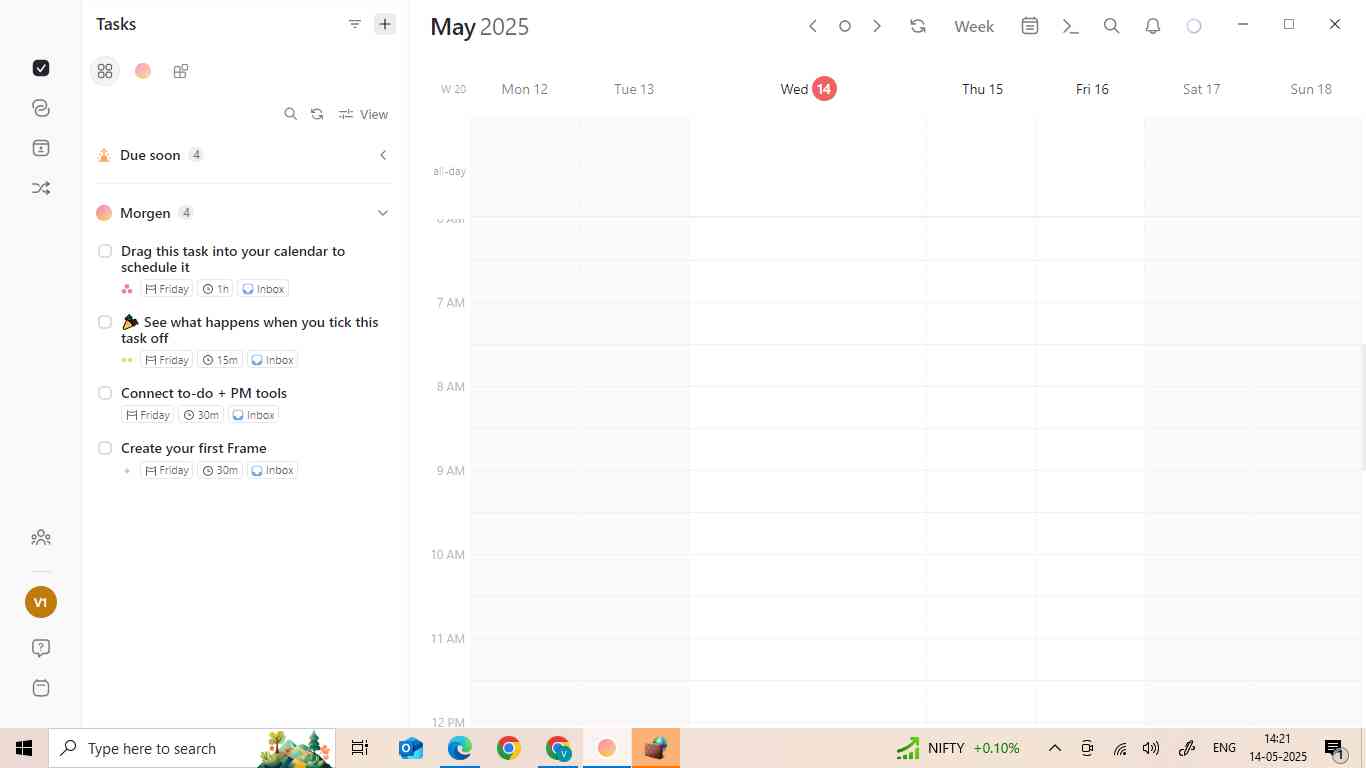
- AI-projects
- Integrations
- Tasks + Time blocking
- Smart teams scheduling
- Unifies the calendar-task system
- Morgen is a calendar management app. It integrates calendars, meetings, task management, time scheduling, and blocking to streamline productivity. It integrates time management tools in one application.
- It provides a better experience than Google Calendar/Outlook. It has a faster, well-designed interface.
- It has a minimal learning curve.
- They also have a mobile app. But you have to create an account beforehand on the website. Only login is available on the mobile app. The mobile app is restricted to paid users only.
How Morgen Calendar Works
Morgen provides all the functionality of a normal calendar in a beautiful interface with a better user experience.
Morgen allows you to add and drag basic tasks on your calendar for daily planning. It lets you know the upcoming or overdue tasks. It can only add static tasks to your calendar. It can’t help you categorize tasks for bigger projects.
Pros
- Calendar centralization
- Smart scheduling
- User-friendly UI
- Available on multiple platforms
- AI planner
Cons
- Limited project management features
- Only suited for calendar-centric users
- Mobile-app limitations
- No support
Pricing
|
Monthly |
Yearly |
Believer |
|
USD 30 per month, billed monthly |
USD 15 per month, billed yearly |
USD 6.50 per month, billed every 5 years |
|
Time blocking is supported by the AI planner |
All in Pro Monthly |
All in Pro Monthly |
|
Unlimited calendars & tasks integrations |
Save 50% compared to the Monthly |
Save 78% compared to the Monthly |
|
Calendar automations |
Access to all updates & improvements |
Access to all updates & improvements |
|
Booking Page + Scheduling Links |
||
|
App for Windows, macOS, Linux & mobile |
9. Todoist
- Task management
- Project management
- Time management
- Teamwork
- Capture tasks at the speed of thought
- Software integrations
- Templates

- It is one of the most widely used task management apps. It organizes tasks, sets reminders, and collaborates on projects.
- It helps in planning and organizing personal and professional tasks.
- It can help manage simple projects, but it isn’t meant for more complex scenarios.
Pros
- Clean and efficient
- Cross-platform syncing
- Ideal for solo and teamwork
- User-friendly
- Affordable
- Available on every platform
- NLP makes adding tasks simple & easy
Cons
- Lacks advanced automation
- Limited customization
- Less visual interface
- Limited collaboration
- Feels like a web app
Pricing
|
Beginner |
Pro |
Business |
|
Start organizing your life for free |
Organize your work & life |
Manage your teamwork, too |
|
$0 |
$2 per user/month, billed yearly |
$6 per user/month, billed yearly |
|
$0 |
$2.50 per user/month, billed monthly |
$8 per user/month, billed monthly |
|
An account with: |
Everything in Beginner, plus: |
Everything in Pro for every member, plus: |
|
5 personal projects |
300 personal projects |
A shared team workspace |
|
Smart quick add |
Calendar layout |
Up to 500 team projects |
|
Task reminders |
Task duration |
Calendar layout for team projects |
|
Flexible list & board layouts |
Custom task reminders |
Granular team activity logs |
|
3 filter views |
150 filter views |
Shared templates |
|
1 week activity history |
Unlimited activity history |
1000 team fulfil & guests |
|
Integrate email, calendar, & more |
AI assistant |
1000 project folders |
|
Deadlines |
Team roles & permissions |
|
|
Centralized team building |
10. Notion
- AI meeting notes
- Enterprise search
- Projects
- Notion mail
- Business-in-a-box
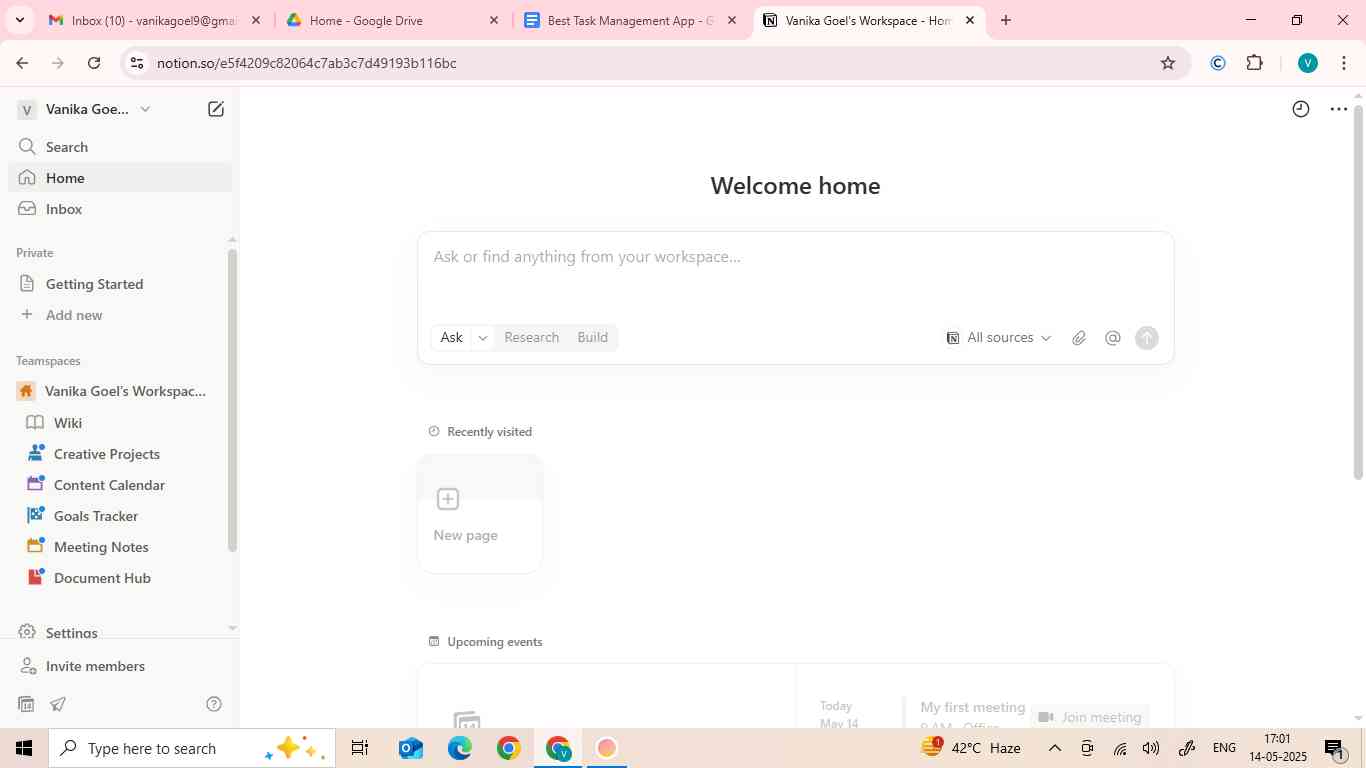
- Notion is a versatile application. It integrates features like note-taking, task management, and databases.
- It helps to organize, collaborate, and manage the project.
- It’s mainly used in the software industry.
- It has a steep learning curve, especially if you’ve never used a task management app before.
How Notion Compares
Notion is versatile enough to be tailored to almost anything you need. This flexibility makes Notion usable as a:
- CRM
- Project management tool
- Taks manager
- Knowledge base
It can be used for various purposes, but it is not necessary to always be like that. This is because using Notion for everything can make the work messy.
Pros
- Versatile and customizable
- Cost-effective
- Strong collaboration features
- Project tracking
Cons
- Offline limitations
- Limited access controls
- Lack of specialized features
- Performance issues
Pricing
|
Free |
Plus |
Business |
Enterprise |
|
$0 per member/month |
$12 per member/month, billed monthly |
$24 per member/month, billed monthly |
Custom pricing |
|
$0 |
$10 per member/month, billed yearly |
$20 per member/month, billed yearly |
|
|
For individuals |
For small teams & professionals |
For growing businesses |
For organizations |
|
Free for individual usage |
Everything in Free |
Everything in Plus |
Everything in Business |
|
Basic forms |
Unlimited collaborative blocks |
SAML SSO |
User provisioning (SCIM) |
|
Basic sites |
Unlimited file uploads |
Verify any page |
Advanced security & controls |
|
Notion calendar |
Unlimited charts |
Private teamspaces |
Audit log |
|
Notion mail |
Custom forms |
Conditional forms of logic |
Customer success manager |
|
Databases including substacks, dependencies, custom properties, & more |
Custom sites |
Domain verification |
Security & compliance integrations |
|
Basic integrations |
Basic integrations |
Premium integrations |
Domain management |
|
Advanced integrations |
How to Choose a Task Management App
The task management selection is done based on the user's specific needs. The following factors must be considered:
- Purpose: Purpose of your collaboration: personal or team goal?
- User Experience: Is the interface user-friendly?
- Features: Does it have the required features like task prioritization, personalization, automation, etc?
- Collaboration Capabilities: What are the collaboration capabilities like, sharing tasks, sharing files, and communicating with the team?
- Integration: Does it integrate with other tools like Google tools, Slack, or Microsoft Teams?
- AI & Automation: Does it offer AI services like automatic scheduling and smart workflow?
- Pricing & Scalability: Is the app budget-friendly? Is the app scalable as per your growth needs?
- Cross-Platform Compatibility: Is the app compatible with the needed platforms, like desktop, mobile, etc.?
- Security & Privacy: Is it encrypted and provides secure data storage?
Conclusion
After exploring the above task management apps, we can say that today's world is full of productivity tools. Each has unique features and benefits, and what works for you depends on your workflow, priorities, and how you want the tasks to be completed.
None of the tools is perfect yet, but they are an approach to making our work slightly easier. Check if any fulfill your work needs. There are plenty of options available, allowing you plenty of room for experimentation.
In the end, the best task manager is the one that fits your workflow, makes your work easier, and improves productivity.
Frequently Asked Questions
1. How is a task management app different from a project management app?
Task management apps focus on:
- To-dos
- Reminders
- Priorities
Whereas project management tools handle broader workflows like:
- Timelines
- Dependencies
- Resources
2. What features should I look for in a task management app?
In a task management app, you must look for:’
- Task lists
- Reminders
- Collaboration
- Multiple views
- Integrations
- Automation features
3. Can I use these apps offline?
Yes, some apps like Todoist and TickTick have offline mode. They auto-sync when you’re back online.
4. Do task management apps use AI in 2025?
Yes, many apps in 2025 are using AI for:
- Smart scheduling
- Task suggestions
- Prioritization